3ds Max | Scripts

PROTO-G CNC for 3ds Max

0 votes

PROTO-G for 3ds Max
Parametric Robotic Toolpath Generator for 3ds Max

PROTO-G for 3ds Max is CNC software that enables the parametric tool path generation for a robot. Currently, the software is limited to producing the necessary files for a Kuka robot using its native KRL language. The scripts can generate tool paths for:

  1. a hotwire cutter (using two splines to generate a developable surface
  2. a spindle using a multi-pass toolpath
  3. a free-form toolpath derived from the animation of any object in 3ds Max

FX Optimizer

3 votes

FumeFx range sync

0 votes

Fix wiring

2 votes

simple Scipt for manage wiring
--detect wiring on selection and open wiring dialogs
--detect broken wiring .
--detect wiring between 2 objects
--fast wiring between 2 objects

issues:
max only limit wiring dialogs to 7 only.

try it and have fun :)

Create Quick Wall

7 votes

This script allows us to quickly create a wall using the shape (linee, text, circle ecc..)


----- Features

Rattle 1.0 - Parametric Noise Generator... Released!!!

2 votes

Rattle 1.0 is a script for Autodesk 3ds Max to manage noise in different ways in your scene and animations.
With Rattle you can use the noise on animation controllers in very easy way and in single and multi selection. You can use also the noise deformers to give noise to your meshes and create variation in your scene and animation.

Features:
- Relative Noise Controllers (so you can have it as additive controller to your animation )
- Noise Position Controller
- Noise Rotation Controller
- Noise Scale Controller
- Noise Deformer
- Noise Bend Deformer
- Noise Twist Deformer

Radius Scale

1 vote

Radius Scale sets the working pivot to the intersection of 2 coplanar lines, then selects the loop between the initial selection and switches to the scale tool. Useful for changing the radius of rounded corners. Right now the script references the Smart Loop feature of Miauu's Script Pack 2. I'm using it to loop between the 2 selected edges, but if you don't have his script you can delete the following lines and select manually instead,or come up with something else that does the job, or buy his script :)

macros.run "miauusScriptPack_vol2" "macroSP_vol2_SmartLoopDotSelection_UI"

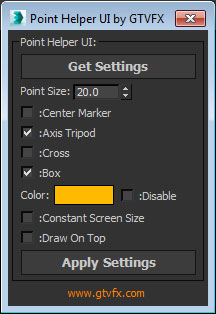
GTVFX-UTL_pointHelperManipulator

0 votes


Manipulates the display of all point helpers in your selection en masse.


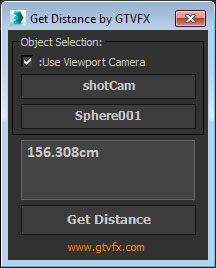
GTVFX-UTL_getDistanceInUnits

0 votes


Gets the distance between two objects. Returns the value in your current System units. 

Automatically copies the value to your clipboard so you could, for example, past that distance value into your ZDepth distance.


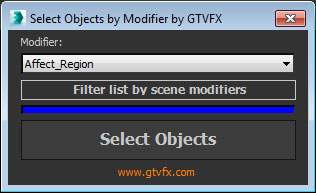
GTVFX-SEL_selectByModifierClass

0 votes


Selects objects that have the chosen modifier in their stack

At startup the list populates with all available modifiers in your session of Max. Use the button below the list to filter it down to only the modifiers currently present in your scene. This can take a few seconds for large scenes.


Syndicate content