3ds Max | Scripts

Proxy maker

8 votes

Makes vray proxies simply by selection objects and target vraymesh directory.

Multi/Sub Object Material Creator

8 votes

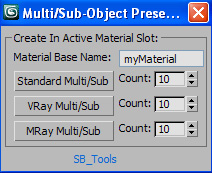
Hi all. Here's my Multi/Sub Object Material Creator.

V.05 Updated UI to a less cumbersome version so it's easier to use. Kudos to Tassel for development)

V.04 Updated to include the option for Mental Ray material preset.

Ui tweaks to seperate the materials It now produces a random colour for each material (thanks to br0t)

Added the option to name your material (thanks to br0t)

V.03 Updated to include Mental Ray materials!

Hand Controller

8 votes

The first of these scripts creates hands from boxes. You can link them to any character. The second script controls the fingers with a few sliders. This one has saved my ass many times. NEW Features! Support for 3 -4 - or 5 fingers. Supports multiple h

Object Paint

8 votes

Paints using current selection as the brush.

MeditExtender

8 votes

Allows up to 1024 samples in Material Editor. The additional samples can be scrolled up/down using a small floater. NOTE: Currently - only the displayed 24 samples can be saved with the MAX scene.

SmartHide

8 votes

Hide objects - even if in an open group

PolySmoother

8 votes

PolySmoother is a professional tool to efficiently work with Smoothing Groups.
It allows you to visualize and manage the Smoothing Groups in a quick and easy way. You can set Hard and Soft edges, select edges by convexity, copy, paste, modify and optimize Smoothing Groups, as well as convert them from and to UV mapping, among many other features.

Rename helper

8 votes

For muliple renaming of unique objects. eg select some objects - click the macro - then just type and hit return. The selected object is displayed with a yellow box around it.

Change Listener Color Scheme

8 votes

Hi there..

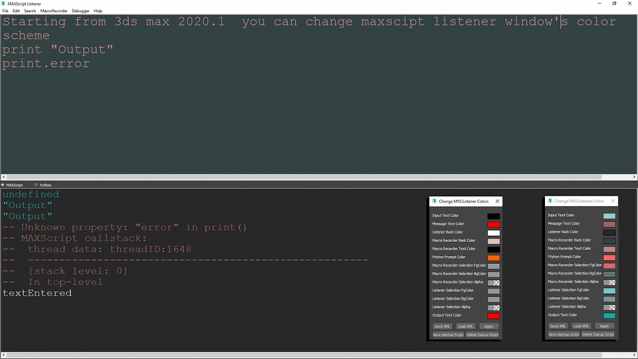
The script is for 3ds max 2020.1 and higher versions of 3ds max. It can change listener's colors save them in .xml format for share or future usage. For now I could not find an .ini file to write those settings in so there is a save startup script button on the bottom of the dialog.

RenderSettingsControl

8 votes

Allows you to change various parameters in the rendering dialogue. Also lets you save these parameters out as files to be used later.

Syndicate content