Tagged 'Material'

library collector

17 votes

A simple script that can be used to merge individual .mat files (material libraries) into one big file. Pretty lame interface, but it gets the job done. Feel free to modify as needed.

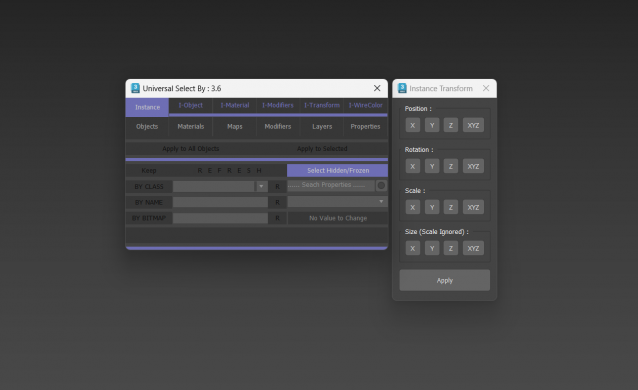
Universal Select By

9 votes

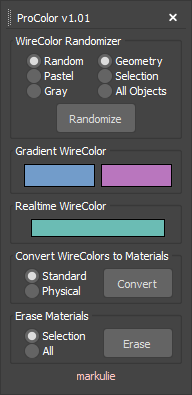
ProColor

4 votes

Advanced Wirecolor Tool

Features

-Randomize Wirecolor
-Gradient Wirecolor
-Realtime Wirecolor
-Batch Wirecolor to Material Converter
-Batch Material Eraser

This script is now deprecated.

Use the latest optimized version: WireColor Pro

VrayMtl Color Correction

2 votes

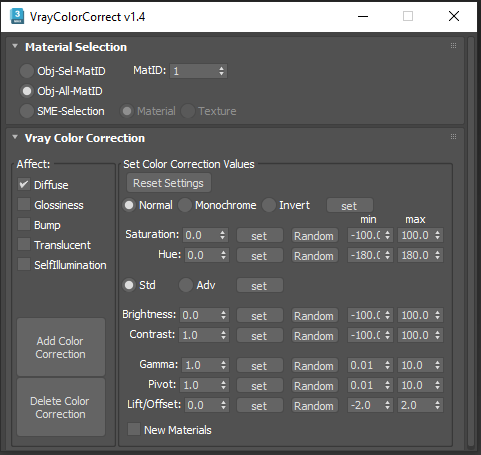
This script is intended to add and tweak settings of Color correction nodes for VrayMtl.

You can add some Color correction with any specified values on any selected material slot (Diffuse, Bump, Glossiness, Translucent, Self Illumination), the existing bitmaps will be kept inside the color correct.

You can change any parameter afterward.

i've added some randomization to each parameter.

Material Texture Loader

7 votes

Description
  The Material Texture Loader loads in textures and instantly creates advanced materials.
  Use pre-defined or customized map and material settings to build re-usable material setups.
  Fully supports Vray, Corona, Redshift, Arnold, FStorm, Physical, Octane, and Standard map and materials.
 
Main Features

  • Automatic texture channel recognition 
  • Parameter linking for all texture mappings
  • Predefined Color-spaces: ACEScg - sRGB - linear-sRGB - Raw - Gamma - Auto
  • Mapping: Tiling - Real-world - Tri-Planar -  Random Rotation - Spherical
  • Live edit settings and disable channels
  • 2-Sided materials
  • MaxScript commands
  • UDIM map loading
  • Drag and Drop
  • Presets

Get it on Gumroad
Latest version: 1.830

Instance Material and Modifiers Tools

1 vote

This Script for Instancing the Material and Modifiers Between Objects .
The Aim of it is to Generate Aligned Modifier Like in case of UVWMap or Slice or Symmetry ..
it works with all Modifiers that have Gizmo or Mirror Sublevel (Property) and the Slice Modifier .
its Combined of 4 scripts

+ALT - Delete Materials and Modifiers of Selected Objects.
+CTRL - Instancing The Material and First Modifier from Picked Object to Selected Objects .
+SHIFT - Instance Material and All Modifiers from Picked Object to Selected Objects .

Vray To Unity OneClick Converter

1 vote

Script for automatic conversion 3ds Max scene with V-ray renderer to Unity Engine (HDRP and URP).

Documentation: https://docs.google.com/document/d/19XJjX2VO_rHNIj4ZDcKPlwhYR0FFi8a77FyG...

Скрипт по автоматической конвертации сцены из 3ds Max V-ray в Unity (HDRP и URP)

Документация на русском : https://docs.google.com/document/d/122-TyKZj-STQIXhajocWSvXzTZeeRxgscq3P...

https://u3d.gumroad.com/l/3dsmaxVray2unityPRO PRO version without texture size limit.

Telegram Support Channel https://t.me/OneClickExporter

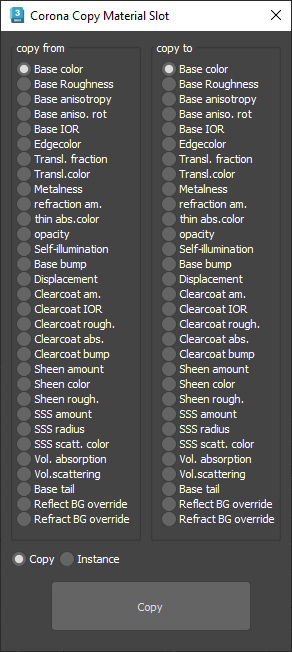
Corona Copy Material Slot

1 vote

This is only for Corona Physical Materials, i might do a legacy version later..

This script is intended to batch copy from slot to slot within the same material,

For example, you can copy a bump map to a displacement map or the diffuse map to selfillumination on multiple material at once.

you can use my other script to add some color correction with a saturation set to -1, to create bump or roughness maps from your diffuse map.

VrayMtl Copy Maps

1 vote

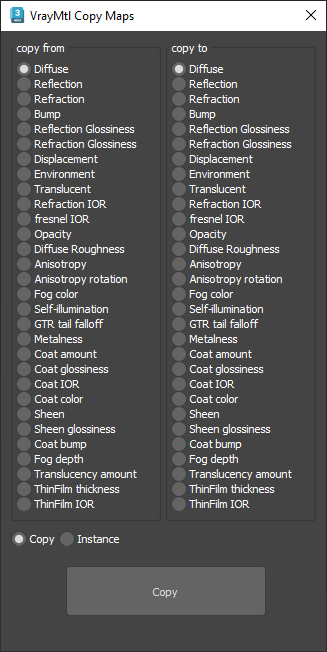
This script is intended to batch copy from slot to slot within the same material.

For example, you can copy the bump map to The displacement map or the diffuse map to the selfillumination map on multiple material at once.

You can copy the diffuse map to the bump or the Glossiness map and use my other script to add color correction with saturation  set to -100 and adjust other settings to fit your needs.

IDs Finder

1 vote

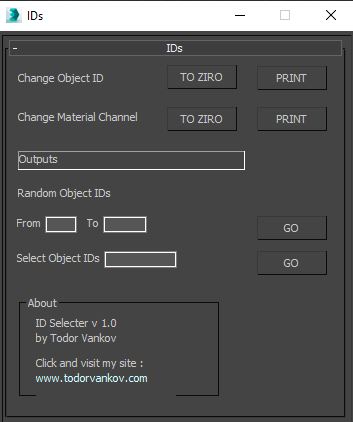
With this script you can Find what kind of object and material IDs you have in your scene.

- the Buttons „to zero" reset all material and object IDs
- random object ID
- select the objects with one special ID

Script category: “#todorScripts”

You can see an example here, how to install my script per Drag and Drop:

Syndicate content