Tagged 'script'

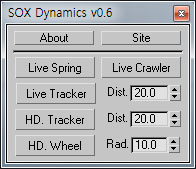
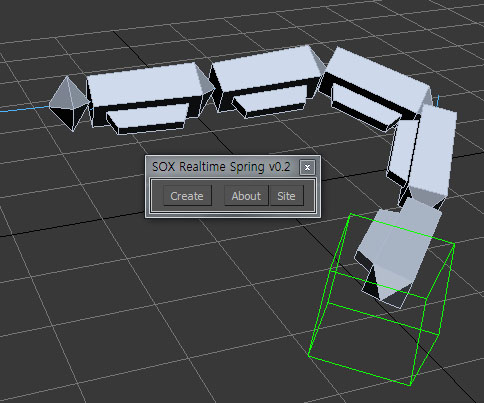
SOX Dynamics

3 votes

Sorry, The management of the tool will stop temporarily.


Ccom Map Baker-Auto Render To Texture

0 votes

If you have high polygon file and low polygon file finished UV mapping process before,
this tool can  extract Normal, Diffuse, Ambient Occlusion, Lighting map in one single image within 3DS Max.
So you don't  need to use Photoshop to collaborate all these map images in a single image file.
Baking process will be easily done in a minuite by using this tool.

feature
=========================================
1. Easy hide unhide delete low poly object, high poly object
2. Auto Import highpolygon
3. Single Import highpolygon
4.

Quad Cap

35 votes

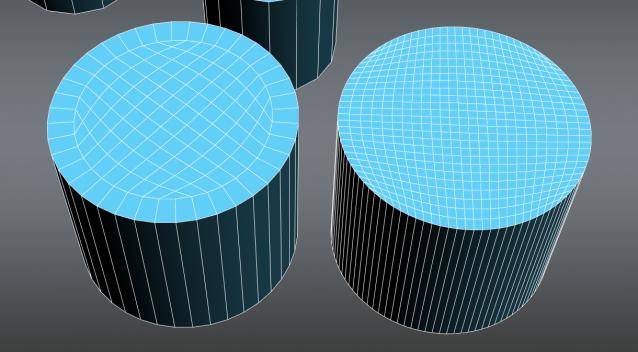
Quad Cap is a 3Ds Max script that is designed to produce fast quad caps for even sided polygons saving you time and energy. Why do it manually if you can do it automatically?

Here are some of the benefits you get:
• Save time and energy to model what’s really important
• Perfect quad topology for you cylinders and spheres
• Subdivides perfectly
• Improves hard surfaces modeling and even organic modeling • Plus many more I can’t think of know

copy/paste

19 votes

new in ver 1.1:
-copy
saves selected object in the file "copy_paste_buffer.max"
in default scenes directory and make
a backup of old file /"copy_paste_buffer_backup.max"/
-paste
merge "copy_paste_buffer.max" in the current scene

script goes in the category “Georgy Chakarov”

WkXmlLibrary

66 votes


The purpose of this script is to give an easy and full access to XML files: creation, reading and modifications
It is intented to be used with the same flexibility as a library: instanciate the structure where you need it
in your code and use the member functions to manipulate the XML files.

WkXmlLibrary - A WerwacK script at www.werwackfx.com

This script strongly relies on the DotNet interface.

Video Capture Select Viewport

33 votes

This is a Script that allows to recording and Grab the active viewport during the work. You can select any viewport during recording. Veersion 1.1

Based on 'Create a Quick Preview' by Borislav 'Bobo' Petrov (www.scriptspot.com/bobo).

New in release version 1.1:
Revision code (work in progress)
Revision the Interface
Add save path button image "Output Save Path Image"
Add save path button video "Output Save Path Video"
Add checkbox uniquename file image "Uniquename File Image"

Automatic Roof - Tetto Automatico

15 votes

this script allows to fill up a stratum of the roof of space coordinate goblets being inserted three them in order to characterize the stratum plan

Slate - View Selected

21 votes

This free MaxScript instantly displays the material of the selected object (or objects) in a new view in the Slate Material Editor. Currently, Slate does not have a quick and easy way to do this. Slate View Selected allows you to create multiple views as well. You can close the script dialog box and the script will continue to run until you re-run the script where you can stop it. In the dialog box you can also set a "display max" so that if you select a large number of objects, Slate won't waste time collecting and displaying all the materials used by objects in the selection.

XRef Scenes update

47 votes

I experienced problem with updating XRefs scenes during main scene load. I can hit "Update Now" button on workstation but I can't do this during renderfarm rendering. This script forces XRefs update during main scene load. It should be installed on every single render node. I expreienced this problem at 3ds Max ver 9, script was tested on ver. 2009 also (will propably work at v. 2008). Problem disappeared at 3dsMax 2010.

Open Float Help (O.F.H)

14 votes

This script allows the open Help and Tutorials file in floating windows.

Normally, the help max file is hancored to the working windows. If we closed Max, it's also closes the help. With script Float Open Help, the file help remains open no longer hancored to the Max. Is can also open file .chm, .pdf, .txt, htlm and Web page.

A Special Thanks to Graph  http://Graph.3D.Lc

OFH

Syndicate content