3ds Max | Scripts

Maxwell Light Lister

2 votes

2013-05-10: Small bug was fixed that caused the script to fail in Max 2014.  Grab the latest if you are having problems.

2012-04-16: I made a small bug fix that clears up a problem with some uses of multi-sub materials.  If you've already installed it, download and run it again to clear up that problem.

Single Click Render Menu

0 votes

renderMenu rollout gives you an ability to start different types rendering (single frame, active segment, specified frames, or single frame at current time) with one click, toggle some render options and adjust animation range. Useful for animations that are being rendered and edited often in different places and segments.

"C" button clears GI cache
"H" button triggers "render hidden geometry" option

Spline Rope

15 votes

SIGERTEXMAPS NCS Color Solid

2 votes

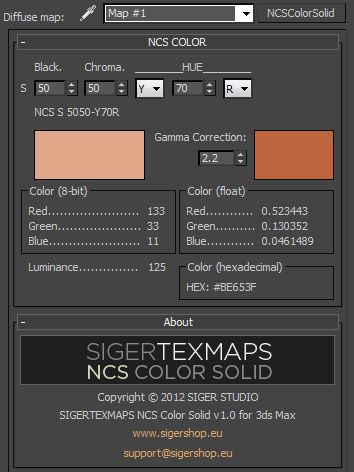
The SIGERTEXMAPS NCS Color Solid is a scripted 2D Texture map plug-in for 3ds MAX.

KEY FEATURES

  • Convenient input of the NCS color code
  • Compatible with V-Ray, finalRender, Brazil, default Scanline render
  • Compatible with mental ray (3ds Max 2010 and above)
  • Gamma correction possibility
  • Color info (8-bit: 0… 255, float: 0… 1 and Hexadecimal)
  • Friendly and simple interface

Bunch of utilities for CAT rigs to Cryengine and other game asset export functions

1 vote

Read the text files in the zip for install and uninstall.

Read the change notes for new features.

Viewport Auto-Snap

18 votes

Viewport Auto-Snap automatically changes the current snapping degree (3D - 2.5D - 2D) based on the current viewport.

For full instructions refer to the manual.

Pillars

6 votes

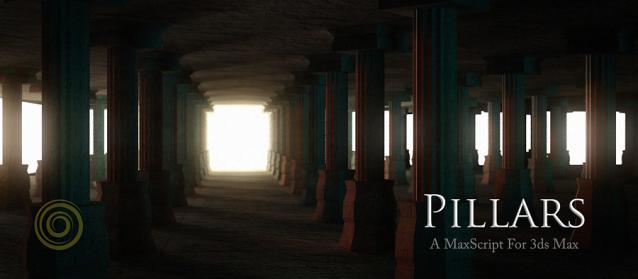
Pillars is a MaxScript for Autodesk 3ds Max. It creates 3d models of pillars, columns, railings, fountains and a variety of similar shapes. It also breaks them.

The UI is minimalistic and you can try out a number of designs very quickly, the script does all the creative work. Pillars is totally free for any kind of use and modifications, and is open sourced.

Features:

MaxscriptDoc

4 votes

MaxscriptDoc automatically generates the documentation of a maxscript file, according to the comments found in the source code.

It's kind of a mix between javadoc and python documentation.

The "docStrings" are all the multiline comments that start with /*** and finish with ***/

The only elements it's trying to comment are struct, function, plugin and rollouts.

Selectionset Manager

4 votes

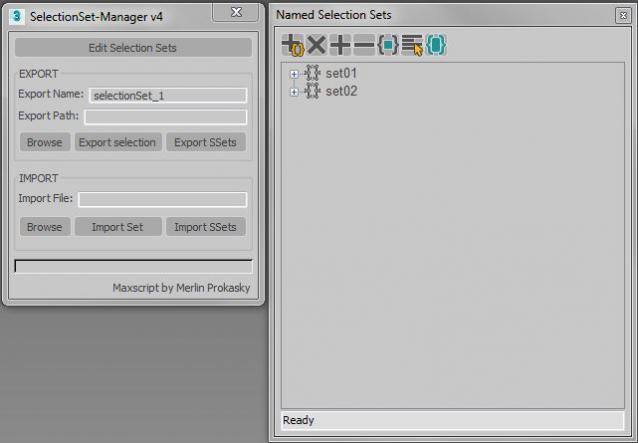
Tool for exporting and importing selection sets

Simple tool to transfer selection set between Max files.
Selection sets depend on the naming of scene objects.

Functions:

*export of actual selected objects as selection set
*export of all selection sets in scene
*import of exported SelectionSet files (.txt)
*import several files (.txt)

Manual:
Export:
*set name of export file
*paste or browse export path, otherwise it will choose the actual Max folder

CameraRig

0 votes

This is my camera rig, I was used to create this rig ever time, so I decide to make a button to create this rig in one click.

Updates v1.1 - Main dummy resizeses properly

Syndicate content