3ds Max | Scripts

Shape Draw Grid

3 votes

v1.31 fixed small bug (disable callback)

Align to XYView

3 votes

v1.47 Added aligne just by axis X Y Z

Zippy Painter

-13 votes

Zippy Painter is a scripted plugin for 3ds Max which allows users to paint dynamically simulated objects onto the surfaces or in 3D space. This tool makes it fun for artists to add detail to their 3D environments. Check out the videos of Zippy to see it in action.

zippy_painter

mrProxy Generator v1.0

22 votes

mrProxy Generator v1.0 is a helpful script for creating multiple proxies of selected objects. It automatically names the output files from the selection and can also replace your geometry. The script is free of charge and available for download.
Works with versions 9.x and above. There’s also a video tutorial describing the usage of the script on youtube.

SnapVertsToGrid Modifier

2 votes

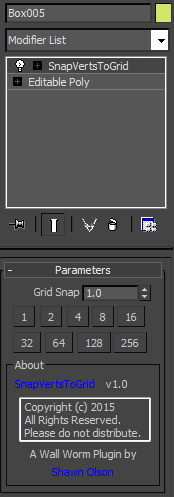
This is a simplemod plugin that will snap all the vertices of the object to the grid based on the grid snap spacing value.

Note that this modifier is the legacy version. If you have Max 2016+, you should use Brushify instead.

OptimizeSplinePoints

15 votes

This optimizer work based on calculation of changing spline length in percent. The main value must not be very high. Use it on imported DWG.

Tape Annotate

12 votes

updated:
fixed toggle on and off functionality.

Displays tape-length information in the viewport.

Effects all tapes currently visible. Displays the user defined tape length at the base of the tape and the distance to the target at the target. Updates in real-time.

Simple!

note:
I work in inches, so displaying "in." is hard-coded. Change that part ("+" in."")of the code, or remove it to make it go away.

Milyan's object cleaner

1 vote

Simple Pipe Spline

-13 votes

Simple Pipe is a spline plugin for 3ds Max 2015 or later. It gives users the ability to quickly create pipe like paths with variety of options. Users can also distribute custom geometry along the path at each pipe intersection.

Isolate By Material

1 vote

This tool helps the user to isolate objects by material, The user picks an object, then by clicking the button all objects sharing the same material will remain in the scene, while others will be hidden. Also if the selected object doesn't have any material applied to it a dialog box will popup telling the user this, and giving him/her the choice to click YES and isolate all objects with no materials applied to them.
You can a demo video on YouTube: https://youtu.be/oWUZQ-iN7e4

Syndicate content