3ds Max | All

Facial Animation Control

12 votes

Facial Animation Rig

22 votes

Create a complete head rig, with facial animation controls as recommended by Jason Osipa in his book 'Stop Staring'. Starting just with a head mesh, create bones for jaw, head,neck and eyelids. Also create a couple of spline controls for the eyes and the chin. Running the 'eyerig' script creates a rollout with pick buttons for all needed bones and meshes, then sets up the eye and head rigs, as well as placing a skin modifier on the mesh, with the required bones added, ready for vertex weighting. The rig also caters for 'fleshy eyelids' that move with the eye.

Facial Animation Widget

1 vote

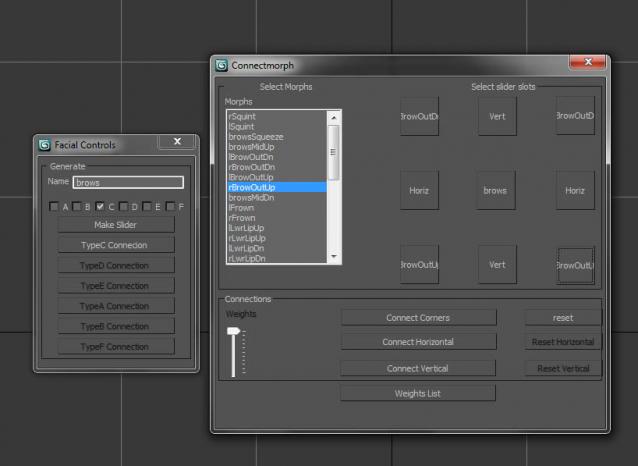
When animating characters you will most likely want your skinned mesh to be frozen for that the animator does not unwillingly move it or select it all the time. But then you won't have access to the morpher modifier to do your facial animation. If you don't have time to build a Face UI this tiny script might come in handy. It creates a button on your head controller (for example) to get access to your morpher modifier.

Facial Controls

13 votes

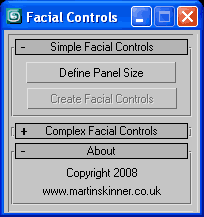
User InterfaceFacial Controls v1.0.ms - Maxscript that creates simple controls for driving a facial rig be it basic or complex.
Facial Motion Capture Stabilizer

6 votes

The script stabilizes (moves transformation information of the head from) facial motion capture points.
Run the script.
Select at least three points in the forehead.
Select all the points except reference (parent) point of the data.
That's all.

FacialMorphControls

9 votes

Enhances the Morpher modifier UI - along with some additional features. Good tool for character animators.

When you select an object with a morpher modifier (with multiple animated channels) -
by default - keyframes of all the animated morph channels appear cluttered and
mixed up in the timeslider. Ver 2.0 of my script allows the user to selectively

Facima Tools

18 votes

FakeVoxel Script

0 votes

FallOff Up Down

3 votes

Respectively makes FallOff bigger or smaller by 20% (20% because every four times the size roughly doubles/halves). Only for editable poly. I have assigned these to my up and down arrows. This is really use full when I do terrain work.
Update 1.1 added Undo

Fan Connect

4 votes

Fan connect is a script for 3DS Max which connects one vert to all others on a selected face. Simply select one or more faces, and a vert on each of the selected faces, then run the script.

Syndicate content