3ds Max | All

Custom Rigger

22 votes


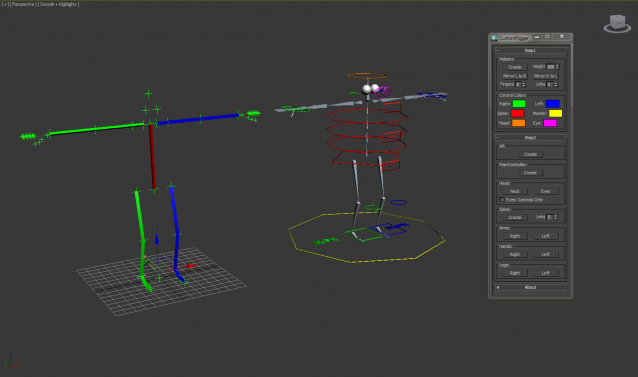
CustomRigger is a tool to create a rig in a matter of seconds.

You've got two steps in the process:

Step1

A setup off all the joints

Step2

Create the controls/bones you want

Calling Maxscript Functions from DotNet

29 votes

Calling Maxscript Functions from DotNet

I thought I’d draw attention to a few enhancements that Autodesk has made
with the new release in the hope that it will help you with your
scripts. The private/public methods in struct declaration in MXS was a
welcome addition, but I was hoping for a few extras in the dotnet area
too. The main one to note is -

Multi Distance Meter

12 votes

Maxscript | Scale,Rotate Reference

5 votes

Scale Rotate


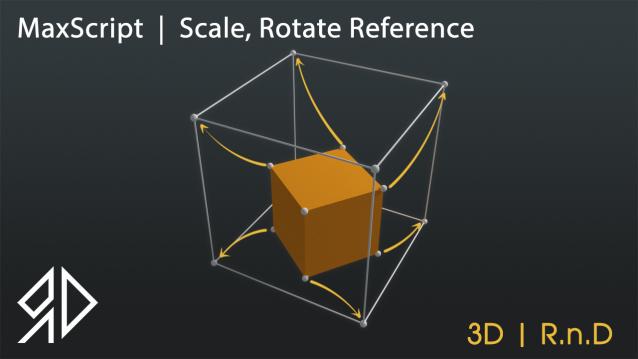
This Script will allow you to Rotate and\or Scale and Move an object based on two source picks to a destination two picks similar to align command in autocad !


Run script or drag and drop to 3ds max, then go to customize user interface and assign it as keyboard shortcut or quad menu under "3D_RnD" Category

it works with :

   - Single objects selected

Vray Proxy Lister

1 vote

Script list and edit Vray Proxy (name, meshfile, material display).

3ds Max 2017 MCG Samples

1 vote

A library of useful Max Creation Graph (MCG) compounds and tools for 3ds Max 2017.

By: ADN-DevTech/3dsMax-MCG-Samples

You can use these sample by downloading and unzipping the repository from:
https://github.com/ADN-DevTech/3dsMax-MCG-Samples/archive/master.zip

to: %userprofile%\Autodesk\3ds Max 2017\Max Creation Graph\Tools

Where %userprofile% can be entered directly into Windows explorer and usually maps to somewhere like "C:\Users\digginc\"

SIGERTEXMAPS SIKKENS Color Solid

2 votes

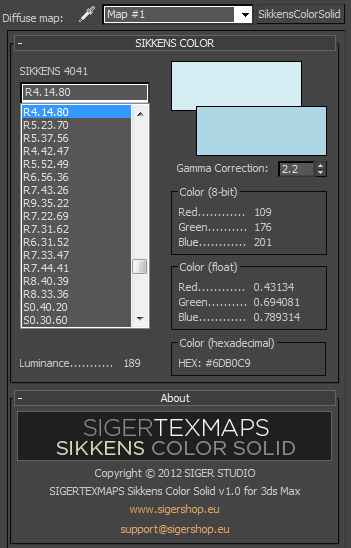
The SIGERTEXMAPS SIKKENS Color Solid is a scripted 2D Texture map plug-in for 3ds MAX.

KEY FEATURES

  • All 1624 SIKKENS 4041 colors
  • Compatible with V-Ray, finalRender, Brazil, default Scanline render
  • Compatible with mental ray (3ds Max 2010 and above)
  • Gamma correction possibility
  • Color info (8-bit: 0… 255, float: 0… 1 and Hexadecimal)
  • Friendly and simple interface

zsTools

21 votes

A simple script I wrote for my daily work. Maybe it will be useful for someone.
Rotation and Scale transormations are restricted to "geometry" and "helper" objects to avoid any errors.

- ROTATE selected objects by selected angle in specified axis
- RESET position / rotation / scale of selected objects in selected or all axes
- ALIGN position / rotation / scale of selected objects to min / average / max in specified axes
- apply a RANDOM (with given min and max values) position / rotation / scale in specified axes to selected objects.

Scale Move Tool

14 votes

So basically what this tool allows you to do is to move a bunch of objects using Max's scale tool, in a similar way that can be done with vertices in sub-object mode, whilst not affecting the scale of the objects.

Spritey v0.1.1

37 votes

-- UPDATE(2022) : only fixed the link for this. Nothing else.

- v0.1.1 functions: Spritey takes a cell-spaced spritesheet and uses the texture space to create UV coordinate animation based upon your specified cell numbers.

- Example: 4 rows of 6 columns of sprite images on 1 texture/material makes 24 frames of animation. 32 rows of 32 columns of sprite images on 1 texture/material makes 1024 frames of animation.(After the animation is created, you can manipulate the frames, animation, fps, etc, for playback as you see fit.)

- Why make Spritey ?

Syndicate content