3ds Max | All

RH Map Node Renamer

27 votes

It takes the material assigned to the selected object and assigns the name of the object to it. Then it checks if there is a bitmap texture assigned to "Diffuse", "Specular Level", "Opacity" and "Bump". If it finds a bitmap texture in the slot it renames the bitmap texture node to "Color", "Specular", "Opacity", "Normal". Then it also renames the textures asigned using the pattern "NameOfTheObject_NameOfSlot.*" ex. SmallBox_Color.bmp

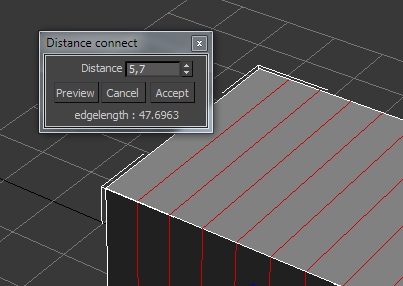
DistanceConnect

3 votes

Connect edges every given distance.

Vray Focal Controller

1 vote

Control Vray's global Focal Distance parameter with a helper node that can be freely re-positioned and animated. Animate the helper node to easily perform rack focus pulls or maintain focus on a given object while the shot camera moves elsewhere.

Feature List:

Populate MEdit Zorb

22 votes

Populates the Material Editor with the scene materials, or selected object materials. Has option to offset the materials placed in the material editor (usefull if there is more than 24 scenematerials). NEW: Added Material Editor Offset so it will dump materials starting at the specified slot

Pluck

5 votes

An extension of magnetic 1.5 - pluck 1.1 is the first tool that allows you to quickly paint feathers on a mesh surface. Once attached - the feathers will automatically retain their position/orientation as the underlying surface is animated. Besides attaching feathers one by one - you now have the option to paint a whole row of feathers at a time.

Nudge with Arrow Keys

7 votes

Allows movement of selected object(s) using arrow keys. This was the behavior in 3dsmax prior to version7.

Align PivotPoint to WorkingPivot

4 votes

Hello! This script aligns PivotPoint to the WorkingPivot.

Random Elements Select/Detach

0 votes

Select and detach random elements in Editable Poly objects

  • Detach all selected elements as one object
  • Detach all selected elements individually

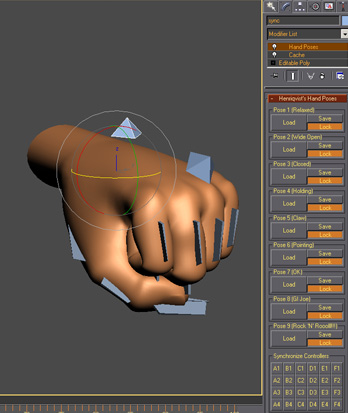
Henriqvist's Hand Poses

0 votes

Script developed to enhance the speed of animating hands. You can save a lot of poses and then load it anytime you want. OBS1: It only saves position and rotation, scale information is not stored. OBS2: You cannot use position or rotation list in the controllers, but you can use float list.

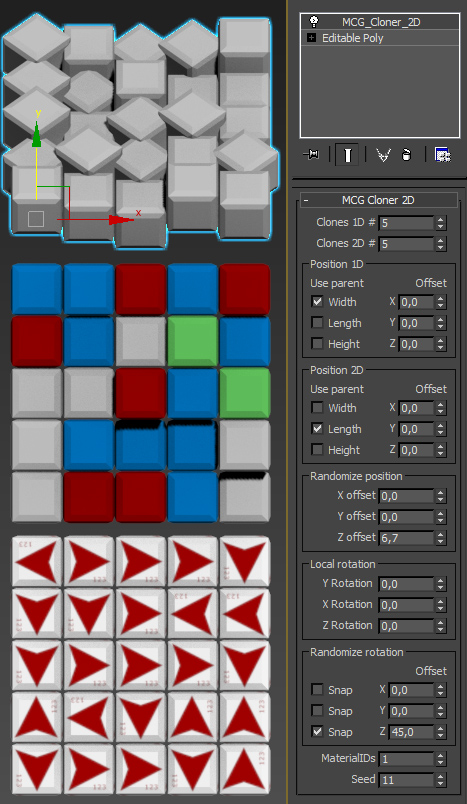
Cloner 2D

3 votes


Two dimensional clone modifier with random position offsets, random local rotations and random MaterialIDs.

Use to create tiles of any sort.

Known bugs:

- Local rotations and random rotations don`t work together very well

Release info:

- 1.0

Now you can define what angle to use for snapping in random rotation.

All features work in both dimentions.

 - 0.96 

Syndicate content