3ds Max | All

Crowd IT

17 votes

(Crowd IT) is a Crowd choreography tool for 3d studio MAX which allows the user to quickly and effectively manage and render crowd scenes.

Scripts collect

4 votes

Description

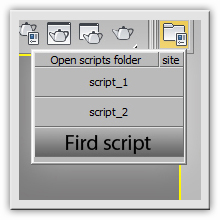
"Scripts collect" significantly speeds up the work with scripts, eliminating the complicated installation scripts via "Customize" menu, makes it easy to assign your icons to buttons which run scripts, go to  script editing in one click.

MCG MultiSlicerRot

2 votes

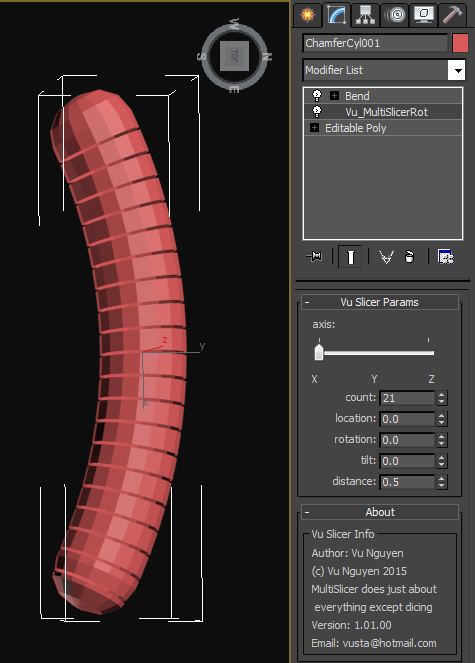
MultiSlicer to slice your object into....multi slices !!!

Installing the mcg should install compound SliceRotTilt as well but if not I've included it in the zip anyway.

Too tired to put in comments...promise I will when I can but if you've been reading my comments on FB you should be able to understand the warped logic.

QuickMeasure

4 votes

Allows you to quickly measure the distance between two mouse clicks.

Quick Z-Depth (mental ray)

1 vote

With this useful and simple script, you can create a non-destructive quick map Z-Depth in mental ray.

rollout Quick Z-depth

Enjoy!!


Copy Paste - Objects/Materials/Modifiers

3 votes

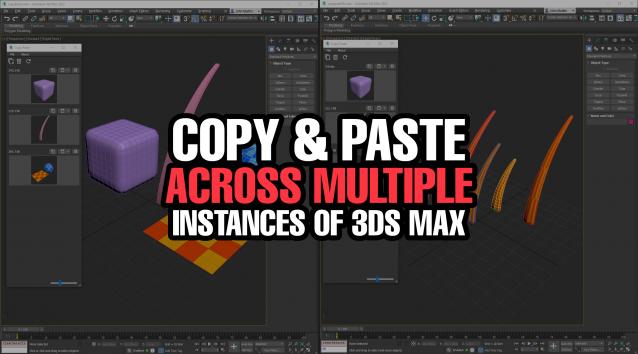
Copy Paste is a 3ds Max tool that allows teams or individuals to copy and paste objects, materials, or modifiers across multiple instances of 3ds Max. It supports sharing these copy/paste buffers in shared locations on the network or local on your computer. The tool helps to keep everyone up to date with real time updates anytime a new copy is created or modified.


How to quickly create a Car Rig using XrayCat Survival Toolkit 1.0

2 votes

We'll demonstrate an easier and intuitive way to associate reactions to the controls of a rig, using only XrayCAT ST instead of Reaction Manager.

Tutorial sections:
- Basic rig structure creation
- States definition using CAT layers and JoyCreator
- Conclusion: animation test of the car rig

Make planar & UV align commands

15 votes

Hey, guys.
Just a simple set of commands you can find in the Algomorph Category under Main UI group once you've put the scripts in your Macro folder and run them. These commands don't appear in either MainUI group / Editable Poly category or in the Editable Poly or the Edit Poly group, although they do appear as on-screen rollout buttons.

As far as the UV align X or align Y functionality goes, this doesn't explicitly exist in Max as a shortcut or button command, which is kind-of an old feature that Max was always lacking contrary to some other 3D apps...

Click Clone

16 votes

User InterfaceClick Clone v1.0.ms

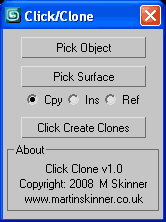
Create clones of an object on the surface of another simply with a click of the mouse.

Copy-paste editable poly selection

1 vote

Copy_paste_editable_poly_selection_poster_lq

If you have 2 copies of the same object, this plugin allows you to copy current selection of verts from one to another.

Syndicate content