3ds Max | All

library collector

17 votes

A simple script that can be used to merge individual .mat files (material libraries) into one big file. Pretty lame interface, but it gets the job done. Feel free to modify as needed.

UVSetscale

3 votes

"Preview"

Turbo/Meshsmooth Toogle

22 votes

Simple script for a Mass toggle for on/off of meshsmooth and turbosmooth modifiers.

Scripts searches for all geometry objects within the scene with either Turbosmooth or Meshsmooth modifiers and will turn them all on or off depending on checkbutton state.

MultiSub Material Creator

0 votes

Version 1.99 for new Corona DailyBuild Available

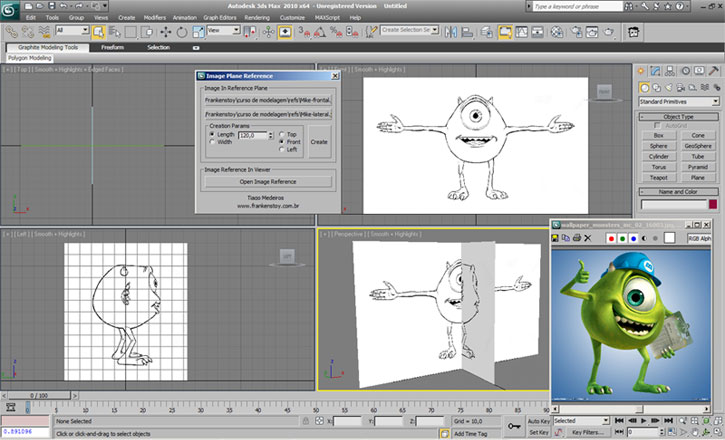
Frankenstoy ImagePlaneRef

53 votes

Tool to create planes of reference for modeling and can also upload images in a pop-up window. The script has a menu to load images, front and side, creating planes based on measurements of the loaded images. The script has an installer that already puts the files in the correct places, only indicate the path of the installation folder of 3ds Max

Patchy

4 votes

Griffin - Character Generation tool for 3ds Max

2 votes

Griffin is a animation ready cartoon character creator tool for 3DS Max. It offers you dozens of parameters to create your own unique character fast and easly. And also you can buy extra clothes and items from Griffin Shop and use them on your character. So knowing nothing about modeling and rigging , you can create your rigged character with industry standard tools in a few minutes!
And also you can use it in your commercial or personal projects…

Collapse Transform

18 votes

Collapse/bake PRS per frame to keyframes for the current time range.
(reserve addition to the built-in Collapse tool)

Load Multiple Bips

0 votes

I created this script to speed up my daily work with crowd animation. If you have a lot of character studios rigged bipeds and need to load the same animation (walk loops, conversation...) on all of then, so this script might help you.

It's a .mzp file that you can just drag and drop into 3ds Max or run through the MAXscript menu. After that you will find the script at: Customize > Customize User Interface > Toolbars tab > Category: MMScripts > Load Multiples Bips".

To use the script you just need to:

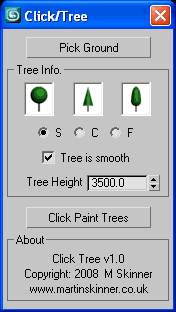
Click Tree

9 votes

Rollout Interface

Click Tree v1.0.ms

The idea behind Click Tree was to write a
script that allows the user to plant simple
massing type model trees, of various type
and size, on a surface simply by clicking.

Syndicate content