3ds Max | All

Open-SaveAs Current Directory

2 votes

A simple but time saving script.

Open-SaveAs_Current_Directory_v1.0_3dwannab version history
--============================================================
Version 1.0 - 2015.09.21
- First Release.
--==================
Version 1.1 - 2016.03.20
- Script name change.
- Added Open_At_Current_Files_Directory macroscript
--==================
Version 1.2 - 2017.06.30
- Fixed bug in open macro.
--============================================================
NOTES:
--============================================================
- Overcomes a 3ds Max bug

Expanded Object Colors

1 vote

This free script will give you some extra options for wire colors of new objects. You can set it to use default max, use current active layer color, set a specific color, set a range of colors and set value stepping.

To Install, just place the file in the Scripts/Startup folder.

To change settings, run this Macroscript:

macros.run "wallworm.com" "WallWormLaunchColorManager"

You can create a button/menu to launch the settings floater via Customize > Customize User Interface and finding the function "Launch Color Manager" in the "wallworm.com" category.

Armin Attribute Holder

3 votes


Why is it different?

this attribute holder is special because it automatically search for "Position", Rotation" and "custom attribues" in the selected objects and you don't have to Wire, or Copy/Paste those parameters that  you want to store one by one unlike "Pen_attribute_holder".

From Help

Biped Selector Full

3 votes

This script makes selecting biped bones. A floating window contains an intuitive graphical selection of buttons to allow the user to quickly select any biped limb.

Pathstribute

-13 votes

Pathstribute is a 3ds Max plugin which gives users the ability to distribute a mesh along any number of splines. Users are given a variety of controls to adjust the number of clones, the placement of the copies, scale, and the rotation. All controls support animation.

Download now!

MCG Voxelizer

8 votes


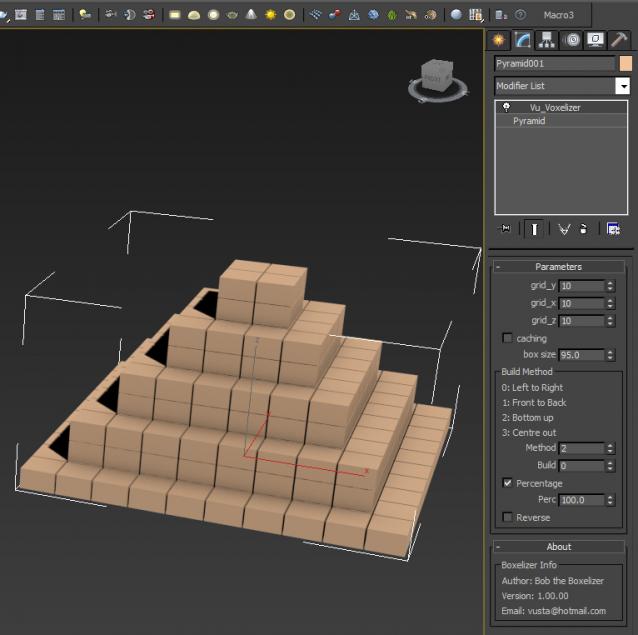
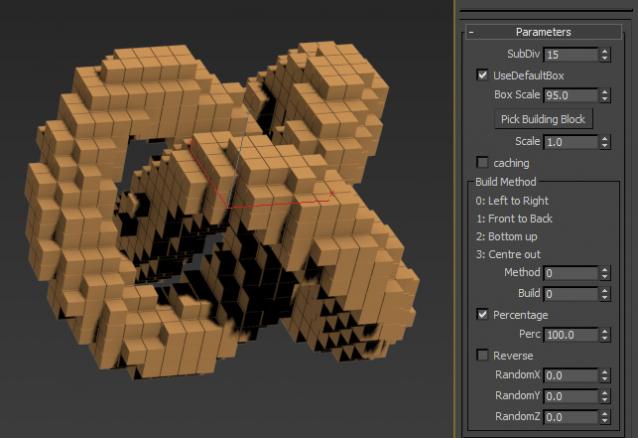
Bob the Boxelizer added some bells and whistles to Christopher Diggins' Voxelizer in the Sample Pack. Probably more useful to mographers....or use Bottom up method to illustrate 3D printing..

Video here: http://1drv.ms/1Itid08

Ver 1.01.00: the voxels are now 'cubic', ie. uniform in all dimensions, not oblong if your orig geo was oblong. Also added option to pick building block instead of default 'box'.

Maxscript for Github

0 votes

A little tool for commit and push your repository directly from 3dsMax using Maxscript and command line

Fibonacci

2 votes

Fibonacci

Simple script to see Fibonacci and Golden points in viewport

Free Helper Tool: Object Inspector for MaxScript beginners

3 votes

Hi,

so you want to learn more about MaxScripting?

Then you should know about the kind of objects, their properties, methods and interfaces.
It can be quite time consuming to search about this everytime or type  showProperties $ on selected objects and switch between the Listener and your editor.

Entering: My little MaxScript Object Inspector.

I was tired of typing and have cluttered output in extra scripts for properties, interfaces the class and superClass of objects.

FumeFX ModernUI

0 votes

FumeFX ModernUI is a tool for 3ds Max that helps reducing repetitive tasks when simulating with FumeFX. It has a clear interface (therefore the name) and comes with an easy to use installer.

Syndicate content