3ds Max | All

Material from Substance Painter to 3dsMax Vray ( Материал из Substance Painter в 3dsMax Vray )

1 vote

Перенос материала из Substance Painter в 3dsMax Vray.

Transfer of material from Substance Painter to 3dsMax Vray.

Vray HDRI Light

1 vote

A new tool useful for those who often use VrayDome Light with a VrayHDRI texmap pluged-in. You simply locate the HDR map on your computer, and the script generate a VrayDome light with your HDR file. The HDR is also display in the viewport and you can rotate it by rotating the VrayDome light. There is an additional parameter on the VrayDome light that allows you to enabled or disabled the HDR in the viewport.


Diagnoscene

0 votes

A new tool i made to fastly check up scene, and render parameters.

You have forgotten to unckeck render region ? You have rendered the wrong camera ? Damn that's the wrong frame rate !!! Never miss anything with DiagnoScene. With 3 levels of colors indicating 3 levels of warnings it's easy to find bad parameters !

I was inspired by the Ranch Computing scene check tool.

Here is the check list:

Select By Material

6 votes

'SELECT BY MATERIAL'


LATEST KEY FEATURES:

- Select multiple node/s in SME.

- Unhides and hides objects on scripts second run.


    --============================================================

Script which allows easy selection of materials inside Slate Material Editor and Compact Material Editor over 3ds max standard method.

Benefits over maxes built in way:

Unwrella UV-Helper: Blue Edge Selection To Green Seams

15 votes

This script converts (blue) pelt edge-selections into normal (green) texture seams.
It is used to skip the tedious manual parting process and it creates instantly separated UV parts.

http://youtu.be/FKdrColmPPk

Mainly for use with Unwrella 2.

There's an extra button for clearing all seams from the mesh.

Last Update: max 2013 compatibility, detailed tutorial video added

MaterialSwapper

8 votes

Easily swap the slots of several materials at once (currently only Standard, FinalRender and BlitzBrush):
- select source map slot
- select destination map slot
- press “Swap Both Slots” for swapping slots, or “Copy Src Slot To Target” for copying the slot
- finished.

Move selected object with keyboard

1 vote

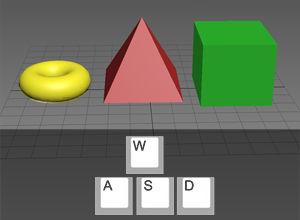
awsd poster

A little free plug-in which allows you to move selected objects with A,W,S,D keys. If it will be useful for someone, I will improve it.

IDTool

14 votes

For people who work often with Objects ID, this script may make it easier. It allows you to see which objects have ID, to select objects by ID, assign a ID and all this without entering in properties of the objects.

Version: 2.34

  • Add "Assign ID by Layers" button
  • Add Option to Assign Wirecolor by ID

Biped (.bip) Animation Batch Retargeting & FBX export

4 votes

This script was made to retarget animations so that changes could be made to the biped's proportions throughout production.

I made this for making my life easier between Max and Unity (though it could be used in any max-based pipeline). Unfortunately Unity has no native retargeting, unless your team is using Mecanim.

DCP WhackAMole

2 votes

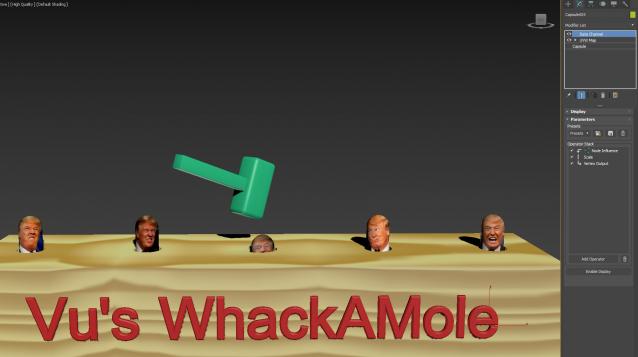
Time for some stress relief..

Extract WhackAMole DCP to: C:\Users\xxx\AppData\Local\Autodesk\3dsMax\2017 - 64bit\ENU\en-US\plugcfg\DataChannelPreset

Then extract the game to relieve some stress...Not a single keyframe was used !!!!!! Purely DCM

Syndicate content