3ds Max | All

Scale Checker

7 votes

A VERY simple script that checks for non-uniform scaled objects in your scene and prints them onto a script file for analysis. A rather simple utility I popped for one our guys.

XWeightPaint

7 votes

A tool to paint weights on the standard 3ds max skin modifier - click for tutorials.

OrientToFace

7 votes

Shoots a ray through the scene to determine the closest face on any object then sets the viewport transform matrix so the this face is oriented perpendicular to the view.

Gtools_FogColor

7 votes

Let’s you modify the saturation of the Vray Fog color with Float numbers.

As you probably know, when you adjust the fog color in Vray you only have 255 levels, which most of the times its not enough as it jumps a lot from one number to the next, with this script you can have finer control of the fog color see the attached movie.

Views Rotation + Auto Zoom Extents

7 votes

Assign these scripts to buttons of NumPad. Left=Num4, Right=Num6, Front=Num5, Top=Num8, Bottom=Num2.
Удобно назначить эти скрипты на кнопки NumPad таким образом, что Left=Num4, Right=Num6, Front=Num5, Top=Num8, Bottom=Num2


Now is not necessary to press the Zoom Extents Selected, when switching of view.
Теперь не надо нажимать Zoom Extents Selected когда переключаешь вид.

Parametric Cabinet

7 votes

Plugin for 3ds max. Under development.

The plug-in allow user to make a parametric cabinet with many options to change. Include load and save from/to library.

I would appreciate help in the English translation of the user interface.(Words techniques of carpentry)

Install notes:

Unzip the downloaded file
Put the file contents in the folder: \ Scripts \ Startup (usually in C: \ Program Files \ Autodesk \ 3ds Max Design 2014 \ Scripts \ Startup)
Start 3ds max
You can locate the plug-in in: Geometry under the category Furniture
Enjoy it!

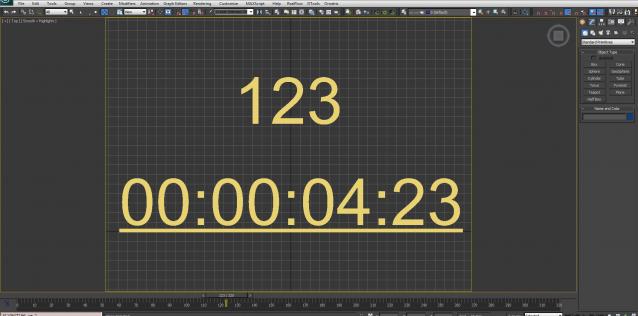
Animated Digits

7 votes

Digits changing by slider time.

changes in V02.0.0
1: the Digit can be convert to Number or Clock
2: Start and Stop frame is optional
3: Step size is optional
4: Start value is optional

SoulburnScripts Updated May 16th 2008

7 votes

Some new scripts and new features.

Max script update:

The scripts have now been tested in Max 2009, and everything seems
fine. So I'm adding official compatability with Max 2009. Let me know
if you run into any weirdness.

Added 2 new scripts:

VertexMapDisplayer: Toggles or turns on or off the vertex map
viewport display for all scene or selected objects.
instanceTrimmer: Takes a selection and reduces the selection to
include only a single instance from each set of instances.

Updated several scripts, here's the major updates:

_

7 votes

DeformByProjecting Utility

7 votes

DeformByProjecting is a scripted utility for 3dsmax that allows deform one or more objects by projecting mesh verticies on the surface of another object (preform). The basic idea is similar to Conform (Compound Object), but functionality DeformByProjecting utility has differences and features:

Syndicate content