3ds Max | All

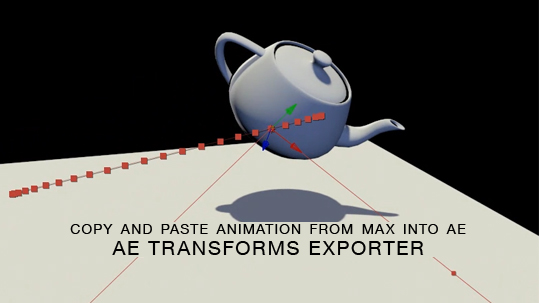
After Effects transforms exporter

7 votes

Here is a free tool for copying animation from 3ds Max into After Effects via the clipboard, and the native AE clipboard data. You will be able to copy and paste keyframe data for position, rotation and scale from 3ds Max onto objects in AE.

mmRegions

7 votes

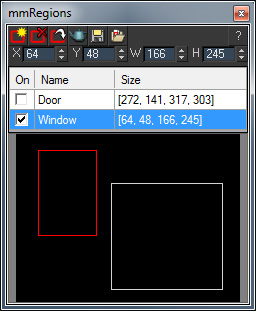
mmRegions is a free script which helps you manage the render regions in your scene. Use is to save/load different regions, and to batch-render multiple regions.

See the download link for installation instructions and additional info.

 V1.15 New Features:

  • Fixed: X/Y spinners had a wrong minimum range of 1, it has been fixed to 0.

V1.1 New Features:

Path Snapper

7 votes

I needed to make a row of teeth once so I wrote this script. It will take an object and create copies of it along a spline. You can then move the spline to control the positions of all the objects. Very handy.

Clay Magic

7 votes

Helps with plugin Clay Studio when you have a lot of different meshes in your scene.

MissingTextures

7 votes
  • Checks the scene for missing Bitmap textures.
  • Shows offended material - optionally searches all local and network drives for the bitmap - and can load the materials with missing maps into Material Editor.
  • Fuzzy Scan - the script can now find bitmaps with slightly different names as possible replacement options.

PatchMesh

7 votes

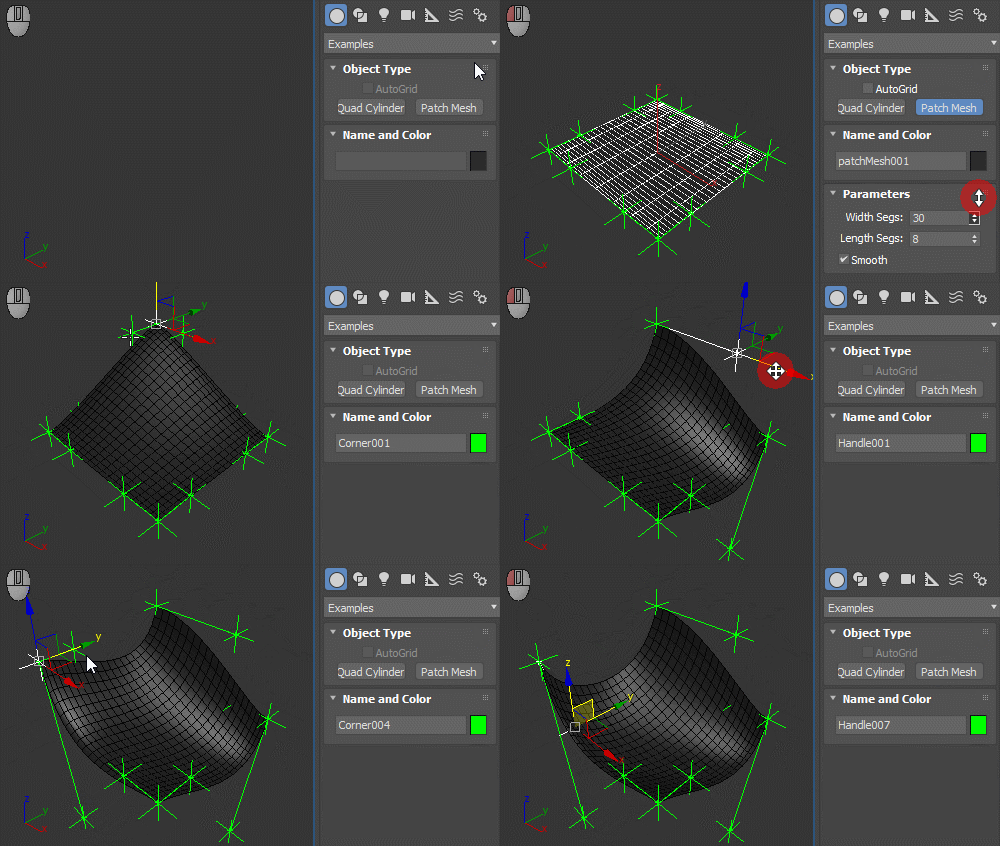
Mesh primitive that behaves similat to the Patch Grid. Point helpers are used as handles, which means animating them or using wire paramaters with them is easy. Linking the helpers to another parent would break it, though, so if you want to do something like that, use constraints instead (Link constraint or Position constraint depending on what you want to achieve).

Patch Mesh

CentrePivots

7 votes

Simple macroscript that centres the pivots of any selected objects. Intended as a toolbar button

Columbo

7 votes

COLUMBO is a powerful Batch Search Engine for 3ds max 4 and higher. It will let you:
* Perform complex search operations by combining multiple Queries.
* Search at both Object and Sub-Object level
* Apply Select - Select More - Unselect - Hide - Unhide - Freeze - Unfreeze actions to the filtered objects.
* Save the Search Queue to disk and use the Presets later.

3DS Max - Copy Paste Objects Between Scenes

7 votes

This is a script I created to help the user in copying and pasting
objects between multiple opened 3DS Max scenes.
Under the hood, it's a quick merge operation that is done without
Any prompt. If there is a name conflict, the coming object will be renamed. Also if there is a material's name conflict, the coming object
will preserve its own material but the material will be renamed.

Material Texture Loader

7 votes

Description
  The Material Texture Loader loads in textures and instantly creates advanced materials.
  Use pre-defined or customized map and material settings to build re-usable material setups.
  Fully supports Vray, Corona, Redshift, Arnold, FStorm, Physical, Octane, and Standard map and materials.
 
Main Features

  • Automatic texture channel recognition 
  • Parameter linking for all texture mappings
  • Predefined Color-spaces: ACEScg - sRGB - linear-sRGB - Raw - Gamma - Auto
  • Mapping: Tiling - Real-world - Tri-Planar -  Random Rotation - Spherical
  • Live edit settings and disable channels
  • 2-Sided materials
  • MaxScript commands
  • UDIM map loading
  • Drag and Drop
  • Presets

Get it on Gumroad
Latest version: 1.830

Syndicate content