3ds Max | Scripts

SimpleSlicer

2 votes

A simple script to slice a selection of objects in X, Y and Z. Keeps the original materials.
It doesn't care if the geometry is watertight or not. Super simple, select the objects you want to slice, and press the button.

v0.31 fixed a stupid bug, sligthly optimized thanks to Arthur Leao

v0.41 MASSIVE speed improvement (around 4x) mainly thanks to Arthur Leao. Added a trick to fix problematic/corrupt geometry before cutting (was lucky enough to find a problematic model during my testing)

v 0.42 now slices material is working again, was broken during the optimization for speed

InstancesToVRayProxy

6 votes

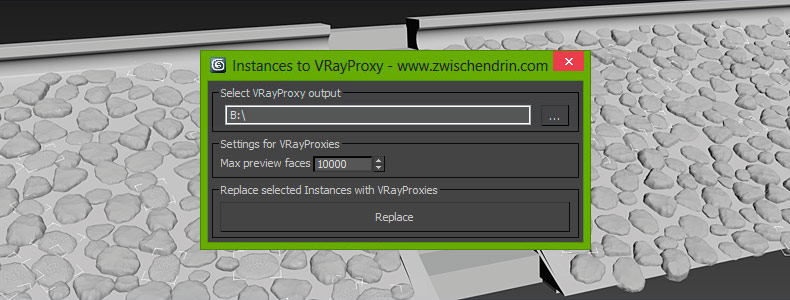
Select as many objects as you like and let InstancesToVRayProxy find any instanced objects and convert those instances to VRayProxies. InstancesToVRayProxy automatically outputs VRayProxy meshs (*.vrmesh files) to a given folder, creates VRayProxy objects and replaces the selected instances with instances of those VRayProxies. This may sound difficult but InstancesToVRayProxy will optimize your scene to do faster renderings and all you have to do is pick an output path and hit a button! Instanced VRayProxies only need to be loaded once per proxy mesh. This will cut down the setup time of your renderings.
Scale Populate Crowd Skin

0 votes

sporadicstudio_maxscript


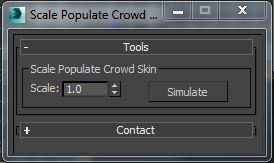
This tool will allow you to scaling populate people and simulate it in one click.

Find and Select VRayFastSSS2 Object

0 votes

This script will help find and select object which have assigned VRayFastSSS2 material.

Thanks to jahman who helping me to make this script work.

*Terms of use:

The use of the script is an "As is". The author assumes no liability with regard to any kind of damage (hardware and software) caused by the use of this script. Are not responsible for any damage or cancellation or modification of the work, files, crash and or any problem in 3dsMax or computer. So if you installed the script,you accept the above conditions and declines any my responsibility.

Selecting objects in a layer

I am currently trying my hand at MaxScripting and have currently pulled most of my hair out. I am trying to automate some of our processes. The script I want to write would do the following:

Select a Layer
Select all objects on that layer
Apply a material
Add a UVW Map to those objects.

And then repeat the steps for 3-4 layers

Any advice or direction would be greatly appreciated.

Thanks!

Skip Every N-th

61 votes

Skip every vert/edge/face. In Loop mode, you can skip edges and polygons. In Ring mode you can skip vertices,edges and polygons. To make poly loop select 3 faces(the middle one is starting face), check PolyLoop checkbox, set "Skip V-E-P" spinner to value greater then 2 and start skiping. You can't skip one face, only 2 or more. Ring mode does not have this limitation. "For Steps" spinner works only with edges. If you want to skip every 2 edges five times, set "Skip" spinner to 2 and "For Steps" spinner to 5. Instalation: Drag-n-drop SkipEveryNthVEPRingLoop.mzp to 3ds max.

FumeFx to Deadline submitter

1 vote

Molecule

15 votes

Main Interface


Smooth Edges

23 votes

Smooth Edges is the first and only 3DS Max script that gives you the freedom and control to shape your models the way you want.

Here are some of the benefits you get:

•Never again be forced to move vertices one be one

•Create smooth curves and surfaces

•Have greater control over your mesh

•Model at lighting speed

•Align edges from different meshes to another

•Model at greater precision

Place Objects according to normal

3 votes

This script will place objects according to the normal of the face you place them on.
You can add multiple objects in a list and let the script random pick one of those, or disable the random button and choose yourself.

Script features:

- Add multiple objects to a list and start placing them.
- Place them with the first click, then move your mouse to rotate the object and click again to confirm.
- Cancel placement at any time.
- Random select objects from the list.
- Add a Z-Offset to the objects.
- Place objects according to the normal they are placed on.

Syndicate content