3ds Max | Scripts

Multi Object Distributer

1 vote

This script allows you to distribute multiple object to another object. Linked objects is handled as one object, if you use 'Linked as One' mode. Auto contact to object, rotation setting, Randomize distribution.

Stone Placement Tools

255 votes

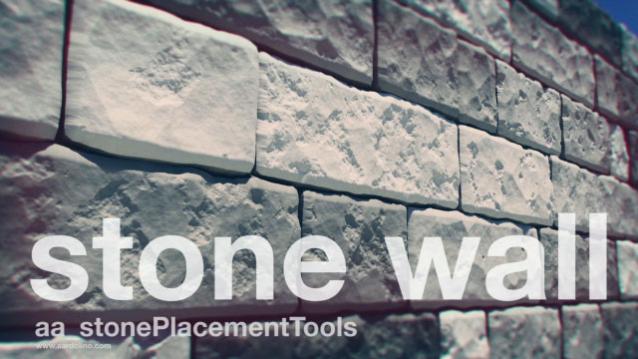
This script creates stone walls, quad stones pavements and irregular stone patterns for various uses. It's suitable for both realtime and production.

BodyFast Rigging Character

0 votes

BodyFast

ONE CLICK GEOMETRY ONE CLICK RIGGING ONE CLICK ANIMATION
>>>>>>>>>>>>>>>>>>>>>>>>>>>FAST>>>>>>>>>
BODYFAST IS A COMMERCIAL SCRIPT THAT ALLOW YOU TO
CREATE A CHARACTER THAT IS READY TO LOAD MOTION_CAPURE FILE,
AND MOTION_TRAKIN FOR THE FACE ANIMATION..
WATCH THE ALL VIDEOS AND YOU SEE HOW THE CHARACTER WORKFLOW IS FAST
WITH BODYFAST
(FIND HIGH DEFINITION VIDEO ON MY WEBSITE)
IF YOU ARE INTERESTED CONTACT ME BY E-MAIL "[email protected]"
OR SMS AT "+39 3478985253".
THE PRICE IS 33€ OR LESS ....CONTACT ME.

AOBakeSwap

3 votes

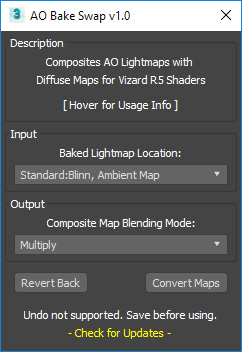
This is a tool for the Vizard VR engine to aid with preparing baked materials for export. Specifically, for transferring baked AO maps into composite layers with the diffuse map.

To use, go to customize user interface, and select "AO Bake Swap" from the category"# SP_BakeScripts". The button text will be "AOBakeSwap".

screenshot

Align side by side

0 votes

tool helperpoints --mouse click definition
(
local p
on mousePoint clickp do (p = point name:("point_" + (random 0 100 as string)) pos:worldPoint size: 1 wirecolor:[130,225,40])

on mouseMove clickno do p.pos = worldPoint
)

rollout rlhelperPoints "Helper Points Creation" -- create rollout to fill with buttons
(
button btstart "Start Helping Points" width:125 --this will activate the tool
button snapobjects " Snap objects on Points" width:125
button deletepoints "DELETE all points" width:125 -- this will DELETE the points

-- this STARTS the tool

Visual Pivot Placer

38 votes

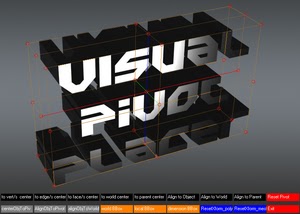
The image above says all. :)

Places the pivot of the selected object/s in one of the red colored circle.

For Editable Poly object/s you can place the pivot in the center of selected vert/s. edge/s, face/s.

Click with LMB on one of the red circle will tread all selected objects as one and the pivots of all objects will be in the same place.

House Creator

0 votes

This script works at creating or capturing mainly what some planes of architectuals proyects represent, this by importing them and adding values at every desired layer.

fixStupidADPack

0 votes

my scripts for fix 3dsmax bug if i can .
--v0.001---
UnFreezeByHit
fix 3dsmax 2016 stupid "unfreeze by hit" bug
hold shift for multi-object unfreeze

select open spline knots

0 votes

Just sharing some code I already inside of other scripts for someone that asked. This is really basic maxscript that will loop through your selection and select at sub-object vertex level any "open" vertices. No error checking, lots of situations that will break it. (Selecting objects that aren't "editable spline", even a circle primitive will error.) If you have multiple objects selected, it maintains that selection, but if you select just one of them and go into subobject, your verts will be selected. Just a starter for folks to use.

Time Slider Control

0 votes

A macroscript tool for interactively controlling the Time Slider. Creates a tiny dialog window allowing the user to set the end and begin time of the Track Bar/ Time Slider. Stays open until you close it and gives you the ability to center the Track Bar time range around the current frame. Great for character animation or any detailed work where you find yourself moving back and forth through the time range.

Syndicate content