3ds Max | Scripts

Multi Slicer Pro

19 votes

Multi Slicer Pro is a maxscript file that cuts your object with slicer modifier on any number of slicers, retaining at the same time the modifiers stack and providing you with an interface to control the parameters of the modifiers added to an object. As a result you have a setup that allows creating complex and unexpected animations of your object. Have free version.

Asset Collector

8 votes

A simple script, same like archive, but save all asset in one flat folder without zip.

checked "update asset path" will change all path to selected folder(easy for distribute render).

checked "strip all path" will strip all the path, easy to share scene with other without showing your folder structure.


 v0.6 - add save selected object feature and option to save max file.

Hide By UVW

0 votes

This script hides editable polygon's faces by unwrap UVW modifer's face selection

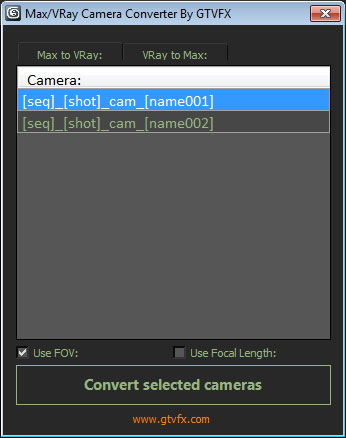
GTVFX-ANM_maxVRayCameraConverter

2 votes


Converts Standard Max cameras into VRay Physical cameras or the other way around.

When converting to Vray camera there is the option to use either FOV for Focal-Length.


 Updates:

2014-02-09:

Updated UI. Fixed a bug when converting the focal length of VRay camers to FOV for standard cams the built-in function within Max was marginally off causing a mis-match between the origianl camera and the converted camera.

3inCamPack: JUMPER•CAM

4 votes

"JUMPER•CAM" script will help you to replace all scene cameras (different types) with the single 'free' camera.
Image Hosted by ImageShack.us
By barigazy at 2011-12-02

Path Finding Visualizer

7 votes

Demonstration of the algorithm to find the shortest path. Created for fun.
Video and script inside.

ID Birlestirici (ID Combiner)

0 votes

bitmapCollector

18 votes

Collects all the scene bitmaps and places them into a single directory, updating your scene to point to their new home.

Tutorial:
Open a scene that contains a lot of bitmaps. Run the UI version of the script. Choose a Directory. Hit Do. All the bitmaps you choosed will be copied to the directory you specified, and now all the scene materials point to that directory.

IsolateByMaterial

1 vote

Like SelectByMaterial - but instead selects all objects in the scene that has the currently selected meditslot material assigned to it (even if those objects are hidden) and then hides everything else - effectively isolating the objects in your scene that have the current material applied to them

vrLight to Geo

0 votes

Simple tool that allows to convert vray lights (plane and sphere types) to plane or sphere geometry.

Syndicate content