3ds Max | Scripts

IES from Caustics Generator

4 votes

The script for easy render of the caustic from the lamps. Calculation of caustic takes a long time.

I have decided that you can bake a caustic in IES-files and thus make the caustic effect it deceptive for a large number of fixtures in the scene.

ToTex Render To Texture

205 votes

TOTEX v3

Moved to github

The project Totex has been moved to gihub so community development is easier

https://github.com/svenfraeys/totex

New Version 3.0

"ToTex" is a render to texture script that gives you the ability to quickly bake multiple textures to a folder. ToTex will start baking all the selected objects with the chose selections and will save it to the specified folder

New features (3.0):


- Stability : Bigest issue with ToTex 2.0 was the stability. The ToTex engine is recreated for stronger stability, focussed on high speed expanding.
- Improved User Interface : More compact and focussed on usability
- Auto-Update functionality : Get directly the new features
- New maps in development : xNormal, instant preview and photoshop connection.


New features (2.4):

- new improved UI: much more clear design with thumbs
- Element map now works!

New features (2.3):

- Improved UI: a lot more compact design, better overview and more dynamic system
- Expert Mode: press on the *-button at the top, this will show all the maps of totex, you can easily toggle this on and off

New features (2.2):

- Max Merge: Merge a max file when baking, for embedding complex lightscenes, after the bake ToTex go back to your start state
- Render Preset: Override the renderpresets when baking with ToTex, you can choose between three RPS files that you can override to your own render settings.

New features (2.1):

- Preview : with realtime directX shader (Xoliul shader - http://www.laurenscorijn.com/)
- Light Trace Ambient Occlusion
- Gradient Map
- Mask Map
- For Each Material ID
- Selection Bake : Bake only the selected faces


Vray HDRI Light

1 vote

A new tool useful for those who often use VrayDome Light with a VrayHDRI texmap pluged-in. You simply locate the HDR map on your computer, and the script generate a VrayDome light with your HDR file. The HDR is also display in the viewport and you can rotate it by rotating the VrayDome light. There is an additional parameter on the VrayDome light that allows you to enabled or disabled the HDR in the viewport.


Maxscript 2013 Help CHM creator

10 votes

****
Update: Our friends at Autodesk have released an official CHM for both MXS and SDK!
Get it here: http://usa.autodesk.com/adsk/servlet/item?siteID=123112&id=16707768

****

With this tool you can transcode the offline HTML help into a CHM for personal use.

Remember, while these tools are freeware the resulting CHM is still a copyrighted work and you cannot distribut that without permission, so keep the CHM to yourself.

Needed:
-The offline maxscript help files: http://images.autodesk.com/adsk/files/maxscript-2013-help.zip

SOX Mirror Tool

19 votes

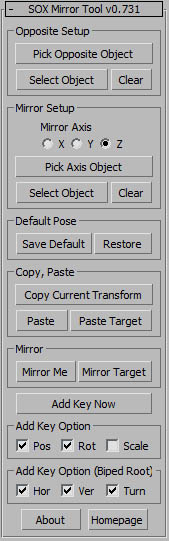
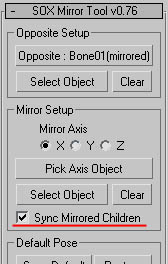
v0.771 - 'Sync Mirrored Children' feature : https://www.youtube.com/watch?v=M63O84NVOPo&feature=youtu.be

Z Manager

2 votes

SORRY, BUT THIS SCRIPT IS CURRENTLY NOT AVAILABLE.

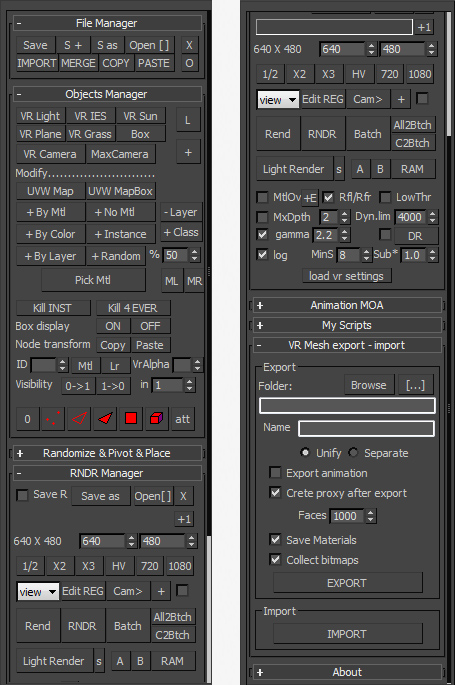
This is a 3dsMax manager tool, preferably for Vray users, very useful for editing architectural models created with other software (eg. ArchiCAD) and fast scene setup. Very useful tools for Selection, Rendering, Incremental Rendering, Copy/Paste objects from other scenes, Material Replacer, Animation with Moving Objects, Exporting/Importing Vray Proxy with material and so on...

Autodesk Material Converter - obsolete

5 votes

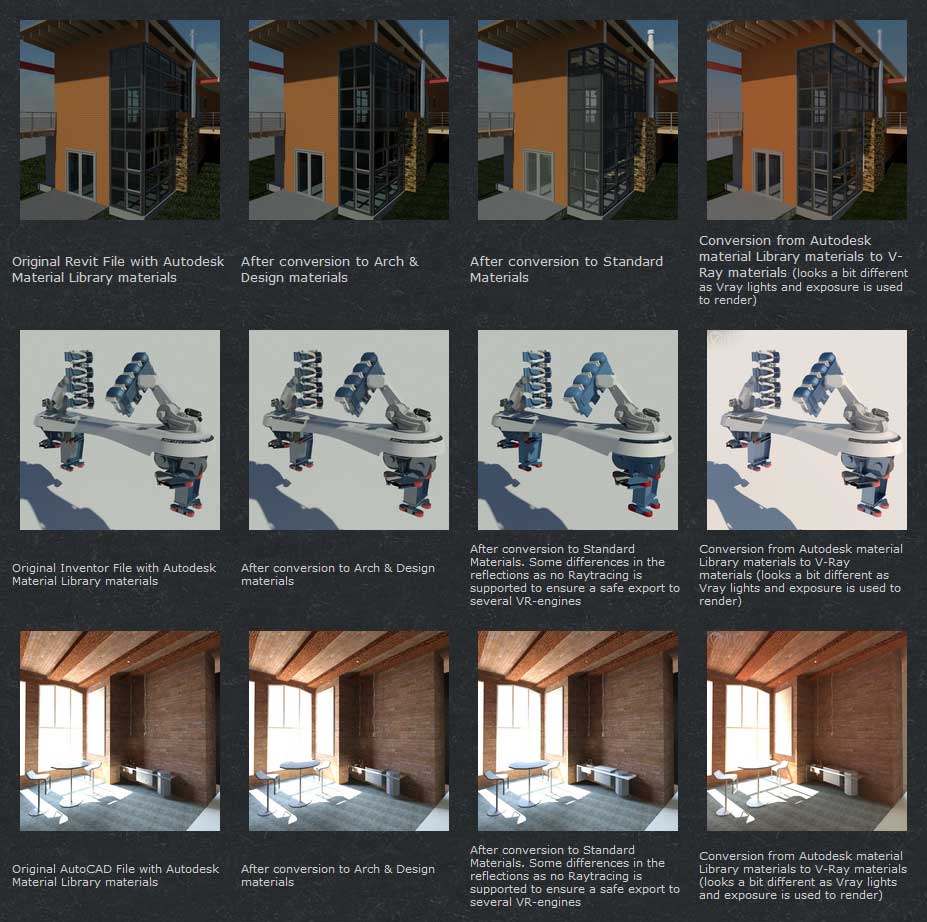
The Autodesk Material Converter is a commercial script for all 3ds Max and 3ds Max Design users starting from release 2011 and up who need optimized materials for mental ray, V-Ray or VR applications. With one click all Autodesk Material Library materials are converted into Arch & Design or V-Ray materials. Conversion to Standard materials takes only two clicks

The major adavantage will be an increase in rendering speed (on average 35%) plus it will give you the flexibility you need for your material fine tuning. and of course you don't want to manually convert materials which are coming in from AutoCAD, Revit and Inventor into 3ds Max (Design)

Most VR applications need Standard materials to work with. The conversion to Standard works from Arch & Design or Vray materials

In addition to material conversion the script checks if there are double materials inside the scene. If they are there, they will be changed into instances, keeping the number of materials as low as can be.

New features in v2.5!

  • conversion from Arch&Design to V-Ray and back...it's there!
  • conversion of all Autodesk maps
  • conversion of some V-Ray specific maps or MentalRay specific maps

Facial Animation Widget

1 vote

When animating characters you will most likely want your skinned mesh to be frozen for that the animator does not unwillingly move it or select it all the time. But then you won't have access to the morpher modifier to do your facial animation. If you don't have time to build a Face UI this tiny script might come in handy. It creates a button on your head controller (for example) to get access to your morpher modifier.

FFD 2 Quad

13 votes

10/31: Added a vertex normal projection option by pressing alt while clicking, fixed some small issues. Hope you find this useful, Happy Halloween everyone

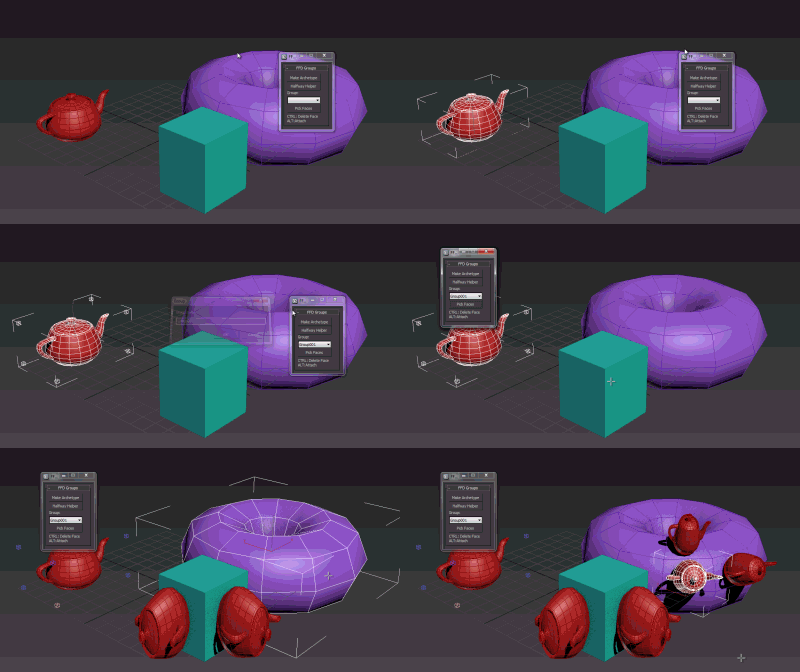
about: the script sets up an 2x2x2_FFD modifier (FFD group button). It lets you automatically build new geometry by cloning and aligning the the orginal object to a quad of an Editable_Poly (place group). It also adds the 'Archetype Holder' modifier which lets you set up simple rules to run the script based on MatID's in an edit_poly.

DCP LookAway

0 votes

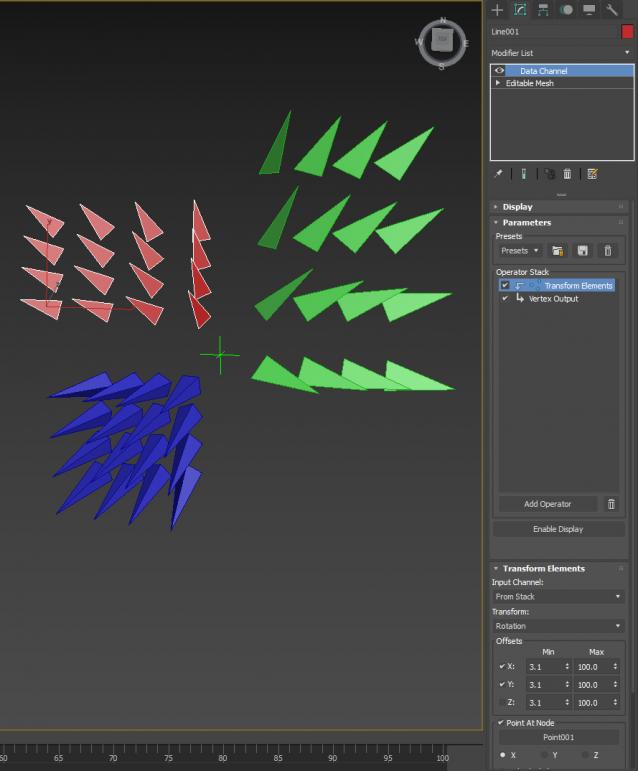
Why would you want to Look Away ? well, if you're 1 of 299 Spartans protecting Leonidas....you'd want to point your spear outwards away from Leo...madness ? Thiiiiiiiis isssss Sparta !!!

Syndicate content