3ds Max | All

TerrainAxe-Create

2 votes

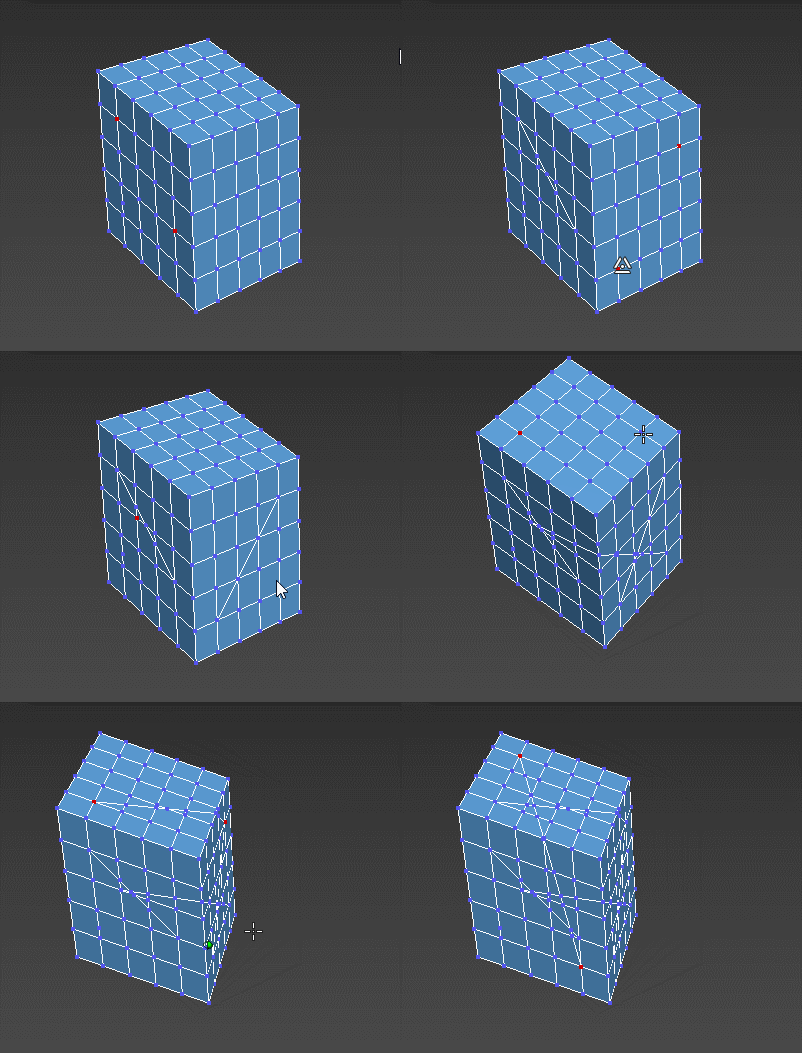
TerrainAxe-Create tools work on a polygon object and are used to create new faces or structure.

Because it is very hard to  describe so many tools of TerrainAxe in a single post,so they will be introduced by category in different posts.

The most recommended features in "Create" category as below:

StitchPoly:Create new faces between borders and  is ofen used to patch the gap between roads and terrain.

Powerful Rendering and Scene Operating Script RDFactory

4 votes


RDFactory v1.0 for 3dsmax 2009-2014

Introduction

Hi, my friends

It's a good news. RDFactory is published. It's powerful sexy and easy to use.

Wise Rendering

One-key test rendering. One-key GI rendering. One-key final rendering. One-key color channels rendering. One-key specific channel rendering. One-key high quality z-depth channel rendering.

Auto save files after rendering and auto path the path.

Easy Scene Operation

EchOoo PRO

3 votes

This tool is inspired from tools you can find in 2D animation softwares, like the Onion Layers in Flash or the Echo effect in After Effects. It's a new max object where you can pick different sources and offset their time animation, but alsodivide this time offset by the number of source copies you want. Creating nice animated duplication effects, for motion graphics or simply to check your animation without using trajectories.


Little Batch Render

33 votes

Vray - LittleBatchRender
Version 0.84

Description:
with the "LittleBatchRender"-script you can easily render multiple cameras in your scene with one Click
Features:


• correct autonaming for Render Elements
• NetRenderSupport
• Spawning can be disabled when rednering with NetRender
• consistent Naming for local and NetRender - no relinking in Compositing necessary
• Turning of and on individual Xrefs for individual Cameras

CrossCut

12 votes

Cut-connect two selected verts or edges of the current Editable poly object.

FinalRender Material Converter

20 votes

This plugin adds a single button to your Interface. When you open it you can:

+ convert Standard to FinalRender Material
+ convert FinalRender Material to Standard Material
+ Show all (diffusemap) textures in view port

Additionally you can manually reassign the slots for the texturemaps.

VRayMtl Opacity

2 votes

This tool allows you to quickly change Opacity Mode of VRay Material on selected objects. It would help a lot to optimize any kind of material with opacity map.

3D UI Vertex Align Tool

23 votes

This script was created from Trent Fealy - www.studiosyntax.net

In this thread @airbrush asked someone to modify the script.

What i added to original script:

In version with UI - spinner to change the lenght of displayed lines and colorpicker to change the color of lines. The value of the spinner and the color will be saved in INI file every time when the rollout closes.

RayFire Asperity Material

3 votes

This scripted plugin is intended for inner RayFire faces of debris fragments.
While the wellknown Asperity Modifier adds detalization by adding geometry modifying the existing topology, this parametric material works in a different way, as a procedural texture adding strong details with a variety of basic materials, including wood splinters, without adding any extra polygon to the scene.
In many cases, the Asperity modifier causes the system to crash specially when using a huge amount of debris objects in the scene.

OverMorpher MeshSpace

1 vote

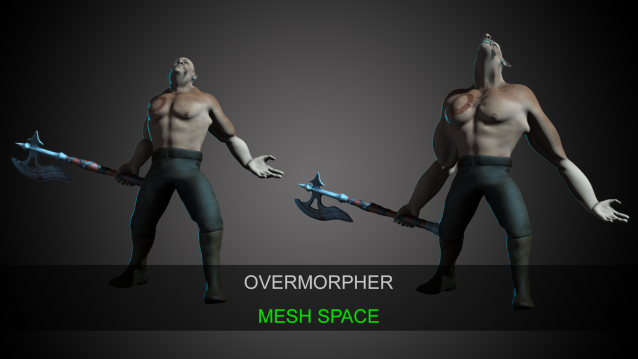
OverMorpher Mesh Space is the release of what I showed a few years ago: http://hocuspocus-studio.fr/tools/overmorpher/

That’s a new 3dsmax plugin. It works like a morpher, but on top of an animated mesh.

It can be placed over a skin modifier, or anything like a point cache or an alembic…etc

Syndicate content