3ds Max | All

Object-Bound Camera Clipping

1 vote

Description

Adds additional controls to the selected camera for driving clipping planes using objects in the scene.

Object-Bound Camera Clipping 3ds Max script

Features

Extractor

2 votes

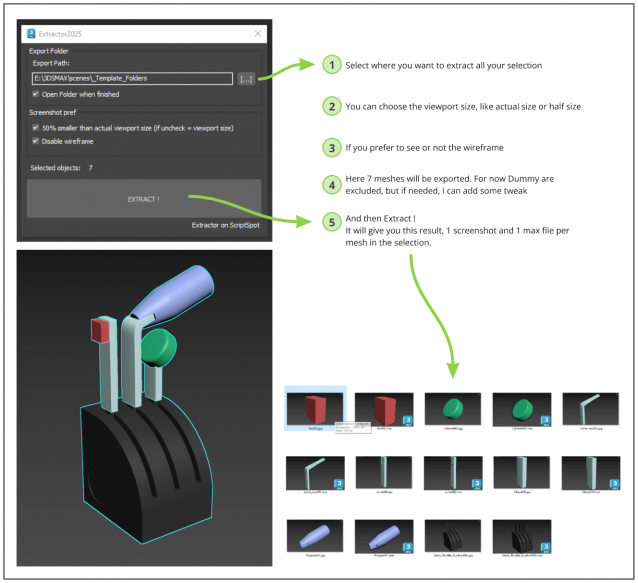
Script allowing you to extract into separate Max file and Screenshot all selected meshes in your Max scene.

Just Select, and Extract.

3DS Max - CreaseSet modifier

0 votes

In this tutorial, we will learn about the CreaseSet modifier. This modifier will allow you when using the OpenSubdiv modifier, to create sets from edges or vertices, and for each set, you can customize the level of smoothness/sharpness. We will also learn about the other parameters that can help us to work more efficiently with this modifier.

Select Vertices by Bone

0 votes

Selects vertices affected by current bone.
Difference with max native method is that this one will ignore hidden parts of your mesh.

TimeLine Control

5 votes

Version: 1.0.6
If you have several animations in 1 file and want a quick way to switch between them, this script might be useful for you.
TimeLine Control lets you create a list of named time ranges. Also add, remove, rename and sort items in this list. List is stored in INI and automatically loaded on next opening of your max file.
Docks above max timeline for quick and easy access.

UI screenshot

Copitor

120 votes

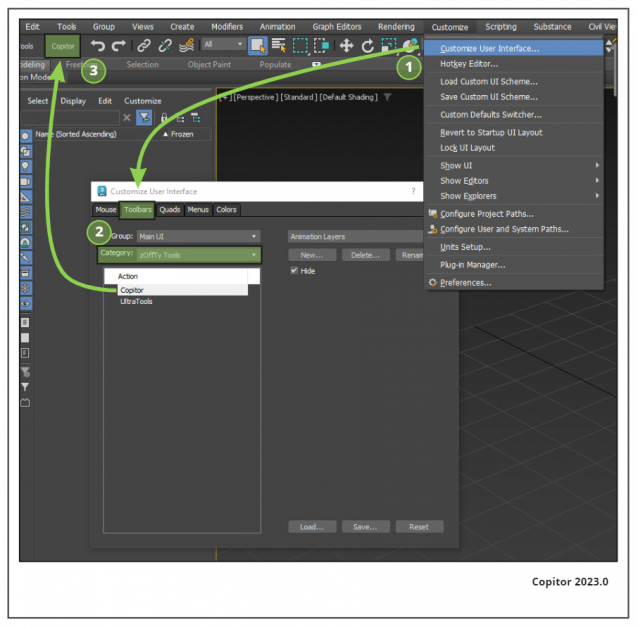
Copitor allow you to quick copy/paste selected objects to another Max scene or in another Max if you have 2 3dsMax open. I also like to use it like as a "quick backup" for try something, and to be sure to loose nothing :)

Installation: Drop The file in max viewport and go to Customize ==> Customize User Interface ==> Category: zOffTy Tools ==> Copitor

Copitor installation

Savas Cetin's maxscript and python (pymxs) repository

1 vote

GitHub repo for 3dsmax' python scripts and maxscripts. Scripts' usage is explained in GitHub page.

3DS Max - Plugin [Update] Isolate By Material v2.5

0 votes

This is a second update for the Isolate By Material plugin. This update brings a huge increase in speed, especially in those scenes where you have a huge amount of groups and nested groups. What this plugin does is, you select a single object, then use the script to isolate all objects with the same material, and if the selected object has no material applied, it will warn you of that, if you click Yes you will isolate all objects with no materials applied to them, which is useful if you forgot to apply materials to some objects, the script will help you to discover that.

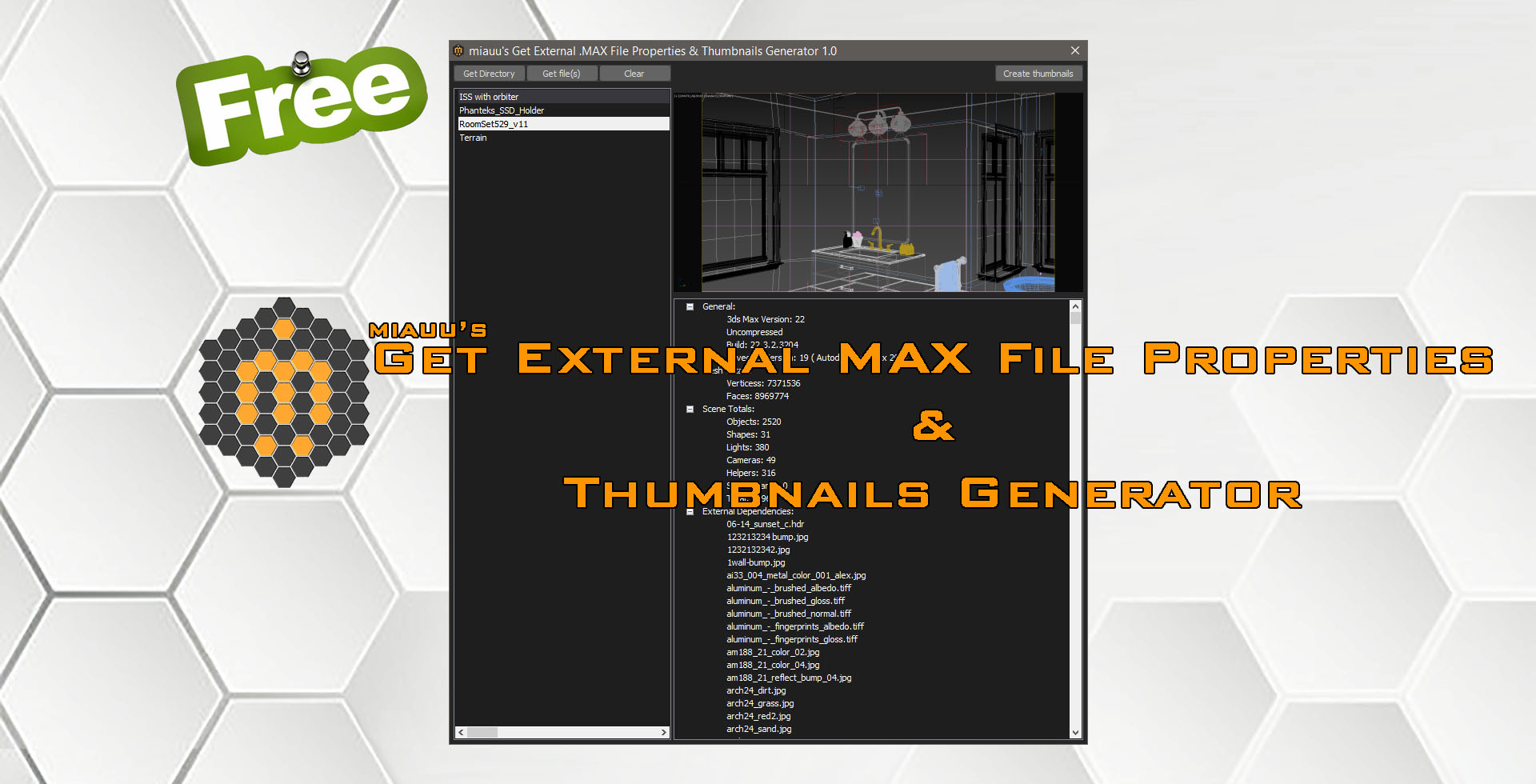
miauu's Get External .MAX File Properties & Thumbnails Generator

1 vote

miauu's Get External .MAX File Properties & Thumbnails Generator allows you to:

Batch Retopo

2 votes

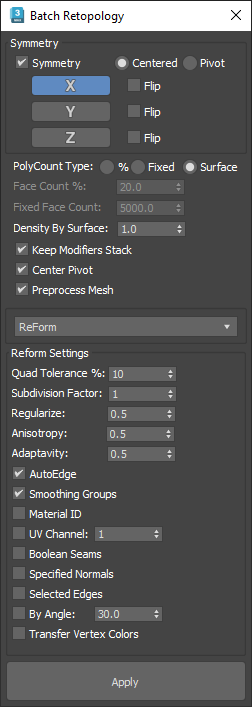
This Script is intended to retopo multiple objects at once, it has a symmetry option and a density based on surface area option to get the same mesh density across multiple objects.

If you check "Keep Modifiers Stack" and you have symmetry on, you will see that there is a subdivide and a vertex weld modifier added to the modifiers stack, it was needed to avoid gaps between symmetry seams, the built-in"Preprocess Mesh" wasn't working well on open surfaces.

Syndicate content