3ds Max | All

MCG Hidden Lines

1 vote

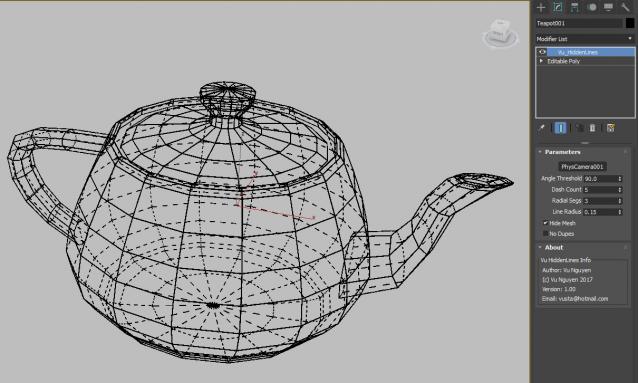
not much to explain here...except that not only it renders but it actually lobotomises your geo...right there in your viewport...

Raytracer

2 votes

Raytracer literally throws rays (as splines) and traces their path as they reflect off of surfaces in the scene. This is helpful if you want to visualise the path of light (or sound) and not to visualise the actual ray-traced rendering. You can choose an object of any shape. The script will convert it into an Editable Poly and throw a ray from each of its faces. Therefore, you can have parallel rays by choosing a segmented plane. If you want to throw rays in almost every direction, choose a highly segmented sphere.

DCP Selection Passthru

2 votes

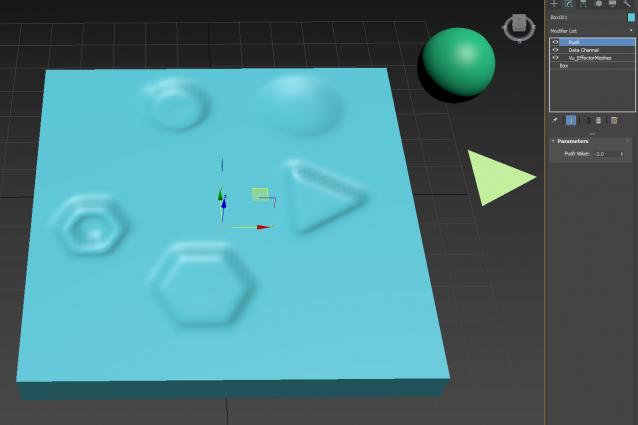
Use with MCG Effector Meshes and Push to get imprints, footprints...

Get MCG Effector Meshes here:

http://www.scriptspot.com/3ds-max/mcg/mcg-effector-meshes-dcp-sweat-map

Footprints video is of an earlier RnD...but you get the idea...I can't be arsed recording a new video...

Panther has kindly donated its time to help anyone trying to use this...naturally you need max 2017.1 and also have Vu_EffectorMeshes MCG installed

MCG FlatLiner

0 votes

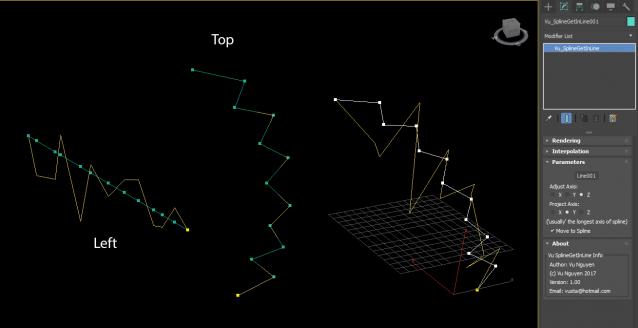
First, I do not even know 100% the requirements of this request. I'm doing it 2nd hand via a post on FB.

The thread on Chaosgroup is here:

http://forums.chaosgroup.com/showthread.php?91733-quot-Get-in-Line!-quot-for-vertexes

I don't have access to read so as said, I rely on 2nd hand pictures and tried my best to interpret...anyway, enough words...

MCG Holy Twisted Wires

1 vote

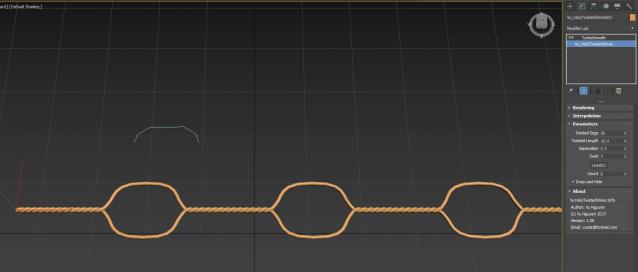
Creates twisted wires with holes... see here http://forums.cgsociety.org/showthread.php?f=6&t=1430827

Anyone using this to make money off me...I have no probs but show some courtesy and shout me a beer, my [email protected] accepts paypal.

DCP Particle Speed

1 vote

bit of a hack to display Particle Speed...where the particles ARE that is...

Extract preset to:

C:\Users\xxx\AppData\Local\Autodesk\3dsMax\2017 - 64bit\ENU\en-US\plugcfg\DataChannelPresets

Then in your DCM (on a Mesher that is, coz DCM needs a mesh to work on, it can't work directly with PF), load it as a Preset.
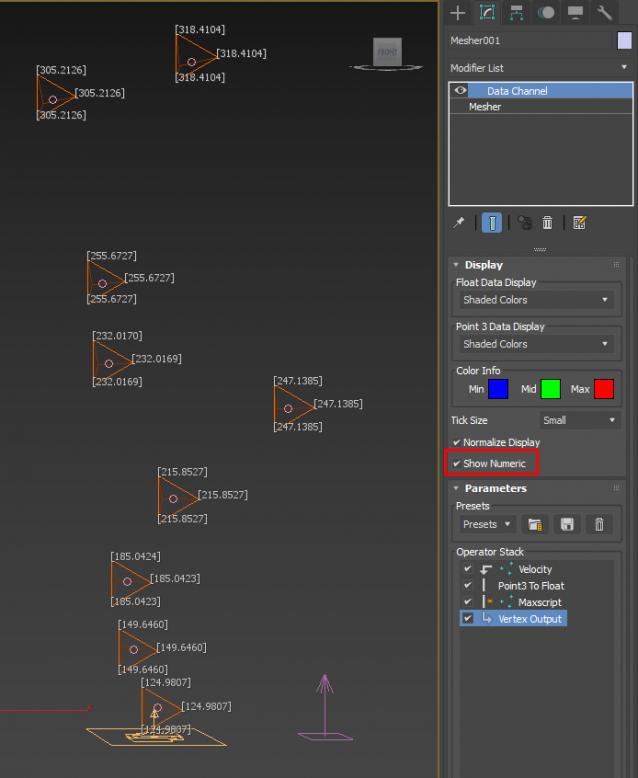
ver 1.01: Maxscript op now will use correct (auto) frame rate

Vray Mat Lister

4 votes

Hi everyone,

I'd like to share a script I have made.
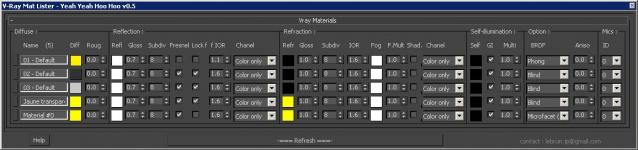
It's for Vray and it makes a list of all your VrayMtl (and of the main parameters) you have in your scene.

UPDATE Version 0.5 for vray 3.xx

This tool allow you to modify all your vray materials parameters quickly. Globally it works like the Vray Lightlister

Krakatoa light control

2 votes

A small tool I developed while working on StarTrek Beyond's krakatoa nebula cloud to help me control the lights that are acting like a giant stars on the go. It allowed me to control lights globally or just the selected ones and I only exposed the following parameters:

To Perspective

2 votes


Align lights/cams...anything (Force, PFlow, FFD...etc...etc...) to current Perspective view.

99.99% you'd use it for a 3rd party light eg. Vray, Redshift, Arnold. I got annoyed at doing it manually so got into Frankenstein mode and cobbled together bits of codes here and there...so don't flame me for the lack of mxs expertise...

Just drag the ms file into viewport...

Archicad Importer

35 votes

This script lets build a parallel workflow with Archicad, in the same way as Artlantis.
You can import and update the AC model in 3dsMax while keeping materials, UVWmaps, and VrayDisplacementMaps.

NB: This script is now replaced by the Mirza Link manager

Syndicate content