3ds Max | All

SphereFlake

7 votes

"Utility script used to generate Sphere Flake objects...
Based on (had to completely rewrite) work by Christopher D. Watkins and Stephen B. Coy which in turn was based on work by Eric Haines."

3M

7 votes

This script consists of three very simple filters: Minimum - Median and Maximum. For examples view the homepage.

Import Molecules

7 votes

Import molecule files for Chemistry or just for fun. Both PDB [Protein
Database] and MOL format files are supported. This script works in both max and
gmax.

Commercial Script: Currently being sold on Turbosquid

Multi Camera Renderer

7 votes

Allows to render multiple cameras from a list defined by user : -> Save/Load capabilities for list of cameras and interface parameters -> Rendering log file generation -> Optionnal user defined script can be executed before each camera rendering -> Optionnal user defined script(s) can be executed anywhere in camera rendering list -> Frame selection for each camera to be rendered -> English and Fre

muscle editor

7 votes

Muscle editor is a macroscript for making a true use of the bone scale/squash options in your rigs.

EPoly MatID Randomizer

7 votes

Randomizes the material IDs on an editable poly object. Allows you to exclude certain polys (like if you have random stones set in uniform grout) by setting their ID outside the range of random values.

MCG Honeycomb

7 votes

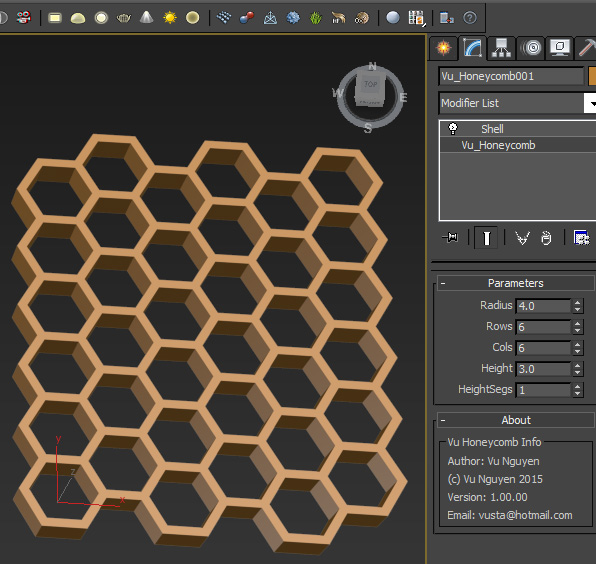
This MCG creates a honeycomb structure.

Pretty sure you don't need a video for this one. It will appear in Create Panel, not Modifier.

Love bees people, without them who's gonna polinate your plants for you ?

Noors Normal Thief

7 votes

This script will transfer the normals from a source object to a target object, based on distance.

Transfering normals might have several uses : fix shading artefacts, enhance foliage cards look, toon shading...

Pick the source object, select the target object/faces and press steal !

  • Works with any geometry object.
  • Keeps the stack.
  • Adds an Edit Normals modifier.

Script will be found in the customize UI under category "Noors"

Blend Mesh

7 votes

BlendMesh

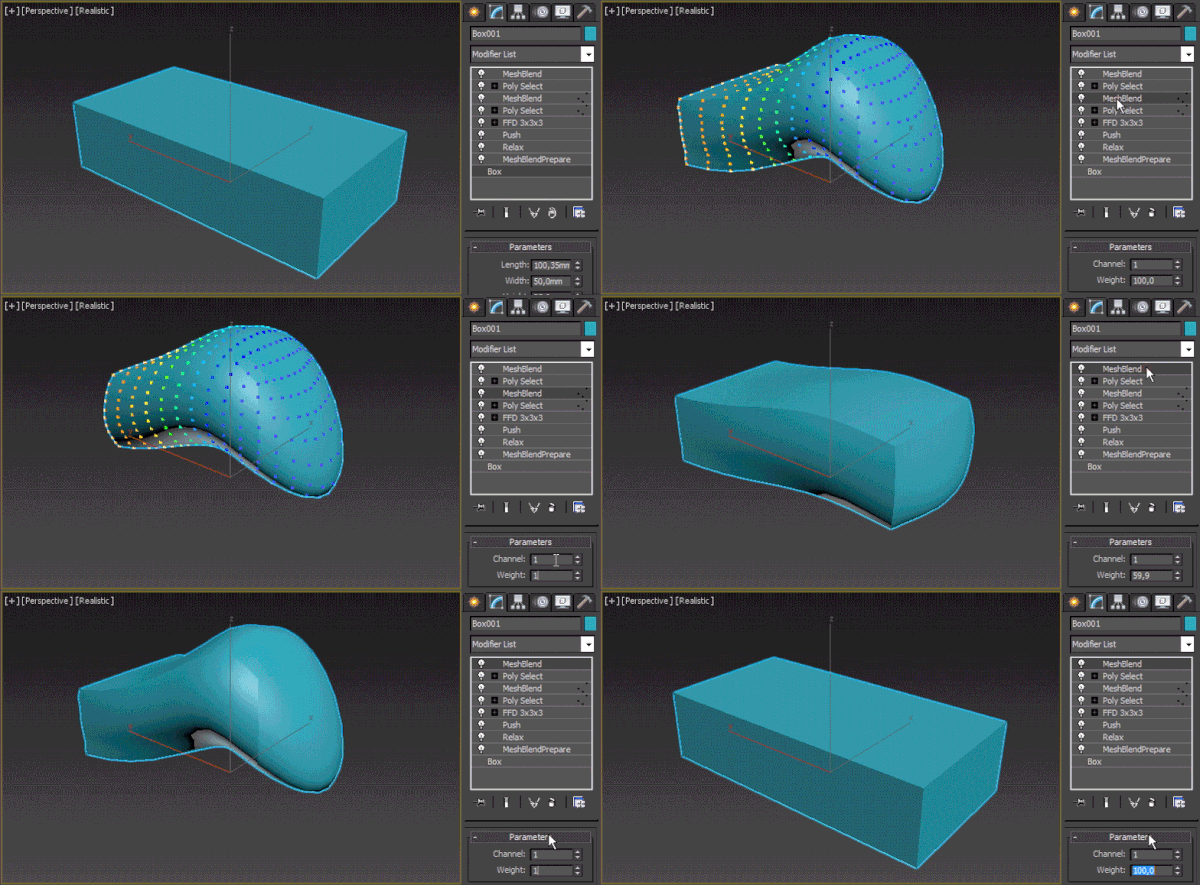
Instead of morphing between two nodes, this modifier allows you to morph between a state of the model before adding one or multiple modifiers and after that (provided that they don't change the object's topology). It works with soft selection – you can select just a part of the mesh to be changed. Up to 30 states in the stack can be saved on a single node, there are 30 data channels to choose from

PropMan

7 votes

Modify/Copy/Instance the properties of selections of objects all at once.

Syndicate content