3ds Max | Scripts

Extended Timeline

15 votes


This free script allows you to easily navigate in timeline. You can change the active time segment by dragging the slider, or zooming with your mouse wheel.

Bug report: [email protected]

Version info:
1.6.1 (2013. Apr 7.) Error in new scene fixed, callback event error fixed, zoom to selected keyframes works with biped objects.
1.6 (2013. Mar 19.) Available to Zoom to selected keyframes.

ExtendedXporter

0 votes


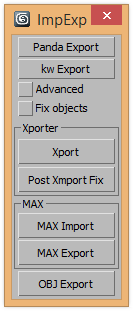
v1.7 Added support kw-exporter

Works with two plugins Panda Directx Exporter and Xporter and kw-exporter


External MaxScript IDE

11 votes

Extract Normal Data in Photoshop

1 vote

This is a photoshop action. It will take an opened normal map (be it a texture or a rendered normal map from your render) and extract the Left, Right, Top, and Bottom data for use in re-lighting a render. The intended use is for using a normal map pass along with the rgb rendered image to re-light or tweak an image using the normal map data pass.

Extractor

2 votes

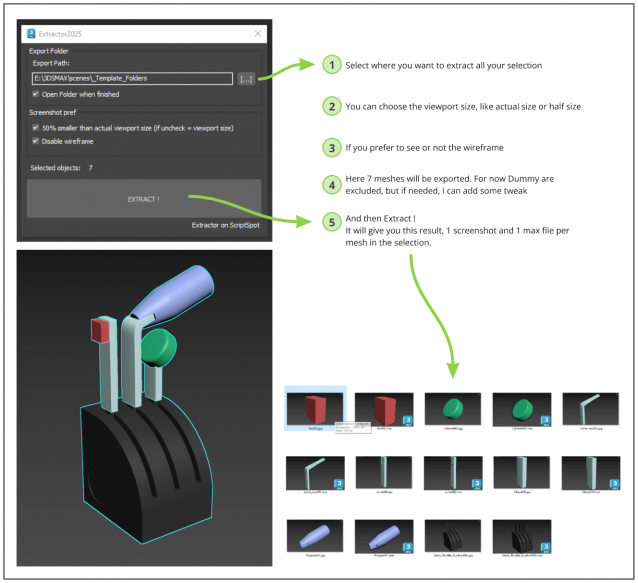
Script allowing you to extract into separate Max file and Screenshot all selected meshes in your Max scene.

Just Select, and Extract.

Extrude Open Edges

4 votes

This script extrude open selected edges on given amount. Extract archive in 3ds max root folder. You can find script in category "kolts"

Extrude/Inset/Outline Faces Modifiers

23 votes

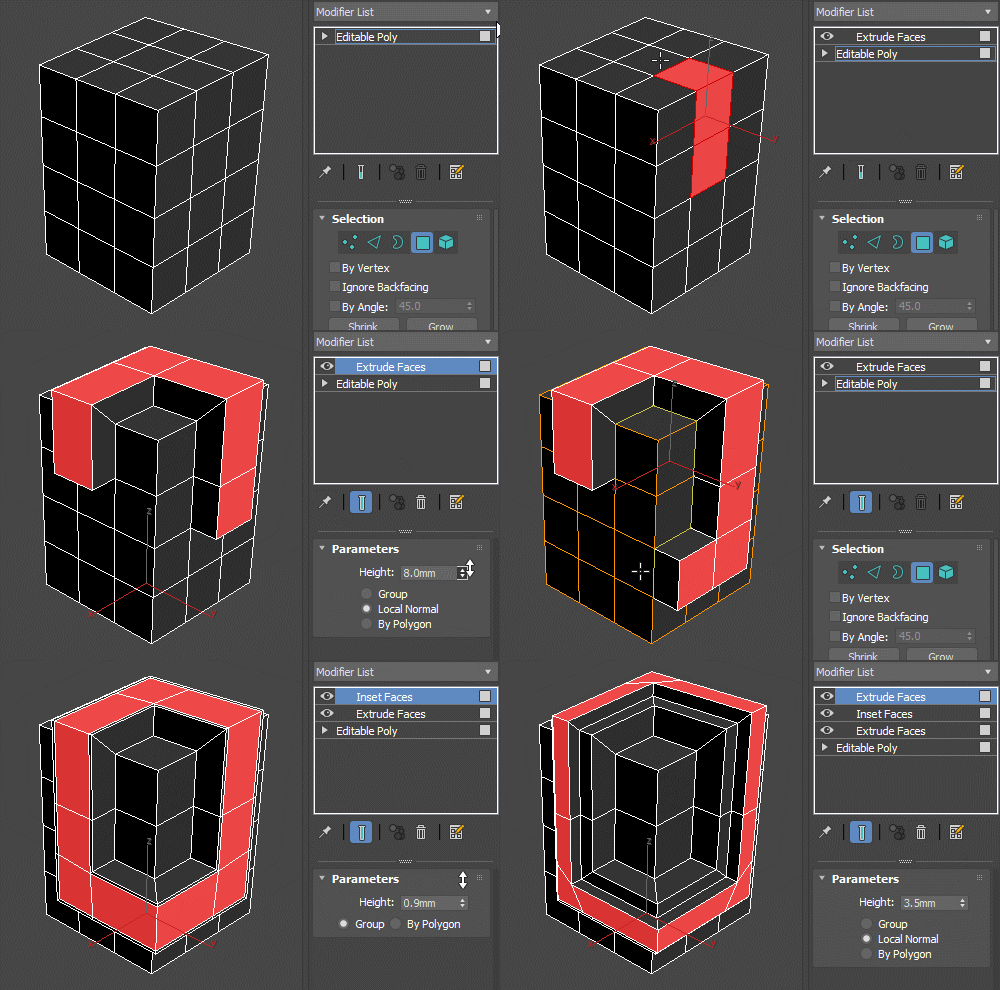
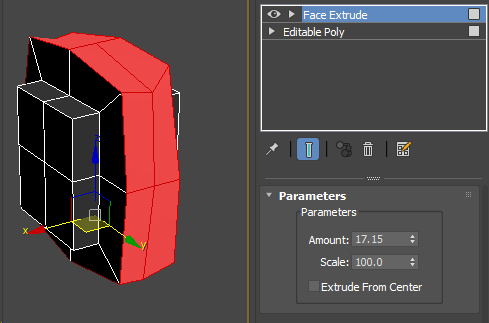
Set of simple modifiers that use the Edit Poly methods behind the scenes. Since the extrude modifier uses the poly extrude options and capabilities, it doesn't break on simple geometry like the FaceExtrude one does.

Extrude Faces Modifier

Compare with FaceExtrude:


extrudeFaceZero

2 votes

a simple script, that extrudes selected faces of an editable poly by zero, ready to move them (no mess with extrude tool). use a hotkey like alt_E for it.

Eyeball Generator

5 votes

"A script that creates an eyeball with spinners to control pupil and iris size. based on the modelling in Adam Brody's great eyeball tutorial. As you can tell my scripting ability is non-existant but it gets the job done - just! It has some basic materials applied. The iris has an FFD so you can bulge it after."

Eyeon Fusion Job to Backburner

1 vote

This is a very simple script. (not really a maxscript, but useful for 3dsmax users)
It will allow you to use your backburner Manager to handle your Eyeon Fusion renders, using cmdjob.exe.

INSTALLATION
You have to copy the script on you fusion scripts comp folder (C:\Program Files\eyeon\Fusion 6.2\Scripts\Comp\).
Then you can access it at the Script top menu directly on fusion; you dont have to re-open Fusion for it to show.

Syndicate content