3ds Max | Scripts

Flange

14 votes

Flange scripted primitive. Created with TurboSmooth in mind, so it's all-quad and has an Outline parameter to tighten the edge loops. The flange neck is optional, reducing its thickness to zero effectively gets rid of it.

Flange Scripted Primitive

Flipper Mechanism

26 votes

Flipper Mechanism

This
Script creates a rigged flipper mechanism with all textures and
materials. With this script you can easily do old style airport
flipping boards, flipping clock, signs, etc.

Flow Extrude

3 votes

Flow Extrude is a script which extrudes selected open border edges while maintaining the meshs topological curvature.
The script can be used on multiple edges or edge loops, and is compatible with both Editable Poly and the Edit Poly modifier.

Frames-2-Milliseconds (Frames2MS)

1 vote

A quick converter from Frames to Milliseconds and vice versa

Free Helper Tool: Object Inspector for MaxScript beginners

3 votes

Hi,

so you want to learn more about MaxScripting?

Then you should know about the kind of objects, their properties, methods and interfaces.
It can be quite time consuming to search about this everytime or type  showProperties $ on selected objects and switch between the Listener and your editor.

Entering: My little MaxScript Object Inspector.

I was tired of typing and have cluttered output in extra scripts for properties, interfaces the class and superClass of objects.


FR_morphTool

8 votes

help you create a symmetrical morph targets and accelerate the creation of your morph targets

-pick your master object
-if your object doesnt have morpher modifier you can press "add Morpher" button
-set offset value, depend how far you want to offset your morph target
-press copy button to create morph target
-modify your vertex then press "mirror morph" button (the object will be a new object), make sure you have selected the object you want to mirror
-then press "send to channel" button to send your selected object to morpher channel

FStorm ToolBox

2 votes

This is an adaptation of VrayToolBox or CoronaAutomator for Fstorm. http://www.scriptspot.com/3ds-max/scripts/vray-toolbox http://www.scriptspot.com/3ds-max/scripts/corona-material-automator Install by drag and dropping in viewport, then go to customize, customize user interface, tool bar, category "SimonScripts", create a new toolbar if you haven't got one already, then drag FstormToolBox inside it.

update 0.0.2 :ColorCorrection Dropdown menu wasn't updated properly when unchecking any checkbox.

FTP Upload

2 votes

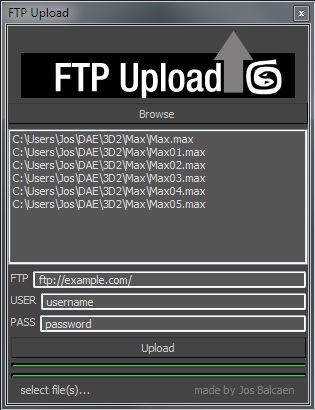
Simple script to upload files to a server via ftp.

Interface should be obvious.

Fume & Flow Floater

15 votes

Fume & Flow Floater
This floater is a way to hopefully unclutter the workflow with Particle Flow, Space Warps, and FumeFX. It is designed so you can work in expert mode to free up some screen space. It has just about all you need to work with pflow and fume. The script contains a large and small version. The large is nice when you've got a nice 20"+ inch monitor the "mini" is better for smaller screen sizes.
Regular Size: Mini Dialog:

FumeFx FreezeFrame

3 votes

FumeFx FreezeFrame is a very simple script for work with “still simulation” like clouds, nebula, ecc...The script have only 2 buttons:

update 1.0

-Freeze/unfreeze button: to set the out-of-range type to work statically
-Frame spinner: set the simulation frame(useful in lookdev step)

update 2.0 change log:

-Added a source list to manage multiple grids at same time
-More accurate workflow for freeze/unfreeze grids
-Added a status bar that display the source status
-Better code organization

let me know if there are some bug or some request.

Thanks

Share and Enjoy!

Syndicate content