3ds Max | Scripts

Pits & Peaks

14 votes

"Quickly approximates dirt accumulation by analyzing the concavity of faces surrounding a vertex and stores the results in the vertex colors. Useful for adding some texture detail to models with hard edges and creases - like trees & terrain.
1.13 Update:

  • updated some of the documentation and contact info
  • ran some basic compatibility tests with MAX 4.2
  • "

    Pixel Wall

    12 votes

    This little script builds an array of instanced spheres - where each sphere position and colour relates to its corresponding pixel in the chosen bitmap.The sphere wall can then be manipulated in various ways (for eg. collapsing it using dynamics software) This can create an interesting effect if rendered and played backwards.

    Place Rivets

    1 vote

    Place Rivets is a max script for populating geometry object on a given surface along a driven spline.

    Please help to fix

    Hi all ,

    http://www.scriptspot.com/3ds-max/realtime-spring

    This is link to a very useful maxscript - realtime spring.

    Unfortunately it is not working in 3ds max 9.

    Anybody have any idea????

    Poly Flow

    22 votes

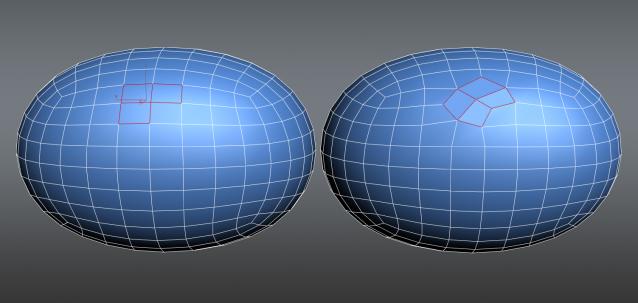
    Poly Flow is a set of scripts designed to help the modeler with the everyday boring task of rearranging edges. It makes predictable changes to the topology giving you want you want.

    Polygon Coordinate System

    4 votes

    Lets you create new Coordinate System based on polygon selection in any geometric node.

    PolyQuad

    -1 vote

    This script converts the selection to Editable Poly and then quadrifies all polygons.

    It`s simple but I personally find it useful when merging downloaded archives with triangled meshes.

    Pre-Render Script over network - Working method!

    0 votes

    For my specific reason I needed to send a render of a selected object. I've been trying unsuccessfully to send a job to render over the network using the "setRenderType #selected" active to render a selected item only.
    (in combination with VRay's "renderers.current.imageSampler_renderMask_type = 2")

    Problem is - once it gets to the network, my object is no longer selected.

    So I delved into the Pre-Render script. However, even though I managed to create a small single-line script that selects my object and set it to run before the render (pre-render) - Max would constantly ignore it:

    PreRenderCheck Script for V-Ray and 3ds Max

    0 votes

    Here’s a simple little pre-render script, that checks and warns you about those things you may have overlooked for whatever reason. The first thing it does is check if you are rendering a camera view, and if you are not, it asks you which camera view to render.

    Sometimes you are doing GI precalculations or by accident you tick “Don’t render final image”. The script will check for that and ask if you want to switch it off or not.

    Preview Stamper

    16 votes


    Rename Preview+ UI

    v1.1.0 (03.03.2010    - Added "Rename Preview+" macro.

    v1.0.1 (04.06.2009) - When creating preview, script auto hides viewport buttons (max2010).

    Syndicate content