3ds Max | Scripts

Isolate By Material

1 vote

This tool helps the user to isolate objects by material, The user picks an object, then by clicking the button all objects sharing the same material will remain in the scene, while others will be hidden. Also if the selected object doesn't have any material applied to it a dialog box will popup telling the user this, and giving him/her the choice to click YES and isolate all objects with no materials applied to them.
You can a demo video on YouTube: https://youtu.be/oWUZQ-iN7e4

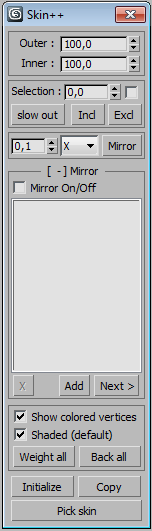
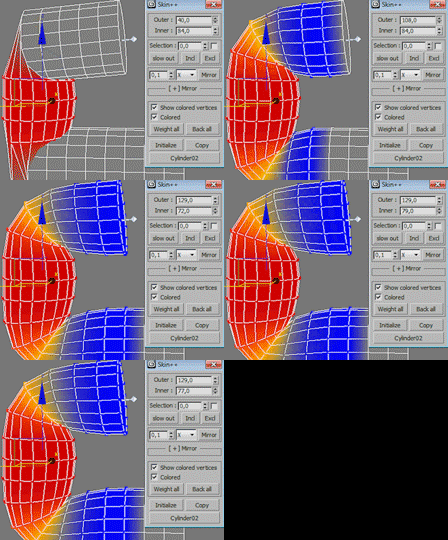
Save your time: ULTIMATE skin solution with 2 spinners (Skin++)

15 votes

skin++

OOHHH !! what I have done!! I uploaded my stuff !!
It could return a lot of money !!
NO 

I ended skinning sufferance for ever :)

Hello evry one

Finaly ! skinning task will be much quicker and easy

the script category: "Mohamed Sami Hadef"

its free , Enjoy :)

Object soft selection

9 votes

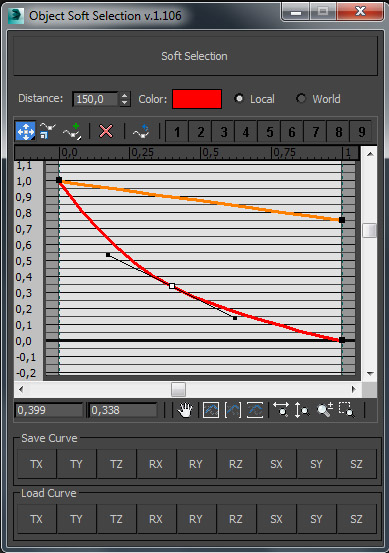
***********************************Object Soft Selection*************************************

Script is used to transform objects with soft selection based on user defined curves.

Corona Material Presets Pro

3 votes

The Siger Studio’s SIGERSHADERS Corona Material Presets Pro is a Plugin – powerful material collection for Autodesk® 3ds Max® and Corona Renderer® engine + User Library material lab/manager. The collection consists different categories of materials: Metal, Ceramic, Leather, Stone, Concrete, Glass, etc… The list of materials permanently grows.

Key Features

drop All Here

4 votes

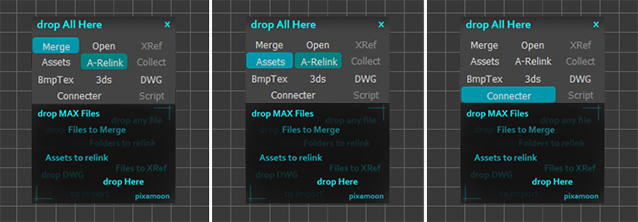
drop All Here is new drop window for many purposes :

drag and drop:
 - multiple Max files to Merge and Auto-Relink
 - Max files with Assets to Merge and Relink
 - Max file to Open and Auto-Relink
-  XRef files + Auto-Relink Assets in XRefs (if file newer then 2009)
 - Assets files or folders to Auto-Relink
 - Folders with assets. Script will find subfolders and all files to relink missing assets.
 - Collect Assets to Project folders (with custom paths structure) + Auto-Relink them in project
 - import multiple DWG files to create grouped flrplans, elevations etc (named by file (00-CAD-elev-001 etc)
 - import multiple 3ds files
 - drag and drop image files - it will create VRay material with loaded images into slots by filename suffix
 - drag and drop from Connector - in case 3ds max drag and drop does not work (known bug in new 3ds max version)

When you buy new model and you need to quickly merge it with auto-correct paths - just drop all here and done!

Rename mirrored Bones Script

0 votes

This script will rename '(mirrored)' bones to their respective naming. Be sure to name one side of your unmirrored bones first with this naming convention bone_L_bonename or if you are working on the right side bone_R_bonename.

Example:

** Common workflow for making bones/mirroring
1) bone_L_arm is prenamed before mirroring via the bone tools.

2) the bone is mirrored with the bone tools.

3) the new mirrored bone name looks like this: bone_L_arm(mirrored)

** The script is used here:
4) run the rename mirrored bones script with those mirrored bones selected

Pivot Manager

3 votes

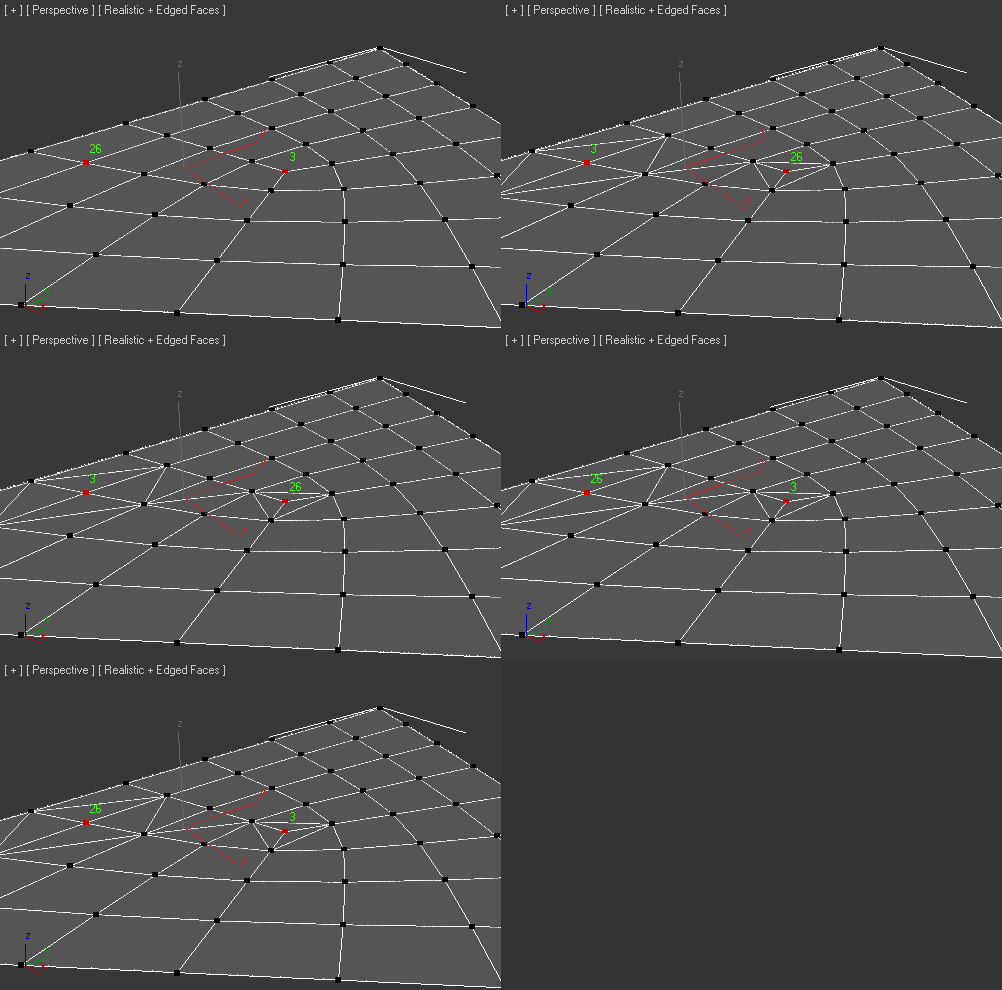
SwapTwoVert

3 votes

Added Fix tool if created bug-Faces

Explode face in Object

1 vote

Another script to explode the faces of a mesh into individual polygon.

111_ImagesAsPlanes

0 votes

The script creates a plane for an image file specified and assigns a standard material to it, visible in viewport. Nitrous driver is pushed to 2048 texture size.

Syndicate content