Tagged 'Animation'

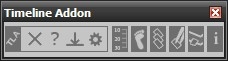
Timeline Addon

83 votes

Timeline Addon 2.0.8-42

Adds more functionality to the 3ds Max timeline. You can:

  • adjust timeline start, end, slider and length
  • navigate through frames and keys
  • move, select, align, reverse keys
  • set timeline bookmarks
  • show info about ram and cpu usage

Load Multiple Bips

0 votes

I created this script to speed up my daily work with crowd animation. If you have a lot of character studios rigged bipeds and need to load the same animation (walk loops, conversation...) on all of then, so this script might help you.

It's a .mzp file that you can just drag and drop into 3ds Max or run through the MAXscript menu. After that you will find the script at: Customize > Customize User Interface > Toolbars tab > Category: MMScripts > Load Multiples Bips".

To use the script you just need to:

Autoweight - Automatic skinning tool for 3ds Max

20 votes

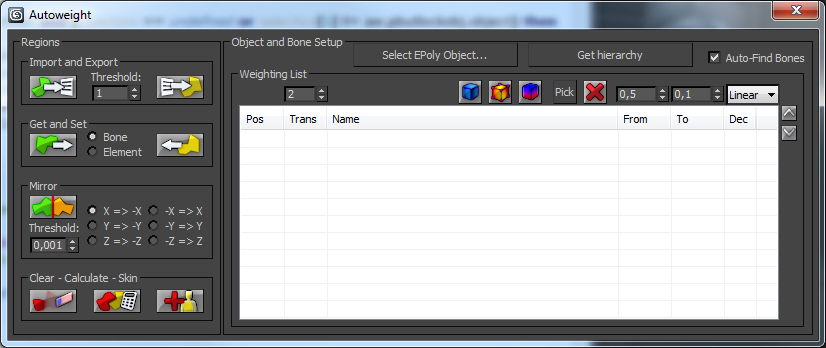
Autoweight is a script designed for 3D Studio Max helping you speeding up the skinning process of characters and machines.
You define special polygon regions and the script finds the appropriate bones, calculates the appropriate skin-vertices and sets up smooth transitions between those regions.

There are also Youtube video tutorials explaining the script step-by-step.

The new version 1.0 comes with an installer so you don't need to hassle around with the mzp-stuff anymore.

Harry's Proxy Creator

1 vote

This script is very similar to a script Jason Schleifer wrote from Maya, it allows you to split a predefined object into several segments based on the transforms of special cutter objects, these segments can then be linked back into a skeleton hierarchy. The advantage of displaying segmented geometry in the viewport rather than the skinned mesh is that you get faster playback speeds.

When you evaluate this script it create a new "Category" in the "Customize User Interface" window called "Harry's Proxy Creator" where you'll find the tool

Randomizer

75 votes

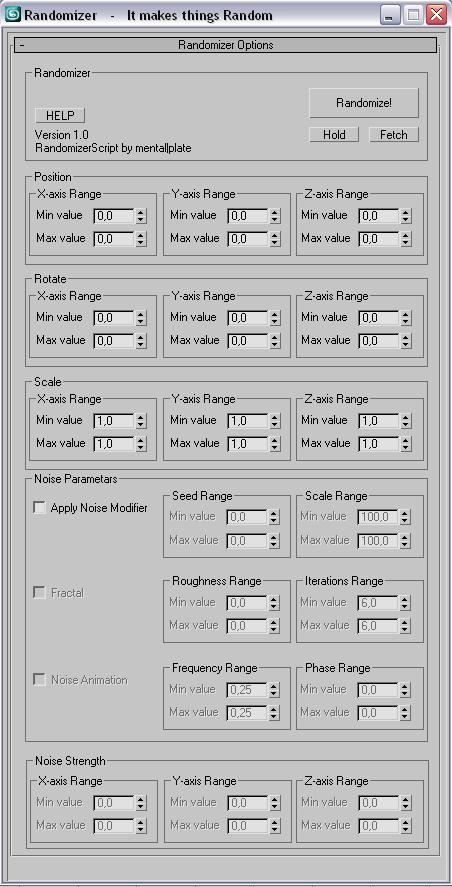
This script is for making things random....like you have a 100 of same boxes and you dont want them to be the same :D.
You select all of them and enter your values hit Randomize! and that is it.
You can also add random noise animations!


Progress on :

LH | Auto-Rig

6 votes

Automatic quality rig for all lovers of animation on 3ds Max !

WHY ?

Maya already has a wide selection of quality rigs, but 3ds Max doesn't.

So for the animation fans looking for a quality rig for 3ds Max, without any notion of rigging required, LH | Auto-rig, an automated rig, was developed. Powerful, it works with all kinds of characters (biped, quadruped or others), with a UI for animating as well as other animation scripts.

OPERATIONS :

Sequence\Tag Manager

13 votes

The main idea - no more flying sheets and notepads for sequence ranges and stuff :)

With this tool you can save custom frameranges and quickly cycle betwen them. Also has control over the Frame tags, and lets you easily queue tag times which you need to get rendered.

Auto-Link

3 votes

This macroscript adds an "Auto-Link" mode and allows to link objects very quickly when using "Paint selection region" method in the main toolbar. But it works with any selection method and "Ctrl+click". This mode is helpfull if you often need to link a lot of objects together.

GTVFX-ANM_keyFrameOffsetter

1 vote


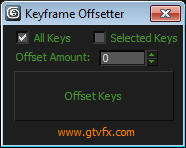
Offset the keyframes of all selected objects.

Offset all keyframes or just the selected keyframes

Silhouette Tool

3 votes

Silhouette Tool

This tool is intended for animators.

It changes the geometry display to a white mask, showing their silhouette only, and thus making the posing stage more effective.

Syndicate content