3ds Max

Resize Splines From First

0
points

Rescales spline sub-objects from their first vertex.


MatMaster

0
points

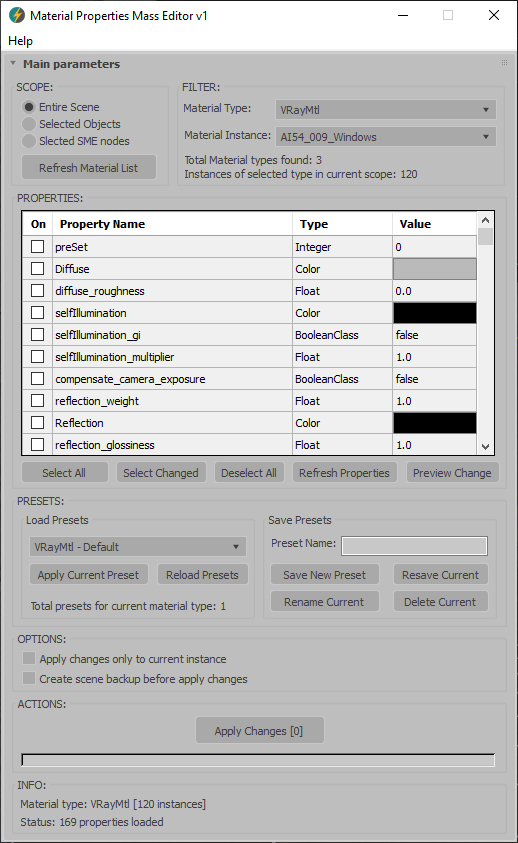
Lets the user configure material presets and assign them globally to materials in the scene. For example - define a preset with Self-Illum = 100 - Wire = ON - TwoSided = ON - and assign to selected objects' materials to turn them all into wireframes with a si


paint mover

4
points

with this script you can move a bunch of objects at once, using your mouse like a brush. works only for X and Y axs.


FilePathFinder Pro & Light versions

5
points

Updated 03.07.2009

Now available Light version


Current version 2.4.16


Now you can work with FilePathFinder Demo on any scenes!


  • Works with ALL external files.
  • Elaboration of xRef files in automatic mode.
  • Finding Asset files in automatic mode in xRef scenes.
  • Collecting and sorting files to subfolders, depending on their type.
  • Supporting standard for most Windows programs shortcuts.
  • Bitmap viewer.
  • Collecting textures and materials which contain indicated files, into Material Editor.
  • Choosing objects by their connection with file.
  • Open bitmaps in user - selected Editor.
  • Renaming the links by mask.
  • Friendly interface.


    Line Per Vertex

    1
    point

    Creates lines out of an object's vertices.


    Quick Passes

    12
    points


    Easy rendering of commonly used render passes for compositing.

    Quick Passes support Default Scanline, Mental Ray and Vray renderers and Materials.

    Quick Passes can render:


    ViewPort Control Mini

    5
    points

    The original script by Adam Biles “Viewport Controls” was
    altered by othoap on 4-1-07.

    I really like docking all my tools so I made smaller icons then Adam Biles UI and added a docking feature. Also I added buttons
    for all the viewport layouts.

    The button icons are only in 16 pixel size. Sorry
    I don't use 24 pixel UI setting.


    HCG Asset Browser PRO

    2
    points

    HCG Asset Browser PRO

    Features:

    • Display thumbnails of your models.
    • Library Example to show how to arrange your own libraries.
    • Merge as vrayproxy: convert the model and save .vrmesh.
    • Merge on references: replace your scene models with other models.
    • Paint mode over surfaces good to vegetations.
    • Render Thumbnail of your models.

    DEngine ( Featuring SuperMaxscriptBrothers )

    2
    points

    An open source project using the double bitmap buffer technique to render a 2D game in a MaxScript dialog. Feel free to make your own game with this and release it, and most important, have fun with it :P. Of course this script is in early developpment stage, so it`s more of a template to a game than a game.


    renderSorter

    1
    point


    Relink Bitmaps

    67
    points


    Max'ers,
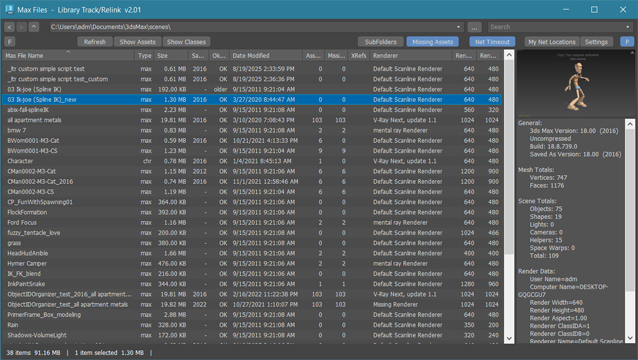
    "Relink Bitmaps" is a script to easily relink missing files (Bitmaps, VRayMeshes, Mental Ray Proxies, VRayHDRI, IES, etc) when they change directories or when you move computers, check out the short video tutorial below for more detailed information.  This script will save you time and money.

    I'm also looking for full-time/part-time work in Game Development or ArchVis, please check out my portfolio at http://www.colinsenner.com and resume here (PDF). 

     Screenshot 


    Relink Bitmaps webpage:

    http://www.colinsenner.com/scripts/relink-bitmaps

    Tested thoroughly with (32-bit and 64-bit): Max 2010, Max 2009, Max 2008, Max 9 (service pack 1+)

    Features:

    [*] All 3dsmax supported Bitmap Texture types
    [*] (new) Relinks Mental Ray Proxy files
    [*] (new) Relinks VRay Proxies (.vrmesh)
    [*] (new) Relinks VRayHDRI files
    [*] (new) Relinks IES files (including VRayIES files)
    [*] (new) Automatically checks for script updates and new versions
    [*] 250% speed increase from previous versions
    [*] Command-line mode available for automating repetative tasks (see documentation on the website)
    [*] Configurable default user options saving button clicks and wasted time


    MatManager

    12
    points


    MatManager is a collection of tools created to help
    you, the artist, control your materials and allow you to make the most of
    them. It was designed to complement 3D Studio, keeping a clean and
    streamlined interface where every action takes as few clicks as
    possible.


    Batch Camera Render

    3
    points

    Batch Camera Render interface

    Shortest description - this is another reincarnation of the Batch Render manager, so if you are happy with bundled one I can't guarantee you the strong impession. It imitates the Houdini's Output Node's way to bind render preset with lighting state.

    Bug fix release - 1.5.1

    Full description and discussion: http://forums.cgsociety.org/showthread.php?f=98&t=729386


    Mr.Studio

    5
    points

    mrStudioMr.Studio is a tool to simulate studio lighting with Mental Ray. It has some features to simplify the control of lights and provide previews.


    FumeFx Preset Tool

    Hello!

    Not too long ago I decided to start tackling some Max script to speed up my work flow, after doing a simple tool for cracking geo (just like rayfire by mirvadim.....which IS far more stable, and integrated into reactor/PhysX), I decided to tackle something which extends the "preset" functionality in FumeFX.

    Basically what I have made is something that takes the auto pilot out of the initial set-up, (which I have now found to save me anywhere from 15 -30 mins of intial set-up on effects, this is great as I am just making my fx's library at work, so there's nothing to go from.)