3ds Max | Scripts

Char Key All

12 votes

A very simple script that hopefully will help animators with their workflow.
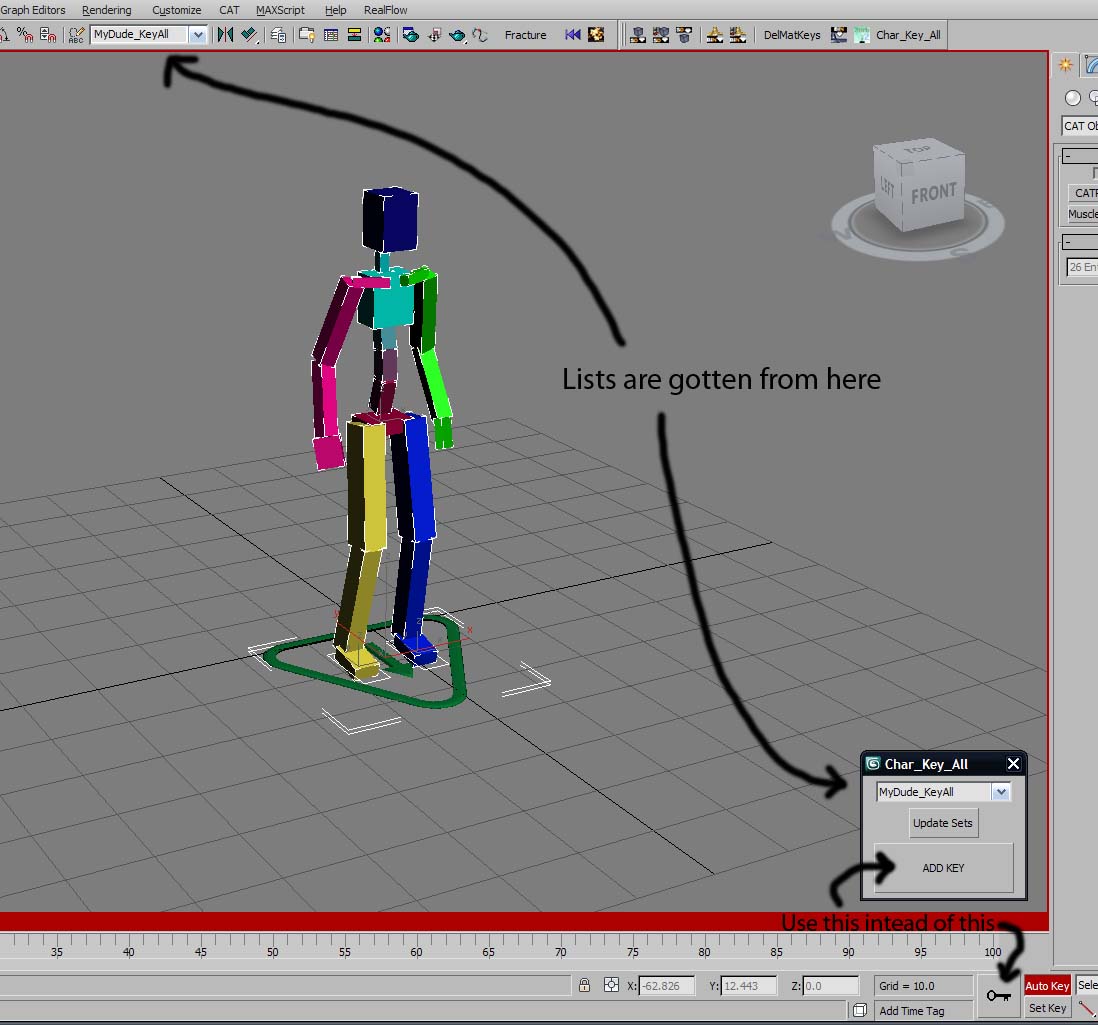
01) Define a Named Selection Set with all your character's bones, controllers, IKTargets (eg.CAT Platform), etc...etc...whatever you need to animate your character.
02) run Char_Key_All script, the panel will pop up at the bottom near the big Key
button
03) Select the char that you are animating from drop down list.

Photoshop tool. Open image maps in photoshop

30 votes

Hello,

This is an update for an oldie but a goodie,


This is an oldie but a goody. Put simply, it is a script that will open 3ds Max material maps in photoshop. I use it in my quad menu. If photoshop isn’t open, then it will open it for you. The previous version used a hard old school search for image maps used
in your materials, before opening them in photoshop. This version uses
the max class dependencies to get all bitmaps used in a material.

MatIDTools

4 votes

Advanced Fragmenter

20 votes

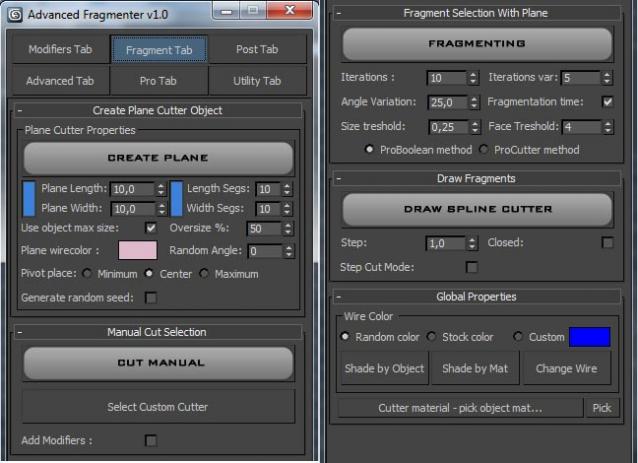
Script for artistic fragmenting and flexible control of cutter object.

Material ID Condense

12 votes

What it does:
Condenses material ID's Based on the texture name or material name.

How to use it:
Under Utilities Tab, hit the MAXScript button
then push run script, locate CondenseMaterialIDs.mcr and hit open.
Now in the Utilities drop down, choose Condense material ID's.

Here you may choose to
A:
condense it from the material name i use a script i found on Scriptspot called "OS3D_SetMaterialName_v01.ms" i cant seem to locate it again but it sets all material names to the Image names.

B:
Condense by the diffuse texture name eg Image1.jpg

bake animation to vertex

6 votes

convert animation to vertex animation,
convert Object PRS key to Xform modifier.

TronoTools: Animated Gravity Helper / Projection Path

0 votes

How would your object be projected with gravity? Nothing is more annoying than to see basic physics being broken!

This little helper creates a help path for your object to show you the most realistic path it will follow when falling from it's initial path. Keep your objects to the right scale and speed, and this script should be 99% correct for almost any object. (Feathers excluded ;))

Select Hidden, Visible or Occluded Objects

5 votes

Select only visible objects! Delete all objects hidden inside other objects!

If you are working with object heavy CAD models you probably know that often 90% of the objects are hidden internal components of the rig. Stuff you usually don't need or want. Object count that make 3dsMax crawl.

This script lets you either select what is visible or hidden from the current view - or let you scan the whole scene. 
It's a very efficient way to clean up your scenes with a high accuracy!

Quick Link Lock Tool

1 vote


Tronotools Quick Link Lock Info

A small tool I created to more quickly handle link locks. You can globally lock or unlock everything with one button. Same with just movement, rotate or scale separately. Supports multiple objects and behaves just like the normal 3dsMax Hierarchy->Link Info System.


v1.1 - Fixed a bug when no objects were selected.

Maya-like Time Slider

0 votes

I've always liked animating in Maya and missed the time slider toolbar you have there. I quickly recreated something similar for 3dsMax. It's not identical or perfect, but it works. I would love for it to lock and scale to match 3dsMax own Timeline/slider, but it sticks to the bottom of the screen and should work for most resolutions.


v1.1 Fixed a bug with a function not being declared

Syndicate content