3ds Max | Scripts

VZ Mood

0 votes

VZ Mood is a 3ds Max script to optimize your work process. You can create 3 sets of your favourite images that insipre you, or images that helps you edit your scene. Images open in 3ds Max interface.

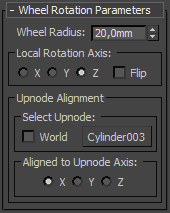
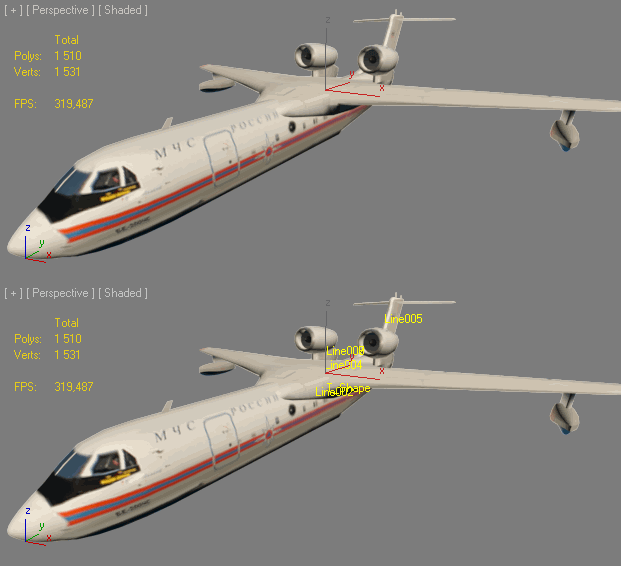
Wheel Rotation Controller

2 votes

Works both with keyframe animation and path-constrained objects. Doesn't need helper objects. Both the direction and rotation of the object is calculated.

Asset Collector

8 votes

A simple script, same like archive, but save all asset in one flat folder without zip.

checked "update asset path" will change all path to selected folder(easy for distribute render).

checked "strip all path" will strip all the path, easy to share scene with other without showing your folder structure.


 v0.6 - add save selected object feature and option to save max file.

Align PivotPoint to WorkingPivot

4 votes

Hello! This script aligns PivotPoint to the WorkingPivot.

ShowName

0 votes


INSTALL: drop file to viewport and copy this file in "Startup" folder of Max

Установка: Перетащить *.ms во въюпорт и скопировать этот файл в папку макса "Startup"

Actions are stored in Category: "Niklit Scripts"

Auto ProOptimizer

4 votes

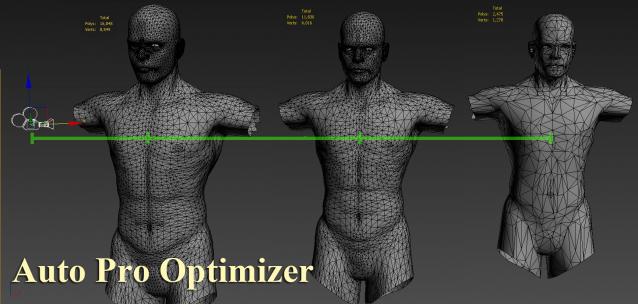
Auto ProOptimizer Add 3Ds Max ProOptimizer Modifier plus some more parameters that make "Vertex %" change automatically by distance of object from camera.

Version 2 have same function for MultiRes Modifier.
ProOptimizer Destroy the UVW but MultiRes don`t.

Show\Hide User Interface

2 votes

By default in 3ds Max you can hide with shortcut: main toolbar, command panel, ribbon, but other things like status bar, menu bar, layer toolbar, snaps toolbar and other you cant hide or show easy. So i create simply script with 7 buttons for hiding all parts of interface. You can just put this buttons on quick access bar. Hope it will be helpful for somebody.

Many Thanks Pete Addington(Lonerobot) for idea with keyboard pressed buttons and denisT from cgsociety for realization of fullscreen mode.

AutoMultiMatte

53 votes

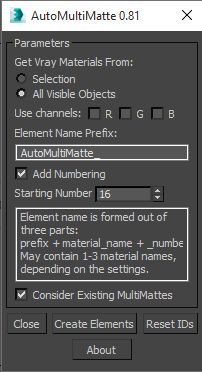
This script utilizes new EffectID property of the VrayMaterials in Vray 2.0 and creates MultiMatte render elements for the all or for the selected objects' Vray materials and assigns proper values to their Effects ID property.

VMC (VRay Material Control)

69 votes

Change VRay properties en masse!

Features:

  • Sets properties on all Vray materials and maps in the Scene, Selection or Material Editor in a couple of clicks.
  • Global Subdiv Reset for getting scenes where you want them.
  • Donors get support for all Vray Cameras, Lights, Modifiers & Geometry, Bitmaps, Color Correction Map and the 3rd party maps: Color Correct, MultiTexture, MultiScatterTexture & ForestMaterial and a set of handy Power Tools:
    • Batch Mode
    • Turn all/selected lights on/off

Create Stairs

1 vote

A simple tool to create stairs.
you can see it in action here.
http://rendermotion.com/Articulo/261?title=Distribute+steps

Syndicate content