3ds Max | Scripts

FixGizmoTool

11 votes

This script can quickly fix object's gizmo and maintain the relationship.

It can just replace the transform gizmo with what you see on screen,

the movie can show how it work.
http://www.youtube.com/v/yeug7BxqgwQ

Adjust Length, Width, Height

11 votes

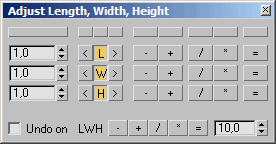
Adjusts length, width and height of selected objects that got one or more of this baseobject-properties. You can choose the direction of this adjustment.

Feel free to use, hope it helps :)

pie

11 votes


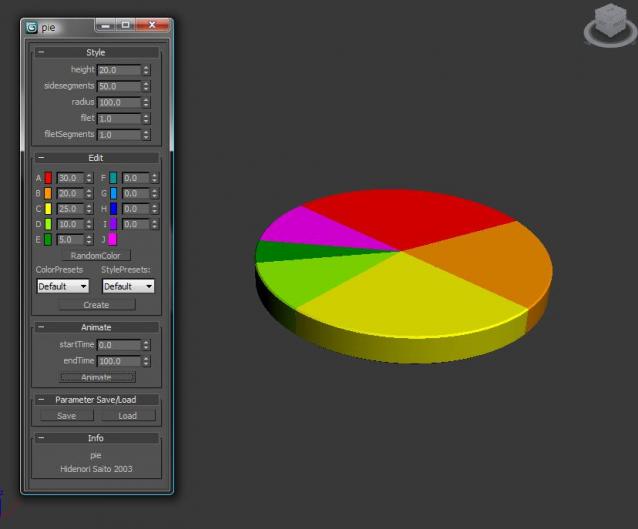
This script easily makes the pie chart.

Installation

  • Download installation file
  • UNZIP •3dsmaxROOT to root folder of 3ds max •Start 3ds max
  • Go to Customize>Customize User Interface>Toolbars> Category "HideScripts">Action "pie"
  • Drop Toolbar

How to use:

Invasion

11 votes

It is a simple game for 3Dsmax (2009 or higher). Try to catch the red flying saucer. :)
The video shows you how it works.

CT Feather Generator

11 votes

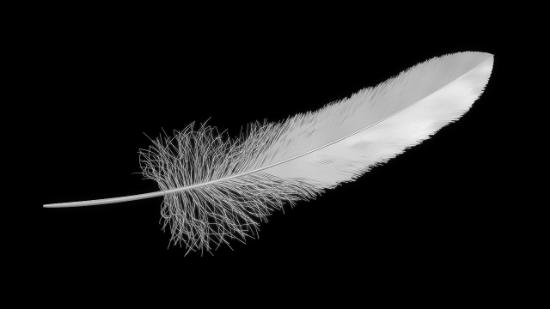
MAXScript for generating procedural feathers.

Generates highly detailed feathers using splines.

For up-to-date usage instructions see the download link.


Convert to MultiScatter

11 votes

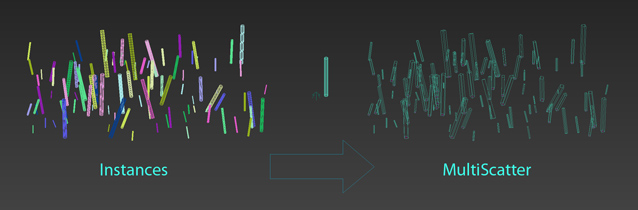
This is only rough idea how to convert objects to MultiScatter

First it creates new distribution object and then MultiScatter distributes objects on it.
It keeps transform (position, scale and rotation) of objects

Braided hair

11 votes

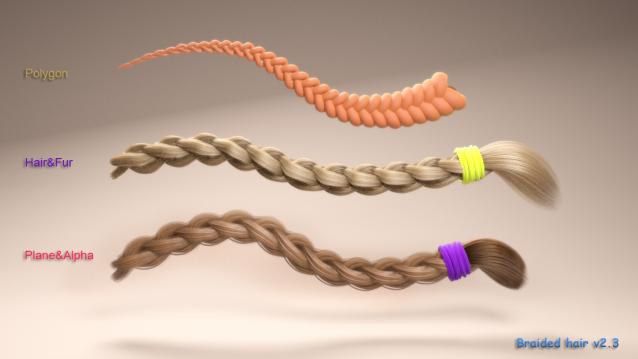
This script is useful for generating and rigging braided hair and any repeatable pattern in less time.

TopoLogiK

11 votes

TopoLogiK is a new Retopology tool for 3dsmax.

It brings a more procedural and parametric approach to retopology in 3dsmax.

Tutorials : http://hocuspocus-studio.fr/tools/topologik-tutorials/


VertexMapCopy

11 votes

This macroscript let's you copy one UVW Channel to another - and also
from or to Vertex Color / Illumination / Alpha. You can also delete
channels. Along with the vertexmap plugin - it is possible to use more
'vertex colors' in max5 - cause you can paint them and apply most vc
tools on the normal vc channel then copy it to another channel and use

morphMap

11 votes

morphMap is a tool to map low-res objects (as those used in video games). Works on meshes and polys. Now It's a multi-select tool: you can select several objects at the same time or you can select severals groups of faces of the same object.
The interface is left/right dockable.

There are 3 main modules :
+ the function 'morphMap' : the picture follows the mapped surface in one click. (The uvs will be like a square)
+ the function 'Face Map' : an advanced face mapping. The number of points in the face have no importance: that does work with all faces.

Syndicate content