3ds Max | Scripts

Random Wire Color

11 votes

Allows you to set upper and lower ranges for the R G and B randomness, then lets you assign random wire colors to selected objects.

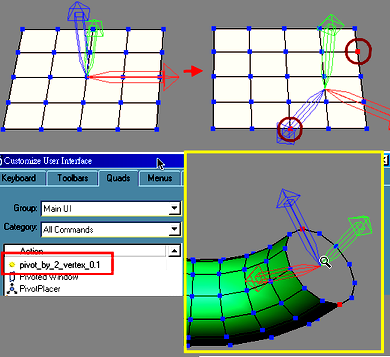
pivot by 2 vertex

11 votes

selected 2 vertex to set Pivot

support mesh and poly for Hansanter (2008-08-02)

RF Particles To Pwrapper

11 votes

This script allows you to add RF particles to a PWrapper

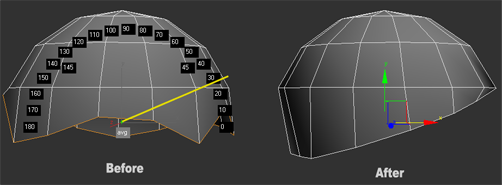
Straighten Edges in Screen View

11 votes

Work only with Editable Poly objects.

The video show all that the script can do. Reference coordinate system must be "Screen", can align verts, edges or faces.

Super Grid

11 votes

NEWS: Version 1.1 released. Slice and align to slice tools added.

Super Grid is the ultimate reference system, based on grid helpers.

Super Grid creates new grids based on your sub-elements selection. Additionally, you can create grid based in point helper objects. You can also define an offset, flip the grid, or define an auxiliary helper point to move the grid.

Flaps

11 votes

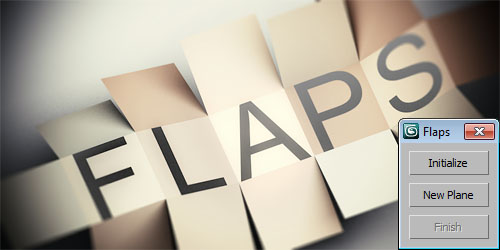
Flaps simplifies animation of flipping planes. You select one edge, let Flaps generate a new plane which then will be rotated around that edge. Finally Flaps generates a spinner you can use to control and retime the whole animation.

Reference Plane Creator

11 votes

It is a utility that:
- Creates 3 types of references from side - front - and top views (independently) with your selection of
- Creates a correct size plane (the size of the image) at world center [0 -0 -0]
- Puts the plane in a seperate layer (for easy hiding abilities)
- Creates a material with the diffuseMap as the image and toggles it on

PaintSelector by drFlash

11 votes

Select verts - edges - faces of the 'editable poly' and the 'edit poly' objects by 'painting' with a variable sized brush.

UnwrapAlignTools

11 votes

This script is actually three in one, for use in Unwrap UVW.

Align Selection Horizontally, Align Selection Vertically, and Collapse Selection to single point.

Update 1.1 added Undo

Rotate Tools

11 votes

Compact dialog for simple preset rotations.

Has a type in for amount of degrees to rotate

buttons to rotate left or right.

Rotations are around the currently active axis. If there are multiple axis' selected, it will default to rotating around the Z axis

Pulldown of preset values to rotate (1,5,15,30,etc...)

Syndicate content