Tagged 'modeling'

Edges From Vert To Vert

11 votes

Tool for edge selection from vertex to vertex(point to point)
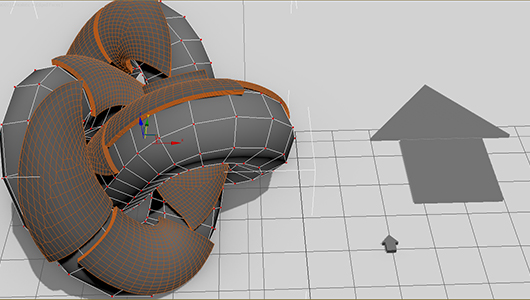
Has interactive update so when you move the mouse over the selected object you can see what would be the edge selection. By clicking you add the current vertex. By clicking + ALT over selected vertex you deselect it. The red vertices are the selected ones - the blue is the currently selected vertex. When you click RMB the tool stops and the edge selection from the SELECTED vertices stays - if you click the RMB with ALT you clear the selection.

FaceGrabO v1.5

11 votes

Handy to create twin faces from face selection of sublevel editablepoly to becoming new object for raw model or maybe final model.

Vertex Killer

22 votes

This tool will remove any SELECTED vertices that are shared by ONLY and EXACTLY 2 edges. Useful to make mip models for games - when you need to simplify the mesh by hand.

RappaTools

60 votes

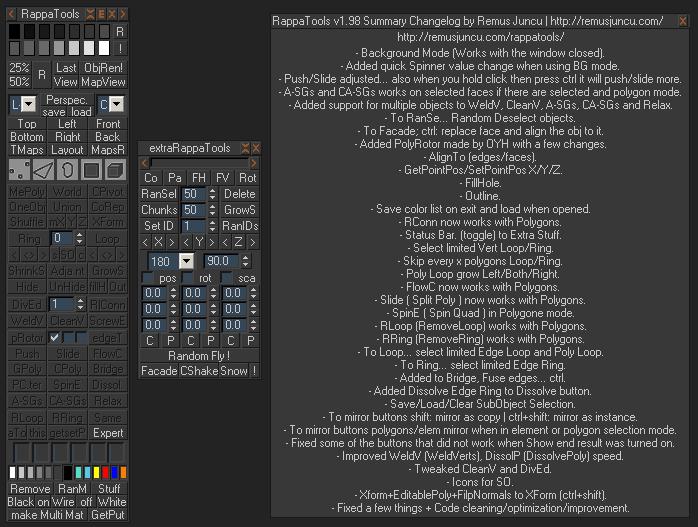
RappaTools is an modeling toolset for 3ds Max (9 Sp1 +), that offers a wide range of tools for creating various types of subobject selections as well as a set of modeling tools which will make any tasks in everyday modeling a lot easier and faster. It also has a lot of other options like 50%/25% Render, Quick Light/Cam select, Toggle maps display in viewport, Random Material/Wirecolor, Make multi material from textures in a folder, and many more...

QuickLattice

6 votes

7/31 -- fixed the errors in the script that stopped from working. added a youtue vid to explain what it does

5/31 -- fixed some bugs; added better explanation

QuickFrag

12 votes

Simply select the object you want to break apart and the amount of pieces to break into and hit the button!

RappaTools v1.92

558 votes

RappaTools3 and RappaTools2 available... see new website: http://remusjuncu.com/rappatools/

See RappaTools3 PlayTime 02 Here  and RappaTools3 PlayTime 03 Here !

Briks PlugIn

7 votes

We are 4 students of a Computer Sciences School specialized in Image Processing - and our last Project was about the developpement of a complete Plugin for 3dsMax 6 and 7 - around Lego's World in Maxscript Langage.

Connect Always

14 votes

By default, Max has two separate commands for Connecting Edges and Connecting Vertices. You had to have two menus for both of them.With Connect Always, you just have to select the vertices/edges and hit "Connect Always"

Here is the code if you dont want to download:-

macroscript Connect_always
Category: "Butt tools" buttonText: "Connect Always"
(
$.EditablePoly.ConnectVertices ()
$.EditablePoly.ConnectEdges ()
)

The category and buttontext is needed if you want to put it in a menu or quad.

[CREDIT}

Remove components

8 votes

It is replacement of standard 'Remove'
Remove verts - edges - polys clean like a XSI 'Dissolve and Clean Adjacent Vertices'

Syndicate content