3ds Max | All

subdivisionAutomator

7 votes

Quickly assigns a subdiv modifier (meshsmooth or turbosmooth) to all scene or selected objects. This is good if say you want to have all objects in your scene converted into subdivs at rendertime without the need to constantly select objects, find the right modifier, assign the modifier, etc.

Substance and Element 3D material preparation tool

1 vote

This script creates an standar material per object and puts the same object name on the
material. This is ideal if you plan sending your model to substance painter or Element 3D plugin for after effects.

Instructions:
Drag the script
Go to Customize > Customize User interface
Toolbars
Category: Substance

Drag the tool to an empty space on any toolbar, or create a new one.

Before using the tool make shure thares nothing selected on the scene, the scripts selects all for you.

ES:
Este script crea un material estándar por objeto y pone el mismo nombre de objeto en el

Select All Instances

0 votes

Script that expands native "Select instances" command.
-Allows multiple object instances selection.
-Allows groups instances selection.

AnimationTrans

3 votes

Hi, this is Delphinium from Team Froggy&Catty.

I made this to help StarCraft2 modders in making animations with 3dsmax,but it should be helpful to all animators.

This script can help you to transplant animations from an animated character to a new one.

You can use the mocap data, biped animations and so on as the animation sources of your own character, while keeping your custom rigging rulers.

Trackview Filters For 3ds max

0 votes

speed up the filtering process in the Trackview windows and save a lot of time for animators

DmitryG Tools for 3DS Max [Free]

4 votes

10 simple scripts for 3ds max that makes your work more comfortable smiley

Scripts:
Quad Sphere
Edge Divide
Fast Grey Material & Black Wire
Min Z Pivot Position
Move To Origin
Multy Bevel Settings Dialog
Zero Extrude
Soft Polys
Toggle Hard Edge Display
Hide\Unhide Track Bar & Slider

Shuffle

8 votes

Randomly swaps the positions (but not rotation) of selected objects. I use it to save time populating parking lots - by creating groups of identical cars - then running shuffle to get the random distribution.

Mega 'Sweep'

5 votes

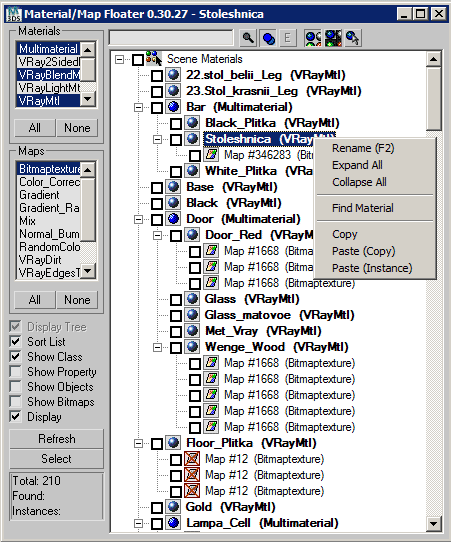
Scene Material/Map Floater

38 votes

A Material/Map browser similar to the one found in max
- Able to FILTER Materials/Maps by class types

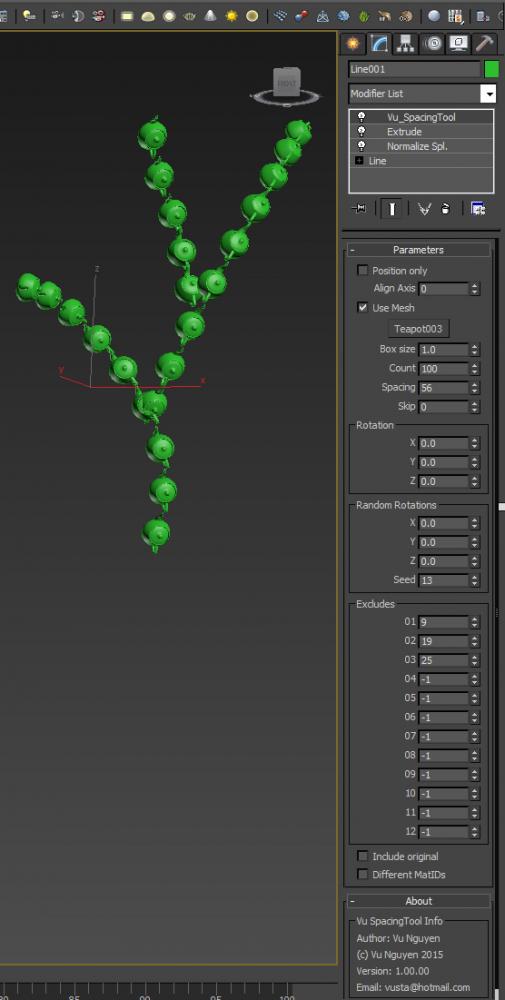
MCG SpacingTool

3 votes

This MCG is a Spacing Tool for splines. Unlike the default Max one, this does NOT intermittently disappear from your viewport !!! And it gives you rotation controls as well.

(You can use it on a mesh as well but it's best for curves)

Syndicate content