3ds Max | All

HCG Asset Browser

38 votes

NEW Video!!!

HCG Asset Browser Interface

Features:

BipedKeyer v1.4

47 votes

This script can set Key parameters "Ease To", "Ease From", "Tension", "Continuity" and "Bias" to ALL selected biped bones (including COM) - AT ONCE! If biped bone in selection does not have a key in the current time (frame), nothing happens with that bone.

BipedKeyer_scr1

New in v1.1: Possibility to set custom values. COM - EaseTo, EaseFrom and Bias (for vertical, horizontal and turning controller) parameters now also changes.

Multi Texture Tiler

4 votes

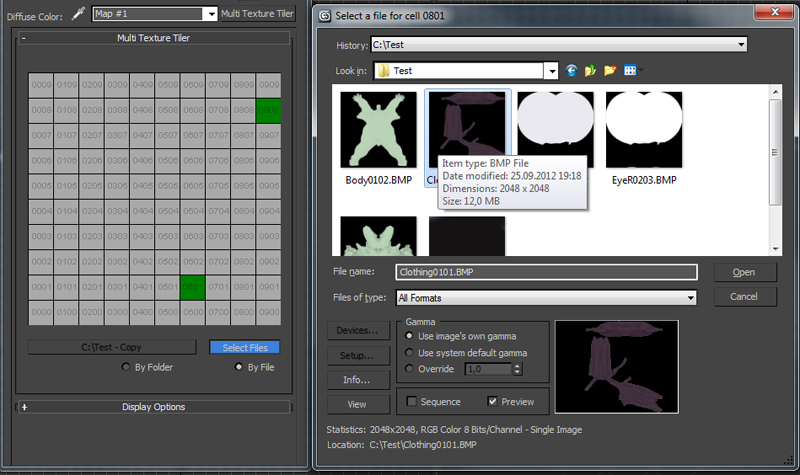
New version update: Possibility to use files without any prefix choosing them manually (thanks to Branko Živković for pushing me in that direction).


The Multi Texture Tiler (MTT) is a plugin for 3DS Max 2008 - 2013 to apply multiple textures to multiple UV-Tiles immediately.

neon

31 votes

Neon is a material plugin that converts any object to a lightsource. It works with the radiosity engine built into VIZ4/max5 or higher.

DinoRigCreator

43 votes

FragNoiser

7 votes

This tool is for adding details for your fractured model's internal faces , cracks and so on. It offers a built in solution for doing so without the need of external plugins by using 3ds max default modifiers in a clever and systematic way.

TurboReduce

49 votes

I renamed the script once again, you can find it here http://www.scriptspot.com/3ds-max/scripts/subdivision-reversion

TurboReduce will recreate the subdividion levels of an already subdivided mesh.

Mass exporting of selected objects in 3dsmax

35 votes

'

V1_6:
Update to support 3dsmax 2018

New Features
-- Settings in the util are stored in a ini file, so they are kept when you quit the util
-- I added a reset ini button so you can go back to the default settings
-- A simple button that selects all visible objects
-- I also made the outputPath button show the current outputPath..

My first version of this script was created to simplify the process of exporting many objects from one 3dsmax scene into separate obj files.

After Effects transforms exporter

7 votes

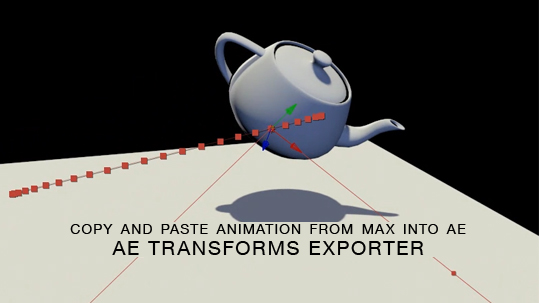
Here is a free tool for copying animation from 3ds Max into After Effects via the clipboard, and the native AE clipboard data. You will be able to copy and paste keyframe data for position, rotation and scale from 3ds Max onto objects in AE.

UV to MESH

5 votes

- quickly detach mesh elements from UV seams.
- Flatten the Mesh following the UV.
- go from your mesh to the flatten one with a morpher

Updates :
– faster algorithm
– better edge separation, avoid separate triangle faces

Syndicate content