3ds Max | Scripts

FStorm ToolBox

2 votes

This is an adaptation of VrayToolBox or CoronaAutomator for Fstorm. http://www.scriptspot.com/3ds-max/scripts/vray-toolbox http://www.scriptspot.com/3ds-max/scripts/corona-material-automator Install by drag and dropping in viewport, then go to customize, customize user interface, tool bar, category "SimonScripts", create a new toolbar if you haven't got one already, then drag FstormToolBox inside it.

update 0.0.2 :ColorCorrection Dropdown menu wasn't updated properly when unchecking any checkbox.

FTP Upload

2 votes

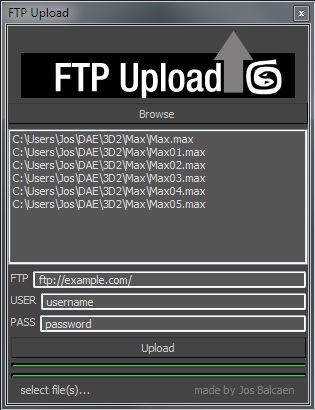
Simple script to upload files to a server via ftp.

Interface should be obvious.

Fume & Flow Floater

15 votes

Fume & Flow Floater
This floater is a way to hopefully unclutter the workflow with Particle Flow, Space Warps, and FumeFX. It is designed so you can work in expert mode to free up some screen space. It has just about all you need to work with pflow and fume. The script contains a large and small version. The large is nice when you've got a nice 20"+ inch monitor the "mini" is better for smaller screen sizes.
Regular Size: Mini Dialog:

Fume Object Source Manager

19 votes

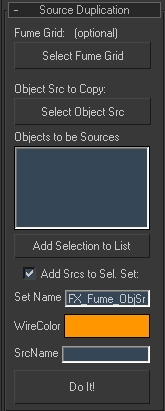
Rollouts for duplicating and managing multiple object sources since you can't instance object sources (because you can only have one object per source)

*Can duplicate object source and assign objects to selected geometry automatically
*Optionally add new sources to fume grid obj/src list
*Contains all functionality of the object src modify panel

Fume Src Manager

FumeFX Delete Undefined Light Entries

0 votes

There is an issue where if you delete a light that is assigned to a Fume Grid without first removing it from the Fume Grid, there will be an undefined entry in the lights.

This is really only noticeable via maxscript.

I created this script to delete all undefined entries in the light list for all the fumes in the scene.

Simply run the script and all the Fumes will be fixed.

-Paul

FumeFX Dimension Copy

0 votes

FumeFX Dimension Copy

This macroscript takes a selected Box and then copies it's dimensions and creates a Fume grid with the same area. I got sick of having to drag out a real-world scale Box and then dragging out a fume grid to match. This just takes the extra step out of it.

FumeFx FreezeFrame

3 votes

FumeFx FreezeFrame is a very simple script for work with “still simulation” like clouds, nebula, ecc...The script have only 2 buttons:

update 1.0

-Freeze/unfreeze button: to set the out-of-range type to work statically
-Frame spinner: set the simulation frame(useful in lookdev step)

update 2.0 change log:

-Added a source list to manage multiple grids at same time
-More accurate workflow for freeze/unfreeze grids
-Added a status bar that display the source status
-Better code organization

let me know if there are some bug or some request.

Thanks

Share and Enjoy!

FumeFX Gi Maker

0 votes


Hi,

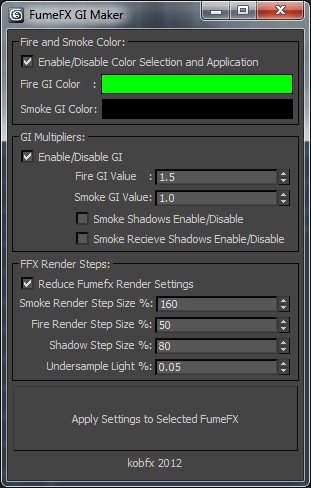
This script will Prepare FumeFX containers for creating GI masks to be used later in Comp. Also has controls to optimize the render settings of your shader and shadow creation.


Things this script does:

Sets fire and smoke color to be a flat color of your selection.

Sets the Strength of Gi multiplier in your grid.

Turns shadows on and off.

FumeFX Grid Settings Deep Copy

0 votes

This script copies settings from one grid to another. It does not touch output paths, size etc, but it'll merge the other parameters from one grid to one or more other grids. Handy if you have a lot of grids, do a change in one and need to apply the same changes to all the other grids.

Current version has a couple of limitations. It does not support copying all effectors and keys from colors.


FumeFX ModernUI

0 votes

FumeFX ModernUI is a tool for 3ds Max that helps reducing repetitive tasks when simulating with FumeFX. It has a clear interface (therefore the name) and comes with an easy to use installer.

Syndicate content