3ds Max | Scripts

Autodesk_Map to Bitmaptexture

3 votes

This script looks for Autodesk_Map textures in all scene materials and replaces them with standard bitmaps instead. Now that this script is finally general purpose, I'll be rolling a copy of it into the my Autodesk to Standard Material Converter script. The stand-alone version of the script will remain here as usual.

Autodesk_Map textures are generally found in Max files with data imported from Revit.

AutoEdge Selected

6 votes

"Another one to make CAD cleanup less painful - specifically .3ds objects exported from AutoCAD. Select a bunch of imported 'Mesh' objects and hit the toolbar button to:

  • Convert them all to Editable Meshes
  • Select all edges
  • Perform Auto Edge at the current threshold
  • "

    AutoEdges

    27 votes

    Script looping through selected objects of your scene to hide unwanted edges in editable meshes (typically the middle triangles of surfaces).

    This script was created to improve the visibility of models imported from Revit into 3ds Max via the FBX file format.

    Autoexec

    21 votes

    This utility helps you to embed MAXScript code into any scene file. The code will then be run each time after the file has loaded - much like the old autoexec.bat file in MS-DOS.

    AutoFloor UVs

    0 votes


    AutoFloor UVs it's the perfect tool when you're dealing with a single seamless Texture and you need to map a Floor-Generator object.

    Description:

    autoKeyer

    5 votes

    This script lets you automatically align one object to another (animated) by aligning it in every frame and creating a key for choosen controllers (position, rotation, scale) in every frame. Especially useful for animators. The use explained on video.

    autoKeyon

    3 votes

    This script uses callbacks to turn Autokey on when Max starts up, loads a file, creates a new file, and resets a file. It also toggles Key Mode. I got tired of turning on autokey and key mode every single time I opened a file. I know that sounds like I'm lazy but after working with Maya I got used to my software package remembering my presets. It uses callbacks to turn autokey on and key mode.

    Automat - Artist Workflow Tools

    4 votes

    Automat banner

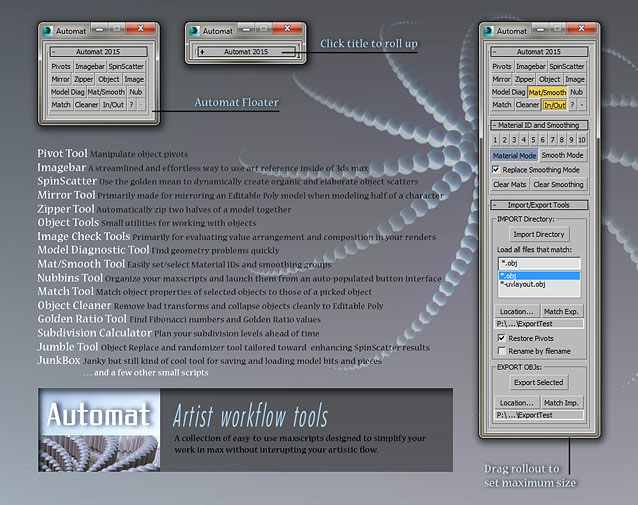
    A large collection of time-saving scripts all organized into a simple and clean interface.

    SCRIPTS included: Pivot Tool, Imagebar, SpinScatter, Miror Tool, Zipper Tool, Object Tools, Image Check Tools, Model Diagnostic Tool, Mat/Smooth Tool, Nubbins script launcher, Match Properties Tool, Object Cleaner, Golden Ratio Tool, Subdivision Calculator, Jumble Tool, JunkBox, and more.

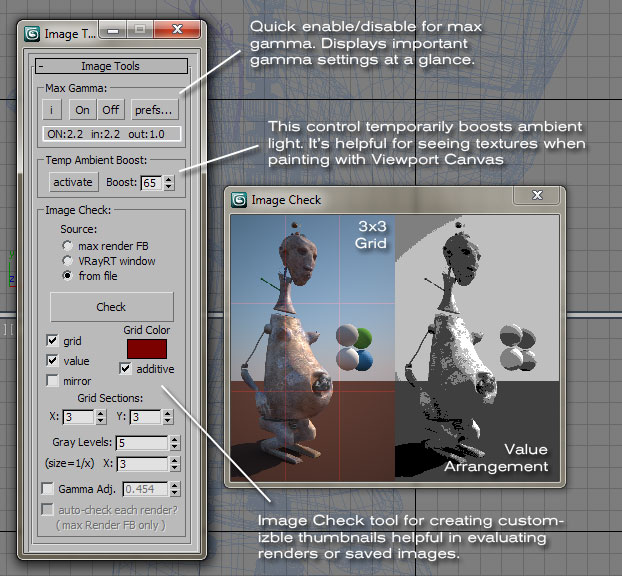
    Automat Image Tools

    13 votes

    AutomatImageTool

    AutoMatAssigner

    3 votes

    GuideLines
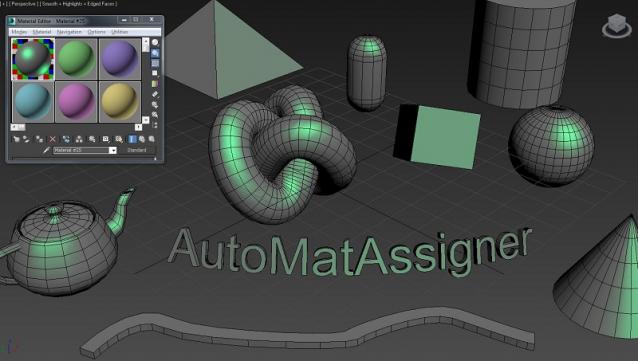
    AutoMatAssigner script assign material and black
    wire color for each new object created.
    The material assign is the material editor first slout.
    The script is designed to help the artist on the creating process
    by emphasize the wirecolor and polygons from the objects.
    To use it - run the Automat.ms and it will run as long as 3ds max open.

    Test on 3ds max 2014

    enjoy,
    l-nio

    Syndicate content