3ds Max | All

MCG Transformation Modifiers

2 votes

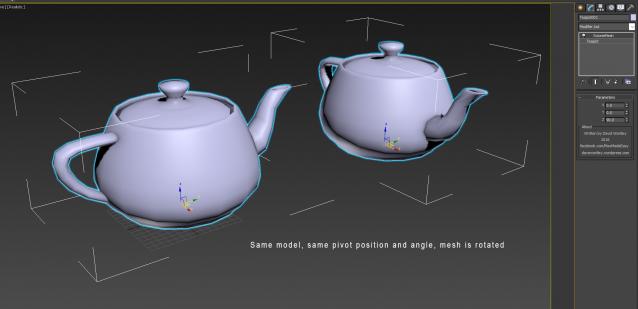
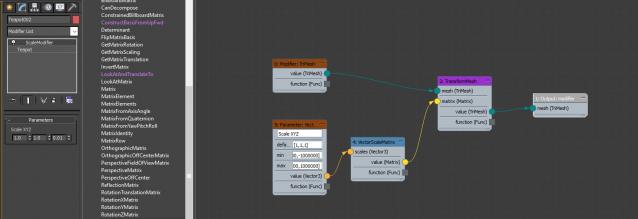
A set of simple MCG modifiers which do very powerful things when used in a procedural workflow. You can make adjustments to a mesh's pivot inversely by using these modifiers. You can animate at a sub-object level.

OffsetMesh

RotateMesh

ScaleModifier

Conformist

5 votes

Conformist is a maxscript that allows you to conform a low poly mesh onto a high poly mesh nearly perfectly. Currently it offers 3 different methods (Inwards projection, outwards projection or both).

In addition to that, if you already have UVs set up for your low poly mesh, to combat distortion the conforming process will bring, the dialog windows also offers uv relaxing and repacking, with a wide variety of options.

iray Manager

2 votes

iray Manager 2013

UniMirror

8 votes

v2.1 Added tool which works by selected axis transform/ Добавлен инструмент, который работает по выбранной оси трансформации.

squash stretch biped rig

attached script lets you quickly setup squash stretch with your biped rig. may be useful for lazy ppl like me who don't prefer custom rigs too much and too much used to for biped animations.

download: http://www.lalamax3d.com/scripts/mxs/lm_Rigging-SquashyBiped.mcr

website:http://www.lalamax3d.com

Machine3D Make Preview

-1 vote

Simple tool to make preview using whatever display style in the UI

based on the Autodesk Maxscript help file example for "createPreview Method"

adds custom name "date string" of year, month, day, hour, minute, second

creates .avi files

Object Properties 2.0

6 votes

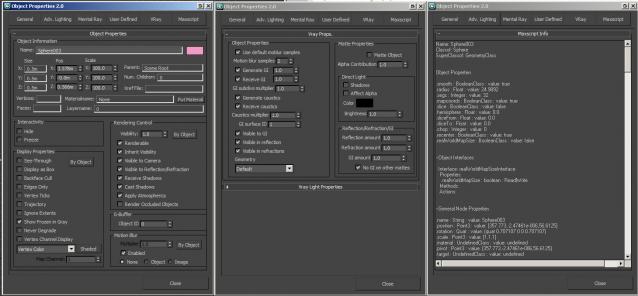
A non-modal Object Properties window, very simliar to the original one in 3dsmax but this allows you to change selection with the dialog open!  It also has the VRayProperties window included so you don't have to switch dialogs when setting up passes. (Needs updating for VRay 3.0+) There is also a MaxScript tab which shows you loads of information about the object you have select and this is really powerful for learning to script!

Inset Chamfer

9 votes

A pair of modifiers, the InsetBySmoothingGroup mcg modifier will inset mesh polygon groups by their smoothing groups, which helps to keep flat surfaces flat smoothed when chamfered instead of the usual mess. Keep in mind that for it to work, the smoothing groups should not be shared, i.e. no polygons that have both smoothing group 1, 2 etc. set. Note that the smoothing group edge borders are split afterwards, if you don't want that, you need to apply a Vertex Weld modifier.

power of two calculator

0 votes

To help my students to remember power of 2 textures.

Angle Controller

1 vote

A simple MCG controller to allow the user to put in angle numbers without having to convert them to radians first or using a script controller.

Installation: Google how to install an MCG file if you don't know.

Compatible 3dsmax 2016 EXT 1 +

Syndicate content