3ds Max | Scripts

Cleaner

Problem: The filesize of scenes suddenly increases dramatically. This slows down the workflow since every manual-save and autobackup-save takes long and it fills your fileserver with maxfiles that are very big.

Reason: 3ds max adds notetracks and reactor-collisions to the scene. A common workaround for this problem is ctrl+N (New Scene: Keep Objects and Hierarchy) or to merge your scene into an empty new scene.

Scene Notes helper


There is many manners to save notes to the scene. Usually I put notes to dummy helpers with descriptive names and location to remind me something for concrete object, layer or the whole scene, so I use multiple targets to hold my notes, and any 'popup' persistent callbacks not sound good to me. Also I intend to control which of them to see on loading, so, this helper plugin is written mainly for my workflow, but hope it`s welcome to someone else.

Helper Maker

Creates a new Helper from a template object.

VRay Camera Manager

  • List and edit the most used VRay Physical Camera parameters in an easy to read table
  • Change the settings of multiple cameras without selecting in scene
  • Shutter priority mode - lock the shutter speed and vary the aperture or film ISO keeping the exposure constant.
  • Aperture priority mode
  • Film ISO priority mode
  • Sort the table contents by clicking on the column headers

Right click menu:

Stretchy IK-FK Arm Rigger with Auto Clavicle

An arm rig system with auto-clavicle solution.
I know there are better rigging solutions, I just wanted to develop my version.
Any comments and critiques are welcome

Unwrap UV Editor AutoEnable v1.2

Now is no need to take care to disable IgnoreBackFaceCull.
And automatically enters to UV Editor.
It's just a modifier Unwrap UVW with the settings

1) Assigns unwrap UVW
2) Disables IgnoreBackFaceCull
3) Entry in the UV Editor
4) Set subobjectLevel = vertices

Теперь не нужно беспокоиться об отключении IgnoreBackFaceCull.
И автоматический вход в UV-редактор.
Это просто модификатор Unwrap UVW с настройками

1) Назначается unwrap UVW
2) Отключается IgnoreBackFaceCull
3) Входит в UV Editor
4) Устанавливается режим подобъектов = вершины

Ultimate Painter

The result of two days of experiments around MouseTools.

You can use it to paint and distribute objects (copy or instances) on the grid or on surfaces. With Random controls, collisions detection, attachment surface...
You can paint all the max objects (geometries, helpers, proxies...)

SciFi Pattern Generator

Pattern Generator v.1.1 FINALLY HERE! Pick your target mesh with multiple patterns selected! (WATCH THE VIDEOS!) 

!!! HUGE UPDATE !!! ALL OF THESE SAMPLE SCENES NOW INCLUDED TO QUICKLY GENERATE SCIFI STRUCTURES !!!

Wall Worm Model Tools

Wall Worm Model Tools consist of a MaxScript utility to quicken the pace of sending models from 3ds Max to the Valve Source model compiler. It automates some of the steps of preparing your model and lets you export SMDs and textures in a simple manner.

Key Features

Modifier Modifier Zorb

v2.7.03. Dosen't save size and position if closed when minimized. v2.7.02. Added Maxwell material support

v2.7.01: A few UI bug fixes so the window will open the correct size and have valid settings on the first open

v2.7.00: Added support from Array Parameters like material lists in the Multi-Sub and fR Layer material and their associated parameters. Maps in the standard material show up as "maps - Texture Map Array". Unfortunately these are only accessible by number not by map names.

Edit ALL modifiers, ALL objects, ALL Materials, All Controllers, ALL Shadow types and ALL atmospherics/Render Effects. Work in max from a "Class-centric" way rather than a per object way. Edit thousands of object's perameters, randomize thousands of seeds, enable thousands of modifiers and more with a few clicks!

General Features (applies to all modifiers, controllers, materails, shadows, atmos and render effects):

MASS EDIT: Mass edit one property on all nodes at once, You can specify an absolute value, a relative value or apply an absolute value to modify

MASS RANDOMIZE: Randomize one property on all nodes at once

SELECT/DELETE BY CLASS: Select all objects with a meshsmooth, or all spheres or all objects with a path constraint etc

FULL INSTANCE/REFRENCE TOOLS: Make all objects/modifiers of a class or selection instances. Make Base object refrences. replace base objects with another obj (eg make all selected boxes an instance of a vrax proxie.) Available for Modifiers and Base objects only ATM.

LOAD/SAVE PRESETS: Load and save presets in xml format for modifiers, objects, etc.

Specific Features (Can be done to All or selected):

Modifiers: Enable, Disable, Enable in viewport, Disable in viewport.

PointCache Modifiers: Set ranges, Set path, Flush path, Reload, Record.

FumeFX: Simulate, Load settings

Lights: Turn all, selected, selected classes on or off. Multiply all light vlaues.

Xref Object: Merge object

Materials: Show/Hide In Viewport:  Shows the material in the viewport. Doesnt work with texture maps yet.

Spring Controller: Modifyspring controller settings (Needis its own section as springs are controlled differently with maxscript.

Merge Xref Controller:  Merges All/Selected controllers

Fountain Animation Tools (F-Tools)


Обновлена версия FTools.script - плагина для создания анимации "поющих" фонтанов.

Скачать и установить можно на сайте, по ссылке ниже:

www.fountain-tools.com

English:

http://www.fountain-tools.com/en/

Видео уроки:

CameraCone

Teensy little script that creates a geometry cone that mimics the camera cone. It creates a pyramid - and does some wiring to make it match the camera - and stay matched - even if you animate the position - and fov. The purpose of the geometry is to use in a mesh vol select to pass up the stack to modify an object/faces only when they are in view of the camera.

PolyUnwrapper

Version 2.5.1 (April 27 2013)

PolyUnwrapper is a set of tools designed to help improve the workflow of texture Artists. It includes most of the 3ds Max Unwrap UVW Modifier tools, as well as many additional ones. The tools are best suited for low polygon development.

PolyUnwrapper

activeType


Updates for activeType 0.35

* Added (Limited) Slate Support for 2013.

* Added (Limited) Sub-Object Editing Support.

* For more info on some of the other added features, read 0.33~0.35 New Features below.

Quick Attach

This script quickly brings together a large number of objects.

Outliner

 The Outliner 2.0 is a fast and easy to use scene management tool. It has a wide range of features, including selecting, hiding, freezing, linking and grouping objects in the "Hierarchy Mode". In the "Layer Mode" you can organize your scene by dragging&dropping objects from one layer to the other. What's more, the Outliner offers support for nested layers, to manage scenes more efficiently. The interface is nimble enough to keep it open constantly.

RemapPSD

With RemapPSDyou can easily map your entire photoshop file to a different set of uvs. The script will handle any complexity in your photoshop files:


  • layers with masks
  • folders with masks
  • nested folders
  • adjustment layers with masks
  • layered tiffs

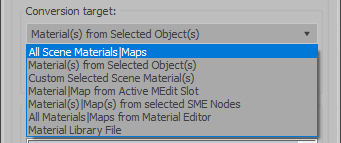
Update Shader Utilities for 3dsmax2014

Hi Guys,

Shader Utilities Pro for 3dsmax2014 is released. Update and Bug Fix!

New Tutorial  in english !!!

- support Vray 2.x to mental ray
- support Iray Material  & MILA Layering Shader from NVidia
- Global Shader Optimizing: Reflection/Refraction, AO, CutOff´s, Bitmap Blur/Filtering ...
- Cleaner ( incompatible Maps, DWG, Revit import)
- Global Settings Optimizer (Sample Curve Technology only by Infinity Vision)

have fun!

Relink VrayBmpFilter Maps

With this tool you can change the bitmap path of VrayBmpFilter maps very quickly and easily. In this case, Asset Tracking can not help because does not see the VrayBmpFilter maps in the scene.

Syndicate content