3ds Max | Scripts

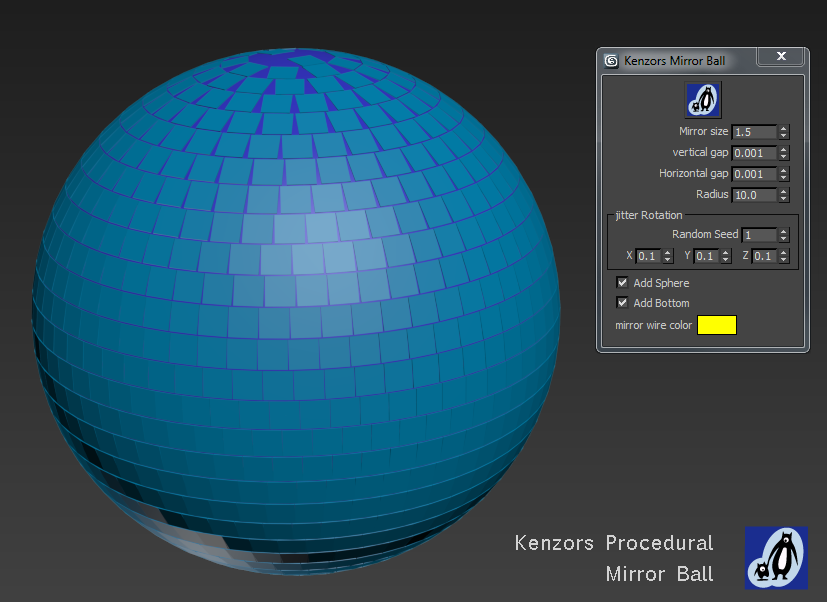
Kenzors Mirror Ball

5 votes

This maxScript generates a mirror ball. I wrote it for fun, as part of some project related RnD.

There are a few parameters for you to play with, and it's a lot faster than building one by hand. But be warned things can get a little slow with a lot of mirrors. You can download it as part of my maxScript pack.

Kenzors Previsualization tool

11 votes

This is a 3dsMax previsualization tool. It allows you to jump cameras and time to previs scenes.

Its the only tool I know that allows you to skip anywhere in time to create 'cuts' in 3dsmax like a video editing package

Installation instructions are here.

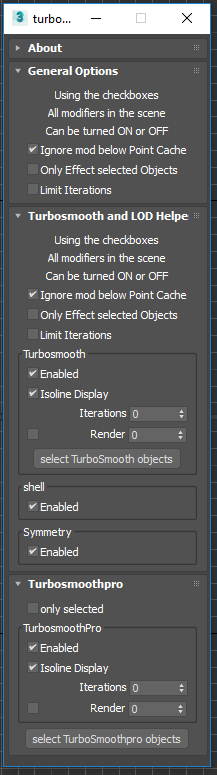
Toggle Turbosmooth , shell , and Symmetry

2 votes

Turbosmooth helper dialog

This is a simple script allows you to quickly toggle ( on or off ) all: turbosmooth , shell , and Symmetry modifers in the scene. I use it to control detail levels while I'm building up a scene. To use:

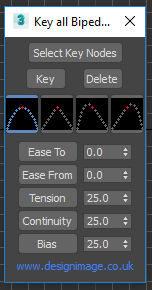
key all biped limbs

1 vote

biped key dialog

This is a tool for keying all your biped limbs in on click (including the root or COM ). Simply select part of the biped and click 'key' This will set a TCB key at the current frame on all the biped limbs. You can also delete all the keys at the current time using the 'delete' button.

MaxScript Navigator

6 votes

This tool simply helps organize, run, and edit your maxScripts more quickly. Quickly create a menu of your favorite scripts. Then place this menu anywhere you choose in the max. To change the currently selected name in the list. Just type in the top text box and press enter. Note that the .ms file name remains unchanged if you do this.

See my site for installation details

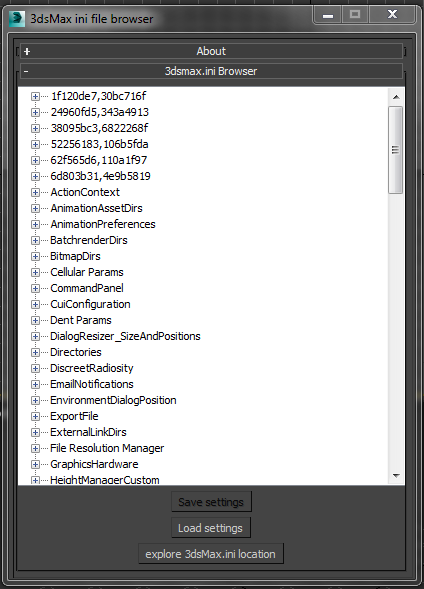
Selectively inspect backup and restore 3dsMax.ini settings

3 votes

Selectively backup and restore 3dsMax.ini settings with this tool.

  • Click on a item in the tree. Use the ‘Save Settings’ button to backup that sections settings.
  • Use the ‘Load Settings’ button to import saved settings from a file. This will over right the current 3dsMax settings.
  • Use the ‘explore 3dsMax.ini location’ button to open the Windows Explorer at the folder.

Free to download as part of my scriptpack.

Camera resolution tool

6 votes

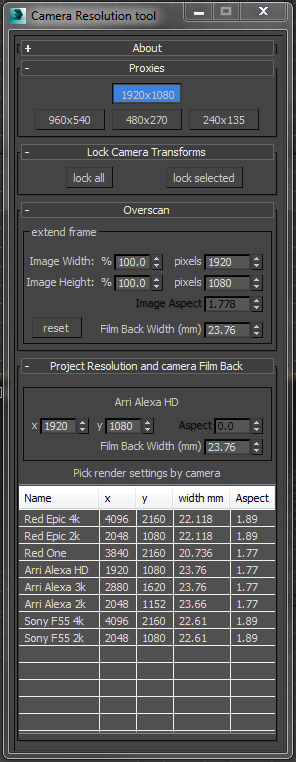
Frankly the default 3dsMax render settings bug me. They don't deal with modern cameras. The proxy settings are hard coded and can't be changed. There's no easy way to create over-scanned frame without a calculator. So I've written my own tool to fix these problems.

Tweak Camera Dialog

There several rollouts in this tool, each dealing with a separate task.

Bake Animation to new Object

2 votes

This simple MaxScript is extremely useful for copying animation from one object to another.

The script is free as part of my scriptpack. Instructions to download all my scripts are here.

To use

Raytracer

2 votes

Raytracer literally throws rays (as splines) and traces their path as they reflect off of surfaces in the scene. This is helpful if you want to visualise the path of light (or sound) and not to visualise the actual ray-traced rendering. You can choose an object of any shape. The script will convert it into an Editable Poly and throw a ray from each of its faces. Therefore, you can have parallel rays by choosing a segmented plane. If you want to throw rays in almost every direction, choose a highly segmented sphere.

Vray MultiSubTex Loader

2 votes

Syndicate content