3ds Max | All

111_sliceMulti

4 votes

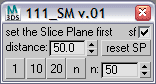
This script makes multiple slices in editable poly, it is handy if you need to cut a lot of parallel lines. Just set the Slice Plane as needed, set the distance and push one of the buttons. Small checkbox in upper right makes the first cut in the position, where you have the plane initially. You can set your own number of cuts in addition to preset 1 10 and 20. And also a button to reset the plane.

Array 3D

38 votes

PhotobucketUpdated to version 0.83 and converted to a Helper instead of modifier. This is a new Helper for 3DS Max, that does the same as the Array tool does, but with some more features and more importantly, the settings can be adjusted on the fly, so you can always change the spacing, rotation, scaling between the array objects, or use splines for either 1D, 2D, 3D position. Also feature an randomize addition that can randomize spacing, rotation, scaling.

IE Tool

0 votes

This tool allow the user to import/merge and export/save a lot of objects and files at once!
This is a comercial tool.
Get this tool here:
https://gum.co/rmJuE

Quick Pivot

15 votes

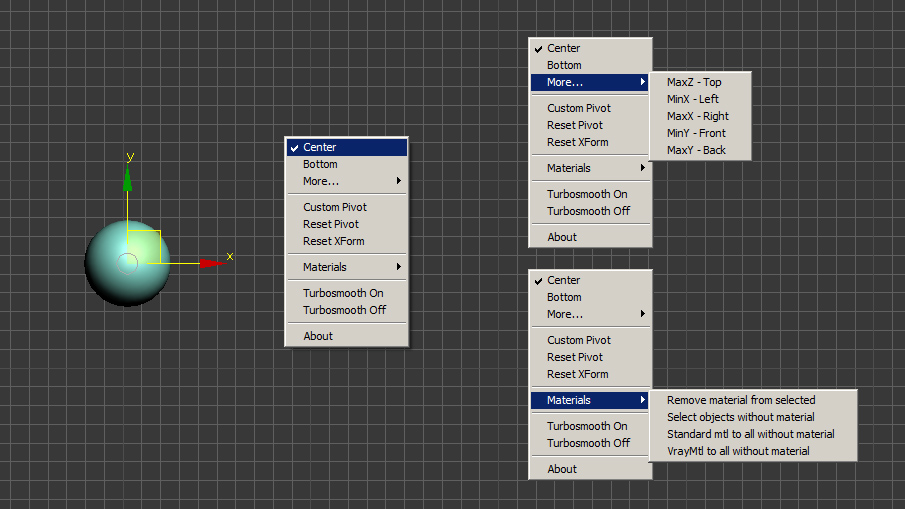
This is only my small version of quick pivot.

New: Dual Shortcut - short / long click:
  1. quick press shortcut for less then 0.5 s - Quick default Pivot witout menu
  2. hold shortcut - popup menu (or hold Shift + press toolbar button)

To choose default option (hold Ctrl while choosing from popup menu)

This method  I developed to save shortcuts - to use one for 2 options / scripts (with short click or long)
I can publish it as a open code if anybody is iterested in. Let me know.

Viewport Maxscript Editor

80 votes

I'm happy to release a new script that allows you to create scripts using objects in max's viewport. It was written with the idea that it could replace the long outdated and basically useless "Visual Maxscript Editor" - it's even named the same acronym.

VME also 'imports' a PSD and converts it to a .MS file, if the PSDs layers are named correctly.

You can follow the development here: http://forums.cgsociety.org/showthread.php?f=98&t=959876

Here is a shot of the UI:

MCG Flatpack Fold/Spline

1 vote

So Mythbusters proved you can't physically fold anything on itself more than 7 times...well you can use this MCG and fold stuff however many times you want...as long as you've got enough verts !!!

A picture won't do jack...as what does a flatpack look like.....? a flat box....so you'll have to watch the video to see the effect.

Iterations is how many times you've folded it. Why is it not an integer ?...so you could animate 'fraction' of a fold, that's why.

Installation:

ShellVex

3 votes

ShellVex is a scripted geometry plugin for 3ds Max that allows you to create convex geometry blocks from the polygons (or tris) of other objects in the scene. This plugin is perfect for scenarios where you need to create convex geometry to seal areas around complex models or layout.
ShellVex

Apply skin weights to Skin modifier based on .xml file from maya

1 vote

This script is a function definition. You can use this function in order to import skin data from maya, e.g. in the case that you want to send your model and bones to maya for skin binding but you do not want to import back to 3ds max the maya joints. You can just import the skin weights using a .xml file generated from maya (Deform/Export Weights...) and the declared function. Current version does not remap the bones-joints in the case they have different names, it just prompts a message to the user.

Enjoy,
har1sf0x

Building Generator

35 votes

This is a tool for 3d Studio Max which generates procedural building objects based on a list of user-controlled settings.

Main Features:

Create Encrypting Max Script

29 votes

Simple script that allow the convert Max Script File (.ms) in Encrypting Max Script file (.mse).

create .mse

Syndicate content