3ds Max | Scripts

PolyUnwrapper

41 votes

PolyUnwrapper is a complete set of professional tools designed for the texture artists, especially for the architectural and game industries.

It contains plenty of features that will greatly help you improve your unwrapping workflow.

PolyUnwrapper


Main Features Features

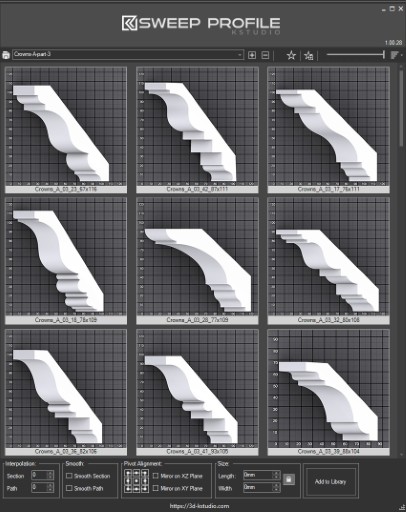
Sweep Profile

563 votes

The new version of Sweep Profile PRO has been released

version 1.01.36

  • Adds support to 3Ds Max 2026
  • New Demo Molding profiles
  • Drops support to 3Ds Max 2014/2015

version 1.01.30

  • Adds support to 3Ds Max 2025

version 1.01.27

  • Adds the "Assign" button
  • Adds German and Japanese localizations
  • Better zooming to profile on rendering preview
  • Adds an ability to add multiple directories with profiles using the checkbox "Include Subfolders"
  • Fixes an issue with changing profile dimensions in 3ds Max 2023-2024

The main functionality of the Sweep Pro lies in its ability to offer a quick and convenient way to build architectural profiles using the Sweep modifier.

The pack includes pre-made architectural profiles (10 for the free version and 37 for PRO version), providing users with a solid base to start from.

However, the functionality doesn’t stop there; users also have the option to add new profiles from the scene or add profiles from a specific folder.

Also, the tool has a very convenient option for changing the profile size on the fly.


Project Manager

597 votes

After a long stretch of development, Project Manager 4 is officially out — the biggest release in the product's history, and now with full 3ds Max 2027 support.
The headline is AI Asset Classification.
Your library gets sorted automatically — by object type, material, and style — no manual tagging.

Project Manager 4 — What's New Since v3

Changelog · 3ds Max 2016–2027

AI-Powered Asset Classification

  • Automatic categorisation of 3D models and textures by object type, material, form, and style — no manual tagging required
  • Runs entirely on your machine — no cloud, no subscription, your assets never leave your computer
  • GPU-accelerated background processing at low priority — won't interfere with rendering or active work
  • Reclassify specific folders or categories on demand — no need to reprocess the entire library
  • Scale across a team: multiple workstations share the same database and classify in parallel

Colour Tools

  • Find assets by colour — pick from a palette and instantly see matching models or textures
  • Perceptual colour similarity search — finds visually related assets, not just exact hex matches
  • Find Similar by Colour in the right-click menu for models and textures

Find Similar

  • Find similar by content — AI matches 3D models by style, shape, and visual look
  • Find similar by colour palette — matches assets to a reference image or mood board by dominant colour proportions

Smarter Search & Filtering

  • Multi-keyword search: "Chair, Glass" finds a file named Chair.max described as "glass"
  • Category filter correctly includes all subcategories — filtering Furniture also returns Furniture → Chairs → Dining
  • Combine category and material filters: find glass-and-metal tables, or wooden ones, in one click
  • Categorised / Uncategorised quick filters — see which assets still need attention

Gallery & 3D File Browsing

  • Three gallery tabs for .max files: Models, Materials, and External Links
  • Drag materials directly from the gallery into your open 3ds Max scene
  • 3D viewport preview for FBX, 3DS, OBJ, and other formats — inspect geometry before importing
  • Edit external links inline — fix or replace missing textures without opening the .max file
  • Zoom & Pan for images — inspect textures at full resolution inside Project Manager

Migration & Compatibility

  • v3 and v4 share the same database format — point v4 at your existing library and go; no rebuild required
  • Run v3 and v4 side by side on the same team; supported from 3ds Max 2016 through 2027

Performance & Other Fixes

  • Significantly improved overall performance — faster navigation, filtering, search, and file/folder operations
  • Live sync in shared database mode — changes by colleagues appear automatically without reloading
More about new features   Project Manager version 4
 

Batch Export/Import

30 votes

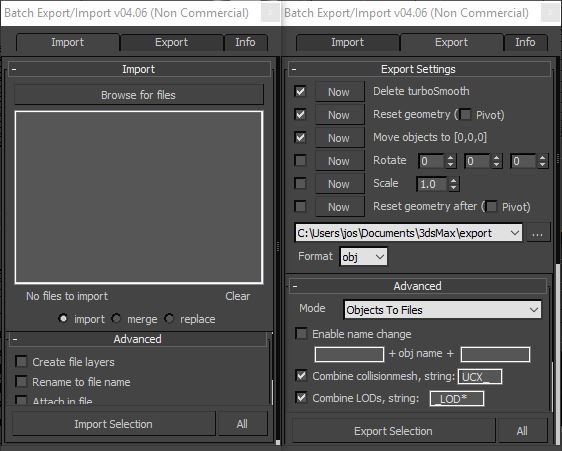
This is a free script, for non commercial use.

This is the perfect script to transfer your models from 3ds Max to ZBrush/Unity/UDK/...
Basically it batch exports objects to multiple files.
Supported formats : max, obj, fbx, 3ds, ase, dwf, dwg, dxf, dae, nif.

Advanced Painter

258 votes

Advanced Painter is a modular brush-based distribution tool derrived from the Nature Painter script. This tool comes with 7 inks:

  • Grass: to create grasses; Grass: to create simple grasses
  • Hair [new]: used to create simple hair/fur (or as guide hair for Shag:Hair
  • Randomizer [new]: a variation of Scatterer used to randomly distribute a selection of objects.
  • Stone: to create simple stones and peebles.
  • Spaghetti: spaghetties, noodles, wires and other long things maker.

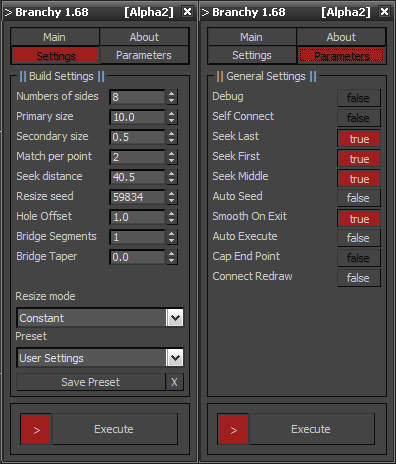
Branchy

68 votes

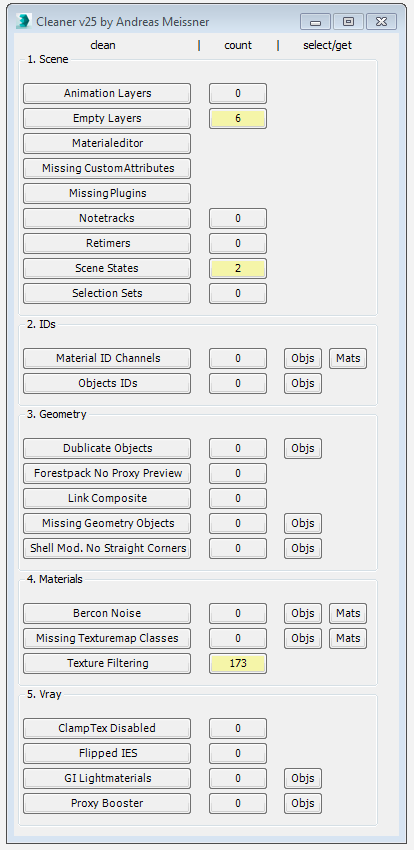
Cleaner

88 votes

This tool can help you to clean and speed up your scene. Hover with your cursor over the clean-buttons to see tooltips for further information.


TexTools: Toolbox for the texture artist

237 votes

Documentation: http://www.renderhjs.net/textools/

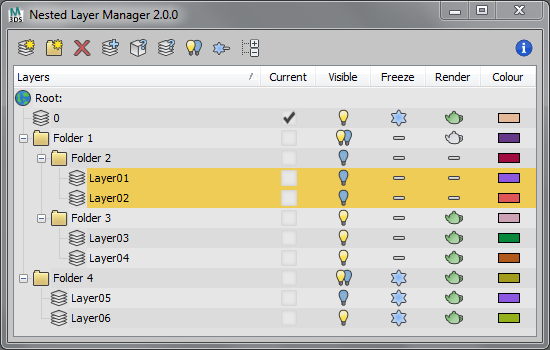
Nested Layer Manager 2 For 3ds Max

44 votes

Nested Layer Manager 2 provides the ability to nest layers in 3ds Max. This script is small, fast and allows layers to be nested in an unlimited number of folders. It has complete 2 way communication with the default layer manager; If anything is altered in either, both layer managers are updated. This allows people without this script installed to still see the normal layer organisation present in the file.

Nested Layer Manager has a free 30 day trial.

Max Hotbox

586 votes


This script is in open beta phase, available for public.

Who creates the best interface for the users? The users theirselves! This tool is inspired by the Maya Hotbox. It is not ment to be a tool collection on its own, its idea is to provide ways to you for accessing and organizing functionality. Build your own interface, customize your workflow to your needs.

Syndicate content